Best Hubstaff Alternatives in 2026 (Compared)
 By Suraj Rao12 min read
What You'll Learn
- Hubstaff is strong at workforce management, so the right alternative depends on which part of it you actually use: monitoring, payroll or billing clients.
- Time Doctor and DeskTime are the closest like-for-like swaps for monitoring, while Toggl Track suits teams that want no screenshots at all.
- If you bill clients, choose an alternative where tracked hours become invoices in the same tool, so nothing is copied between apps.
The best Hubstaff alternatives in 2026 are Time Doctor and DeskTime if you want similar monitoring, Toggl Track if you want none, Clockify or TimeCamp for a free plan, Harvest for simple time and invoicing, and Tristiks Grow if you also send proposals and invoice clients. Which one fits depends on what you use Hubstaff for today.
This guide is for people evaluating Hubstaff or thinking about leaving it. We cover what Hubstaff does well, why teams look elsewhere, seven alternatives with who each one suits, a comparison table and a short checklist for choosing.
A note before we start: we make Tristiks Grow, one of the alternatives. Every fact about the other apps comes from their own websites and help docs, as of November 2026, and we link to each one's pricing page instead of quoting prices that change.
What Hubstaff does well
Hubstaff is a mature product, and it's worth being clear about its strengths before you look for a replacement. According to its own site, as of November 2026:
- Configurable monitoring. Activity levels from keyboard and mouse use, optional screenshots (which can be blurred), and app and URL tracking. Hubstaff says it never logs keystrokes, only how often the keyboard and mouse are used.
- Respect for the user. It only tracks while the timer runs. Users can delete their own screenshots, which also removes the time they cover, and when someone goes idle they're asked whether to keep or discard that time.
- Payroll and payments. Approved timesheets can trigger payments through providers such as Wise, PayPal and Payoneer, and tracked hours can become invoices.
- Field teams. Mobile apps for Android and iOS, with GPS location tracking and geofenced job sites through its Locations add-on.
- Every desktop. Apps for Windows, macOS and Linux, plus Chrome and Firefox extensions.
- Workforce analytics. Reports on productivity, payments and work sessions, plus its Insights views.
If you rely on payroll from tracked time or GPS for mobile workers, Hubstaff may still be the right tool. Switching only makes sense when your needs have moved.
Why people look for Hubstaff alternatives
Hubstaff is well reviewed overall. Still, a few themes come up again and again in public reviews on sites like G2, and they explain most of the searches for an alternative:
- Cost as the team grows. Hubstaff charges per seat across Starter, Grow, Team and Enterprise plans, and some features sit on the higher tiers. Small teams and contractors sometimes find a simpler or free tool fits their budget better.
- Monitoring that's more than they need. For some roles, screenshots and activity tracking feel stricter than the work requires. Teams with a high-trust culture often want lighter tracking or none.
- Client work that needs more than time. Freelancers and agencies want proposals, contracts and invoices next to their hours, not in separate tools.
- A free plan. Hubstaff offers a 14-day free trial rather than a free plan, so solo users and tiny teams look for one.
- Reporting style. Some reviewers want different or more customizable reports.
None of these mean Hubstaff is a bad tool. They mean it's built around managing a workforce, and not every team needs that.
Hubstaff alternatives compared
Here's how the seven alternatives compare with Hubstaff on the features people ask about most. "Not listed" means we couldn't find it on the app's own site, not that it definitely doesn't exist.
| App | Screenshots | Activity tracking | Invoicing | Proposals and contracts | Desktop apps | Free plan |
|---|---|---|---|---|---|---|
| Hubstaff | Optional | Keyboard, mouse, apps and URLs | Yes | Not listed | Windows, macOS, Linux | No (14-day trial) |
| Tristiks Grow | Optional | Keyboard and mouse, per 10 minutes | Yes | Yes, signed online | macOS, Windows, Linux | No (14-day trial) |
| Time Doctor | Yes | Web and app usage, activity summary | Not listed | Not listed | Windows, Mac, Linux | No (14-day trial) |
| Toggl Track | No, by design | Private timeline for the user | PDF invoices from reports | Not listed | Windows, macOS | Yes |
| Clockify | On Pro and up | On Pro and up | From Standard | Not listed | Mac, Windows, Linux | Yes |
| Harvest | Not listed | Not listed | Yes | Not listed | macOS, Windows | Yes, 1 seat |
| DeskTime | On Premium and up | Apps, URLs, productivity | Not listed | Not listed | Windows, Mac | No (14-day trial) |
| TimeCamp | On Ultimate and up | On Premium and up | From Starter | Not listed | Windows, macOS, Linux | Yes |
For a full feature-by-feature view of Hubstaff and Tristiks Grow, including idle time, expenses and task boards, see Tristiks Grow vs Hubstaff. Our compare page has the same for Toggl, Clockify and Harvest.
The 7 best Hubstaff alternatives
1. Tristiks Grow: best if you also invoice clients
Who it's for: freelancers, agencies and small teams who bill clients for their time and want proof of work without a workforce-management suite.
We list Tristiks Grow first for one specific reason: if you use Hubstaff to track time you then bill to clients, Tristiks Grow keeps the screenshots and activity levels and adds the client side, from proposal to paid invoice. If you don't bill clients, start with Time Doctor or DeskTime below.
Key features:
- OneTrack desktop app for macOS, Windows and Linux, in the menu bar or system tray, with offline tracking.
- Optional screenshots at random moments in a capture window you choose (5 to 60 minutes), covering every monitor.
- Activity levels for every ten minutes of tracked time, from keyboard and mouse use. It never records what anyone types.
- Idle time handled fairly: OneTrack asks whether to keep or discard idle time, with a threshold of 3 to 15 minutes per person.
- People control their own captures. Anyone can delete their own screenshots, and the time they cover comes off the timesheet, so a gap is a clear decision.
- Proposals and contracts from branded templates, signed online, with a draft invoice created when the client signs.
- Invoices from tracked hours and expenses, with automatic payment reminders, recurring invoices and any currency.
- A task board sorted by due date, with time tracked on every card, and one profile per client.
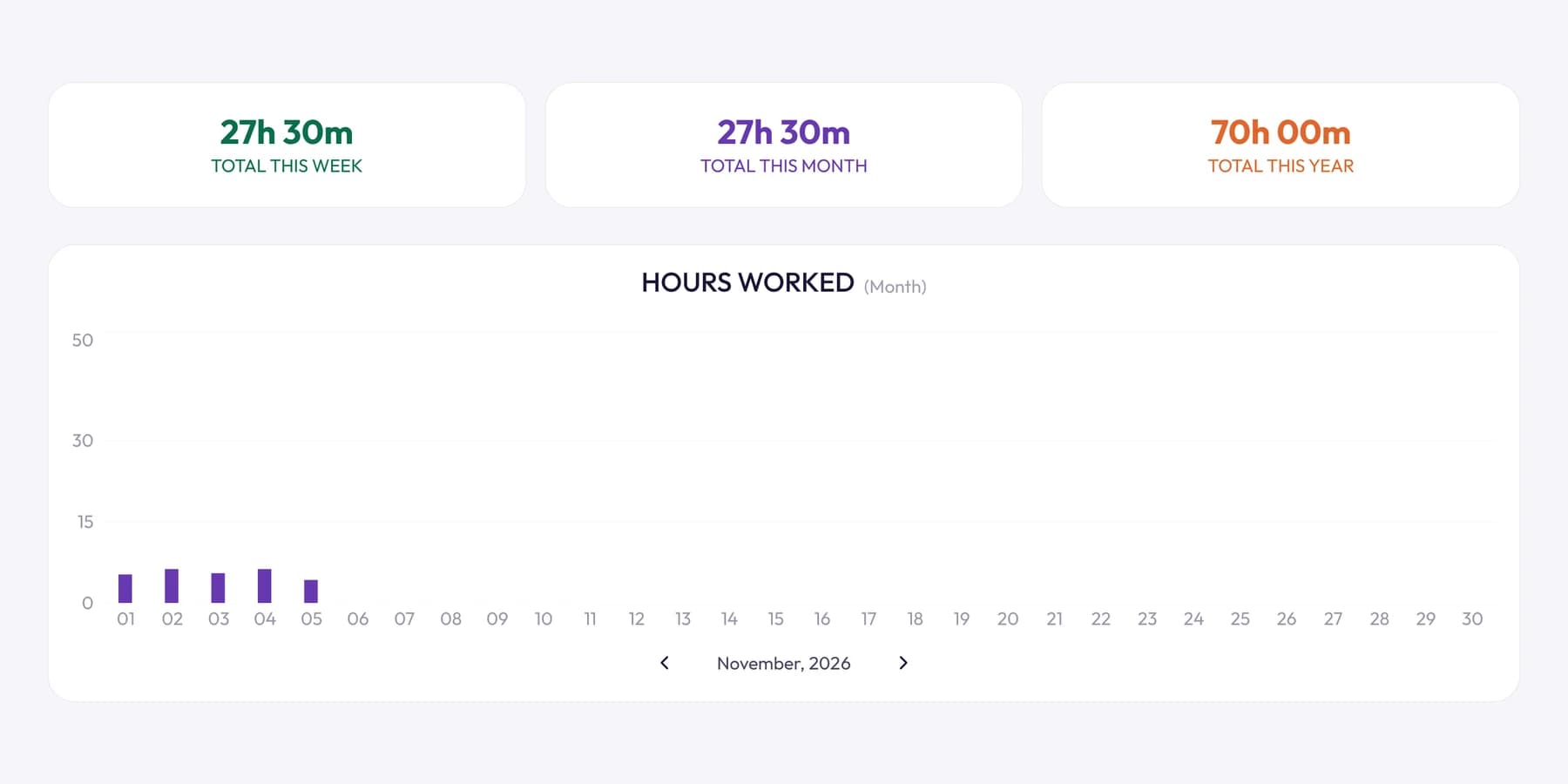
Compared with Hubstaff: Tristiks Grow has no mobile apps, GPS or payroll, and online card and PayPal payments on invoices are coming soon rather than available today. On Linux, screenshots work on X11 only. Pricing is one price for 1, up to 3 or up to 10 seats rather than per seat. See Tristiks Grow pricing; there's a free 14-day trial with no card needed.
2. Time Doctor: best like-for-like swap for managing a distributed team
Who it's for: operations, HR and IT leaders running distributed teams, including outsourcing, healthcare, finance and technology companies.
Key features:
- Screenshots from its Basic plan, with video screen recording on Premium (or as an add-on on lower plans).
- Web and app usage reporting and a daily activity summary.
- Payroll-ready reports and time approvals before payroll.
- A client login on Premium, so clients can see their hours.
- Apps for Windows, Mac and Linux, Chrome and mobile, with offline tracking.
Compared with Hubstaff: the closest in spirit. Both focus on workforce visibility and payroll. Time Doctor's pricing page doesn't mention invoicing, so if you bill clients you'll need a separate tool. There's no free plan; the 14-day trial includes its Premium features. See Time Doctor pricing.
3. Toggl Track: best if you want no monitoring at all
Who it's for: teams moving away from screenshots on purpose, and individuals who want fast, friendly timers.
Key features:
- No screenshots, keystrokes, browsing history or location. Toggl states this plainly in its pricing FAQ.
- Timers on every device: web, Windows and macOS, iOS and Android, and Chrome and Firefox extensions.
- Idle time detection and a built-in Pomodoro timer.
- Billable rates and project estimates on Starter; timesheet approvals, profitability reports and Jira and Asana integrations on Premium.
- A free plan for small teams (their FAQ says up to 3 users).
Compared with Hubstaff: a deliberate step away from monitoring. You lose screenshots, activity levels and payroll. Invoicing is basic: you can turn a report into a PDF invoice, but Toggl doesn't send it or track payment. See Toggl Track pricing.
4. Clockify: best free plan for a team
Who it's for: teams that want everyone on a tracker without paying per seat from the start, and that may add monitoring later.
Key features:
- Free plan with the timer, timesheets, reports, idle detection and reminders, and mobile and desktop apps.
- Desktop apps for Mac, Windows and Linux, browser extensions and a shared kiosk.
- Invoicing, recurring invoices and timesheet approval on Standard.
- Activity monitoring with screenshots on Pro and above. Clockify's help docs say screenshots are blurred by default and deleted automatically after 60 days.
- Expenses, multiple currencies and GPS tracking on Pro.
Compared with Hubstaff: you can start free and add monitoring and invoicing as you need them. Check which plan holds the features you use in Hubstaff today. See Clockify pricing.
5. Harvest: best for simple time tracking and invoicing
Who it's for: small agencies and consultancies who care more about invoices than monitoring.
Key features:
- Time tracking, invoicing and expenses on every plan, including the free one.
- Project estimates on every plan.
- Accounting and payment integrations (including Stripe, QuickBooks Online and Xero) on Teams, and more than 50 core integrations.
- Timesheet approval and profitability reporting on Enterprise.
- Apps for macOS, Windows, iOS and Android.
Compared with Hubstaff: Harvest's pricing page doesn't mention screenshots or activity monitoring, so it suits teams that want to stop monitoring and focus on billing. The free plan is limited to 1 seat and 2 projects. See Harvest pricing.
6. DeskTime: best for automatic tracking in office and hybrid teams
Who it's for: companies that want time tracked automatically while people work, alongside attendance and shift planning.
Key features:
- Automatic time tracking from the desktop app, with URL and app tracking, document titles and productivity calculations.
- Screenshots on Premium and above.
- An absence calendar and shift scheduling (scheduling on Premium).
- Integrations with Google Calendar and Outlook, and with Jira, Asana and others on Premium.
Compared with Hubstaff: similar monitoring, with more of a focus on office attendance and scheduling. Its pricing page names Windows and Mac desktop apps and mobile apps, and doesn't mention invoicing or GPS. There's a 14-day free trial and no free plan listed. See DeskTime pricing.
7. TimeCamp: best budget option with optional monitoring
Who it's for: cost-conscious teams that want a free start and the option of screenshots and billing later.
Key features:
- Free plan with unlimited users and projects, timesheets, idle time tracking and GPS location tracking.
- Invoicing from Starter, and budgets and alerts from Premium.
- App and website tracking and activity levels on Premium, screenshots on Ultimate.
- Attendance tracking from Starter and timesheet approvals on Ultimate.
- Apps for web, desktop (Windows, macOS and Linux) and mobile.
Compared with Hubstaff: covers much of the same ground with a free entry point, but monitoring and approvals sit on the higher tiers. See TimeCamp pricing.
How to choose a Hubstaff alternative
Start from what you actually use in Hubstaff, not from the feature list. These questions narrow it down fast.
Which Hubstaff features do you use every week?
Open Hubstaff and list the features your team touched in the last month. Most teams find they use three or four:
- Screenshots and activity: Time Doctor, DeskTime, Tristiks Grow, or the higher plans of Clockify and TimeCamp.
- Payroll and payments to workers: Time Doctor has payroll-ready reports; otherwise check carefully, because few alternatives match Hubstaff here.
- GPS and job sites: Clockify (Pro) and TimeCamp list GPS tracking.
- Invoicing clients: Tristiks Grow, Harvest, Clockify (Standard) and TimeCamp (Starter).
- Proposals and contracts: Tristiks Grow.
Do you want more monitoring, or less?
If you're leaving because monitoring felt heavy, don't swap one monitoring tool for another. Choose Toggl Track or Harvest, or keep screenshots optional and let people delete their own captures. Our guide on employee productivity tracking covers what's worth measuring and what backfires, and our page on time tracking with screenshots explains how optional screenshots work in Tristiks Grow.
Do you bill clients?
If you do, the most valuable change you can make is to stop copying hours into a separate invoicing tool. Pick an alternative where tracked time becomes an invoice in the same place.
A switching checklist
Whatever you choose, plan the move so no hours are lost:
- Export your history from Hubstaff (timesheets and reports) before your plan ends, and keep it with your records.
- Pick a cut-over date, ideally the start of a billing period, so no week is split across two tools.
- Set up clients and projects in the new tool before that date.
- Tell the team what's tracked in the new tool, in writing: screenshots or not, activity or not, who can see what.
- Run both for a few days if you can, and compare the timesheets.
- Cancel Hubstaff once the first invoices or payroll from the new tool are correct.
Frequently asked questions
What is the best free alternative to Hubstaff?
Clockify and TimeCamp have the most generous free plans, and both offer screenshots on paid tiers if you need them later. Toggl Track's free plan suits small teams that don't want monitoring. Check each plan's current limits on their pricing pages.
Which Hubstaff alternative takes screenshots?
Time Doctor, DeskTime (Premium) and Tristiks Grow all take screenshots, as do Clockify (Pro) and TimeCamp (Ultimate). In Tristiks Grow screenshots are optional, and people can delete their own captures. Toggl Track says it doesn't take screenshots at all.
Is there a Hubstaff alternative with invoicing?
Yes. Tristiks Grow and Harvest invoice from tracked time on every plan, and Clockify and TimeCamp do on paid plans. Tristiks Grow also handles proposals, contracts, expenses and payment reminders, which suits freelancers and agencies.
What is the closest alternative to Hubstaff?
Time Doctor is the closest match for workforce visibility: screenshots, app and website usage, payroll-ready reports and Windows, Mac and Linux apps. DeskTime is close too, with more focus on office attendance and scheduling.
Is it legal to monitor employees with screenshots?
It depends on the country and often the state, and usually requires clear notice and a legitimate purpose. Our guide to whether employee screenshot monitoring is legal covers the main rules. It's general information, not legal advice.
Wrap up
Hubstaff is a strong tool for managing a workforce, and the best alternative depends on which part of it you need. Time Doctor and DeskTime keep the monitoring, Toggl Track drops it, Clockify and TimeCamp start free, and Harvest keeps things simple.
If you track time to bill clients, try Tristiks Grow against Hubstaff with a free 14-day trial, or read our wider guide to the best time tracking apps.
Category: Time Tracking
Suraj Rao
Suraj Rao is the founder of Tristiks, the team behind Tristiks Grow and its desktop time tracker OneTrack. He writes about time tracking, client work and getting paid, and about DevOps, cloud and AI from years of building software.