How to Manage a Remote Team: Tools, Time Tracking and Check-ins
 By Suraj Rao10 min read
What You'll Learn
- Write down how the team works (hours of overlap, response times, where work lives) before you add any tools.
- Default to async updates and keep live calls for decisions, problems and relationships, with a fixed weekly rhythm.
- Track time openly against client work, with rules everyone can see, so trust rests on shared facts rather than on who looks busy.

To manage a remote team well, write down how the team works, default to asynchronous communication with a few regular check-ins, use a small set of shared tools, and track time openly against client work. Trust then rests on shared facts, not on who looks busy online.
Remote teams rarely fail from one big breakdown. It's the pile-up of small ones: a question that waits eight hours for an answer, a decision buried in a thread, a timesheet nobody filled out.
This guide covers how to manage a remote team that does client work: setting expectations, async vs sync communication, check-in rhythms, time zones, tools, fair time tracking, building trust and the mistakes to avoid.
Set expectations in writing
In an office, people pick up the norms by watching. Remotely, nobody can see how anyone else works, so unwritten rules turn into guesswork.
Write a one-page working agreement and share it with everyone, including freelancers you bring in. It should answer five questions:
- When are we reachable? Core overlap hours, not a full schedule.
- How fast do we reply? A response time for each channel.
- Where does work live? One board for tasks, one place for files, one channel per client.
- What does "done" mean? Reviewed, delivered to the client, time logged.
- How do we track time? What's recorded, when and who sees it.
Here's a template to start from:
Team working agreement

Core hours:      14:00–17:00 London (09:00–12:00 New York)
Chat:            reply within 4 working hours
Email:           reply within 1 working day
Urgent:          phone call, only for client emergencies

Tasks:           every request becomes a card on the board
Files:           stored with the client's project, never in DMs
Decisions:       written in the task or the project notes

Done means:      reviewed, delivered, time logged against the task
Time tracking:   timer runs only on client and internal work;
                 see the tracking policy for what's recorded

Review this agreement every quarter.
The agreement matters more than any tool. A team with clear norms and basic tools beats a team with great tools and no norms.
Async vs sync communication
Asynchronous (async) communication means people reply when it suits their day: comments on a task, a written update, a recorded walkthrough. Synchronous (sync) means everyone is there at once: a call or a live chat.
Remote teams work best when async is the default and sync is the exception, kept for the things that need it.
| Use async for | Use sync for |
|---|---|
| Status updates | Decisions with real trade-offs |
| Feedback on a design or document | Problems that are going in circles |
| Questions that can wait a few hours | Sensitive conversations and feedback |
| Handoffs between time zones | Kickoffs and project retrospectives |
| Sharing decisions already made | Building relationships, especially with new people |
Rules that make async work
- Write decisions down. A decision that only lives in a meeting will be remembered three different ways a week later. Put it in the task or the project notes.
- Give every client one channel. Mixing clients in one inbox is how messages get missed. One channel per client keeps the history in one place.
- Turn every request into a task. If a client asks for something on a call, add it to the board before the call ends.
- Write complete messages. "Can we talk?" stalls a whole day across time zones. Say what you need, by when and why.
Check-in rhythms that work
A predictable rhythm replaces the "quick question" culture that interrupts everyone. This is a rhythm that suits most small client teams:
| Cadence | Format | Length | Purpose |
|---|---|---|---|
| Daily | Written update in the team channel | 3 minutes to write | Plan, progress, blockers |
| Weekly | Team call | 30 minutes | Priorities, blockers, decisions |
| Weekly | Summary to each client | 5 bullet points | Done, in progress, blocked, next, hours used |
| Every two weeks | 1:1 with each person | 30 minutes | Workload, growth, anything they want to raise |
| Quarterly | Process review | 60 minutes | Fix what's causing the most back-and-forth |
The daily update is the backbone. Keep it short and the same every day:
Yesterday: finished homepage layout for Client A (3h 20m)
Today:     product page for Client A, review Client B copy
Blocked:   waiting on Client B's brand fonts since Tuesday
The "blocked" line is the most valuable one. It shows you where people are waiting, which is often where the team loses the most time. Our post on idle time explains how to measure and reduce it.
The weekly client summary prevents most "where are we?" emails. Five bullets every Friday is enough.
How to handle time zones
Time zones are the hardest part of managing a remote team. You can't remove them, but you can plan around them.
Find your overlap
Work out the hours when everyone is online, and protect them for the things that need a live conversation.
Worked example (in winter, when London is on GMT): a team with people in London, New York and Bengaluru, each working 9:00 to 17:00 or 18:00 locally.
| Location | Local hours | Same hours in London time |
|---|---|---|
| London | 09:00–17:00 | 09:00–17:00 |
| New York | 09:00–17:00 | 14:00–22:00 |
| Bengaluru | 09:00–18:00 | 03:30–12:30 |
London overlaps with New York from 14:00 to 17:00 and with Bengaluru from 09:00 to 12:30. New York and Bengaluru don't overlap at all. Clocks change at different dates in different countries, so check the overlap again each spring and fall.
Make time zones work for you
- Hand off in writing. When Bengaluru's day ends, a short note on each task lets New York carry on without a meeting.
- Rotate awkward meeting times so the same person isn't always on a call at 21:00.
- Write deadlines with a time zone. "Friday 17:00 London" leaves no room for doubt.
- Use the follow-the-sun effect. A client request that arrives at the end of one person's day can be picked up by someone starting theirs.
In Tristiks Grow, each person's day ends at their own local midnight, so tracked time lands on the right day wherever they work.
Remote team tools
A working remote setup covers five jobs. You don't need one tool per job, and fewer tools usually means less admin.
| Job | What good looks like | What goes wrong without it |
|---|---|---|
| Communication | One channel per client, plus a team channel | Decisions get lost in direct messages |
| Tasks | Every request is a card with an owner and a due date | Work slips through the cracks |
| Time tracking | Hours land on the right client and task | Billable time goes unbilled |
| Documents | One folder per client, next to the project | Hunting for attachments |
| Invoicing | Built from tracked time | Invoices go out late or wrong |
A shared task board
A shared board is the closest thing a remote team has to looking across the office. Everyone can see what's due, who owns it and what's stuck.
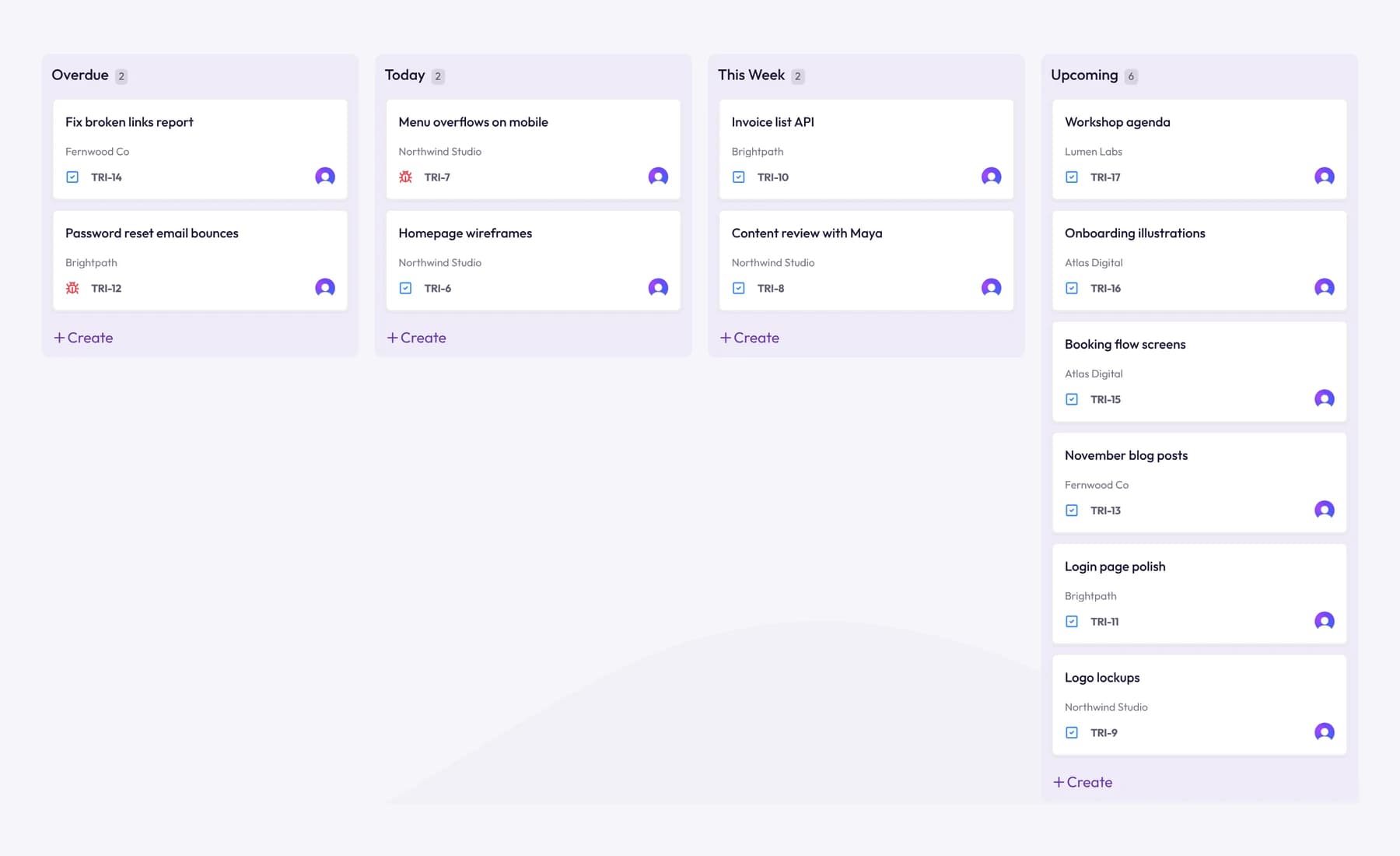
In Tristiks Grow, the kanban board fills its Overdue, Today, This Week and Upcoming columns from each task's due date, and you can add your own columns such as "Waiting on client". Time is tracked on every card. If you're deciding how to run the board itself, our comparison of Kanban vs Scrum for client projects will help.
Time tracking that feeds invoicing
Start the timer from the task you're working on, not from a separate app you have to remember to open. Then build invoices from those hours, so nothing is missed or retyped. For teams billing clients abroad, our guide to invoicing international clients covers currencies and fees.
Fair, transparent time tracking
Time tracking is where remote teams either build trust or lose it. The same tool can feel like a shared record or like surveillance, depending on how you set it up.
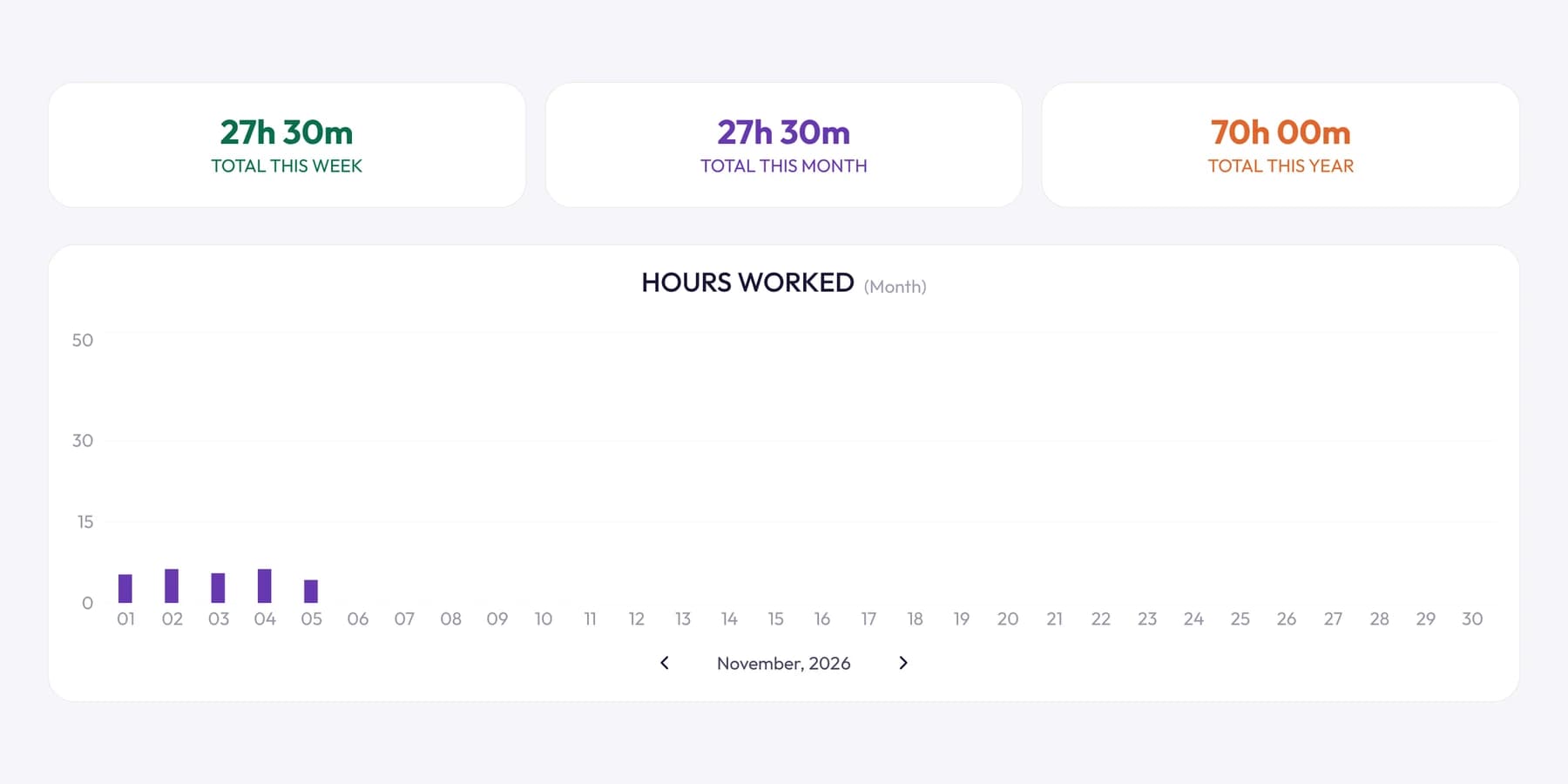
Principles to follow
- Say why. "So invoices match the work and estimates improve" is a reason people accept. "So I can keep an eye on you" isn't.
- Track against work, not the day. Time belongs to a client, project and task. Hours online tell you nothing.
- Use the same visible rules for everyone. If screenshots are on for one person, people should know the reason.
- Let people correct their own records. Mistakes happen, and fixing them should be easy.
- Look at the trend, not the minute. Review weekly totals against estimates, not individual ten-minute slices.
How Tristiks Grow handles it
Tristiks Grow for remote teams uses OneTrack, our desktop app for macOS, Windows and Linux, alongside a web timer:
- Rules per person. On the team management side, the account owner sets each person's screenshot frequency, idle time and whether the desktop app is required.
- Idle time handled fairly. After the idle time set for them, the app asks whether to keep the time someone was away or discard it.
- Offline tracking. If someone's connection drops, the desktop app keeps tracking and uploads the time when it's back.
- Privacy built in. OneTrack never records what anyone types. Teammates see only their own activity, and anyone can delete their own captures, which takes that time off the timesheet.
Screenshots are optional. Many teams don't need them for internal work, and use them only where a client wants evidence of billable hours. For what to measure, and what to leave alone, read our guide to employee productivity tracking. If your team spans countries, check the rules on employee screenshot monitoring before you switch screenshots on.
How to build trust in a remote team
Trust is what lets a remote team move fast without constant check-ins. It comes from small, repeated behaviors.
- Judge output, not hours online. Look at what was delivered and whether it was on time.
- Make work visible. Shared boards and written updates mean nobody has to ask "what are you working on?"
- Be predictable. Keep the meeting rhythm, reply within the agreed times and don't move the goalposts.
- Give context, not just tasks. People make better decisions alone when they know why the work matters to the client.
- Assume good intent. A late reply is usually a time zone or a busy day, not a lack of commitment.
- Give credit in public, feedback in private. Thank people in the team channel. Raise problems in a 1:1.
Common mistakes when managing a remote team
- Recreating the office online. Back-to-back video calls all day wear people out and leave no time for actual work.
- Measuring presence. Green dots and hours online reward looking busy, not getting things done.
- Too many tools. Every extra app is another place to check and another place for information to get lost.
- Unwritten rules. If response times and working hours aren't written down, everyone assumes their own.
- Ignoring time zones in deadlines. "End of day" means four different things on a four-country team.
- Monitoring without explanation. Switching on screenshots without telling people why is the fastest way to lose their trust.
- Skipping 1:1s. Remote people can struggle quietly for weeks. A regular private conversation catches it early.
- Never reviewing the setup. Once a quarter, cancel the tools nobody opened and fix the step that caused the most back-and-forth.
Frequently asked questions
How do you manage a remote team effectively?
Write down how the team works, including overlap hours, response times and where work lives. Default to written, async updates, keep a fixed rhythm of short check-ins, and judge people by what they deliver rather than when they're online.
How often should a remote team have check-ins?
Most small teams do well with a short written update every day, one 30-minute team call a week and a regular 1:1 with each person every week or two. Add more only if something isn't working.
What tools does a remote team need?
Five kinds: communication, a shared task board, time tracking, a place for documents and invoicing if you bill clients. Fewer, connected tools beat many separate ones.
Should you track remote employees' time?
If you bill clients by the hour or need accurate project estimates, yes. Track time against clients and tasks, be open about what's recorded and why, and let people correct their own records.
How do you manage a team across time zones?
Find the hours everyone overlaps and protect them for live conversations. Do everything else in writing, hand off work with short notes, write every deadline with a time zone and rotate inconvenient meeting times.
Wrap up
Managing a remote team comes down to clear written norms, a steady rhythm and a shared, honest record of the work. Get those right and the tools become the easy part.
Pick the habit that would have saved you the most time last month and start there. To see how a remote team tracks time, sets rules per person and bills together, have a look at Tristiks Grow for remote teams.
Category: Productivity, Time Tracking
Suraj Rao
Suraj Rao is the founder of Tristiks, the team behind Tristiks Grow and its desktop time tracker OneTrack. He writes about time tracking, client work and getting paid, and about DevOps, cloud and AI from years of building software.