Employee Productivity Tracking: What to Measure (and What Not To)
 By Suraj Rao9 min read
What You'll Learn
- Track output and time against plans (delivered work, estimate vs actual, utilization), not raw activity like keystrokes or hours online.
- Screenshots and activity levels are useful evidence for billable time and fair disputes, but they make a poor productivity score.
- Tracking works when it's introduced openly, with written rules, a clear purpose and people able to see and correct their own data.
Employee productivity tracking means measuring how much useful work a team delivers, so you can plan, price and remove bottlenecks. The metrics that work measure output and time against a plan. The ones that backfire score activity, such as keystrokes, mouse movement or hours shown as "online".
That distinction matters more than which tool you pick. Measure the wrong thing and people optimize for it: they look busy instead of getting work done.
This guide is for small-business owners and agency leads. It covers which metrics are worth tracking, which to avoid, what screenshots and activity levels are good for, and how to introduce tracking in a way your team will trust.
Output metrics vs activity metrics
Every productivity metric falls into one of two groups.
Output metrics measure results: work delivered, deadlines met, hours spent compared with the estimate. Activity metrics measure effort signals: keyboard and mouse use, time online, apps opened, messages sent.
| Output metrics | Activity metrics | |
|---|---|---|
| Examples | Tasks delivered, estimate vs actual, utilization | Keystrokes, mouse movement, hours online |
| What they tell you | Whether the work is getting done | Whether someone was at the computer |
| Easy to game? | Hard | Easy |
| Good for | Planning, pricing, spotting problems | Backing up billable hours, resolving disputes |
| Bad for | Very short-term views | Ranking or scoring people |
Activity data isn't useless. It's evidence about time, not a measure of value. Keep that in mind and most of the mistakes in this area disappear.
Productivity metrics worth tracking
For a business that does client work, three metrics cover most of what you need.
Delivered work
What got finished this week or month? Count delivered tasks, milestones or deliverables, and look at whether they met the deadline and needed rework.
Look at the trend for the team, not a league table of individuals. A designer who finished two big pieces may have contributed more than one who closed fifteen small tickets.
Time per project vs estimate
This is the most useful number in client work, because it tells you whether you're making or losing money on a job.
Worked example. A website project was estimated at 60 hours. After three weeks, the team has tracked 48 hours and finished about 60% of the deliverables.
Projected total = 48 h ÷ 0.60 = 80 h
Overrun        = (80 − 60) ÷ 60 = 33% over estimate
That's not a verdict on the team. It's a prompt for a conversation: was the scope bigger than agreed, did feedback take extra rounds, or was the estimate too low? In Tristiks Grow, each project shows its tracked time next to its estimate, so you see this coming. Our guide to project budgets goes deeper on reading the numbers.
Utilization rate
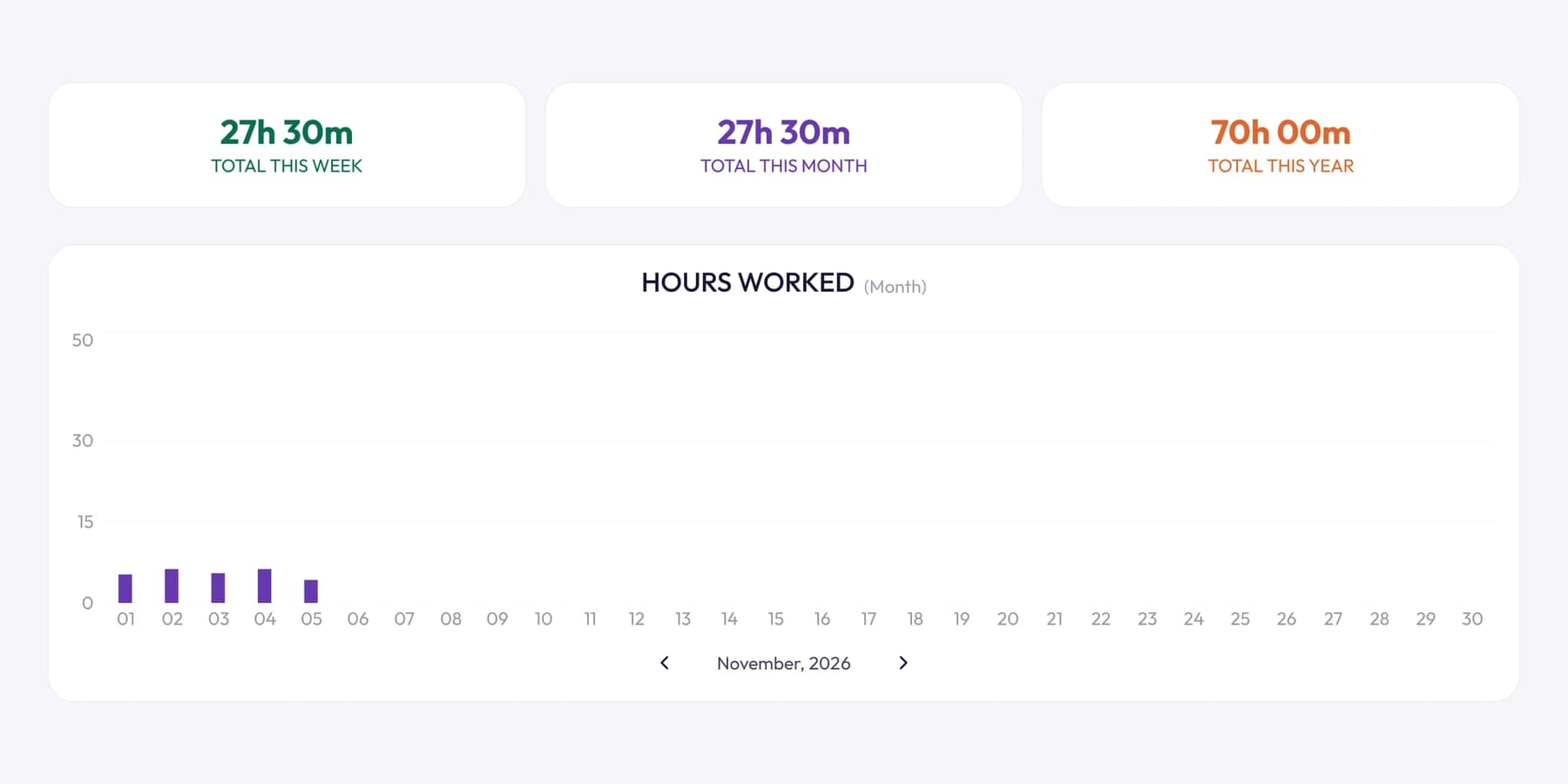
Utilization is the share of available time spent on billable work:
Utilization = billable hours ÷ available hours × 100Worked example. Someone has 40 available hours in a week and logs 28 billable hours. Their utilization is 28 ÷ 40 × 100 = 70%.
There's no universal "right" number. A project manager will always be lower than a developer, because coordination is part of the job. Set targets from your own history and the role, and read our complete guide to billable hours for how to raise the billable share without burning people out.
One more worth watching: time spent blocked
How often are people waiting on feedback, access or decisions? This is a process metric, and it's often where the biggest gains are. Our post on idle time explains how to measure it.
Metrics that backfire
Some metrics feel objective but cause more problems than they solve. When a measure becomes a target, people change their behavior to hit the target.
- Keystrokes or activity as a score. A developer reading code or a writer thinking through a structure types very little. Score typing and you reward busywork.
- Hours online. A green dot measures presence, not output. It pushes people to stay logged in, not to finish things.
- Ranking people by activity. Leaderboards turn colleagues into competitors and hide the real reasons for differences, such as harder tasks.
- Tickets closed or lines of code. People split work into smaller tickets or write more code than needed.
- Covert surveillance. Monitoring people without telling them destroys trust when it comes out, and in many places it's unlawful. See our guide to whether employee screenshot monitoring is legal.
If you wouldn't be comfortable explaining a metric to the whole team, don't track it.
What screenshots and activity levels are good for
Screenshots and activity levels come up in every conversation about productivity tracking. They have real uses, and real limits.
Where they help
- Backing up billable time. When a client asks what 30 hours on their project involved, a record of the work, with the task and activity beside it, answers the question.
- Fair disputes. If a client or a manager questions someone's hours, evidence protects the person who did the work as much as the business.
- Remembering what you did. A timeline of your own day makes it easier to fix a timesheet you forgot to label.
- Working with new contractors. For a short engagement with someone you've never worked with, both sides may prefer a shared record.
Where they don't
- Quiet isn't idle. A call, a long read or a sketch on paper all show low activity. OneTrack's activity tracking page says it plainly: read the level beside the screenshots and the task, not on its own.
- A screenshot is a moment, not the story. It shows what was on screen at one instant, not whether the work was good.
- They cost trust if misused. Used as a score or a gotcha, they push away your best people first.
In OneTrack, screenshots and activity levels come from the desktop app and only while the timer runs. If you're weighing whether you need them at all, our page on time tracking with screenshots explains the settings, from how often captures happen to who can require them.
How to introduce productivity tracking openly
Rolling out tracking is a change-management job, not a software install. Here's an order that works.
- Write down the purpose. For example: "accurate client billing and better estimates". If you can't name the purpose, you're not ready.
- Choose the minimum data. If time against projects answers your question, don't add screenshots.
- Write the rules. What's recorded, when, who can see it, how long it's kept and what it won't be used for.
- Tell people before you start, in writing, and give them time to ask questions.
- Run a two-week trial with no consequences, then adjust the settings based on feedback.
- Review it every six months. Drop anything you're not using.
Here's a starting point for the announcement:
Subject: How we'll track time from next month

Hi team,

From 1 March we'll track time against client projects in one tool.
Why: so invoices match the work and our estimates get better.

What's recorded: time against each client, project and task.
On billable client work, the desktop app also records screenshots
and an activity level for every ten minutes, only while your timer runs.

What isn't: anything while the timer is off, what you type,
or the websites you visit.

Who sees it: you see your own; I see the team's. Clients see nothing
unless we choose to share a report.

You can delete any of your screenshots; the time it covers comes off
your timesheet with it.

We'll run a two-week trial first. Questions or concerns: reply here
or grab me any time.
Edit the details to match your actual settings. Never promise something your tool doesn't do.
Privacy guardrails to put in place
Whatever tool you use, check it can meet these:
- Nothing recorded while the timer is off. OneTrack records no time, screenshots or activity while the timer is stopped or paused.
- No keystroke content. OneTrack never records what anyone types. It only reads when the keyboard or mouse was last used.
- People can see and correct their own data. In OneTrack, anyone can delete their own captures, and the time they cover comes off the timesheet, so a gap is a clear decision rather than a missing record.
- Limited access. Teammates can't open each other's screenshots, and screenshots are never given a public link.
- A retention rule. When someone leaves a Tristiks Grow account, their captures are deleted 30 days later.
Our security page and the how tracking works page list exactly what's recorded and who can see it. In the UK, the data protection regulator's guidance on monitoring workers makes the same points: monitoring should be necessary, proportionate and explained to people.
A simple monthly productivity scorecard
Review these per team or per project once a month. Keep it to five lines.
| Metric | This month | Last month | Note |
|---|---|---|---|
| Deliverables completed on time | 14 of 16 | 11 of 15 | Two waiting on client copy |
| Projects over estimate | 1 of 5 | 2 of 5 | Website rebuild, scope added |
| Team utilization | 68% | 64% | New hire ramping up |
| Hours blocked waiting | 18 h | 26 h | Faster feedback from client B |
| Unbilled hours found | 3 h | 9 h | Better timer habits |
The point is the conversation the numbers start, not the numbers themselves.
Frequently asked questions
What is employee productivity tracking?
It's measuring the useful work a team delivers, usually through output (tasks delivered, deadlines met), time against estimates and utilization. Some tools also record activity levels and screenshots, which are best used as evidence for billable time rather than as a score.
Is it legal to track employee productivity?
Generally yes, but the rules depend on where you and your team are. Many places require you to tell employees about monitoring, and some limit how intrusive it can be. Our guide to employee monitoring law covers the US, EU, UK and India.
What is a good utilization rate?
It depends on the role. People who manage clients or teams will always have a lower billable share than people who do the hands-on work. Set targets from your own past numbers rather than a generic benchmark.
Should I track keystrokes?
Tracking which keys people press is intrusive and doesn't measure value. If you want evidence that time was spent working, an activity level based on whether the keyboard or mouse was in use, without recording keys, is enough.
Does productivity tracking hurt trust?
It can, when it's hidden, used to rank people or collects more than it needs. It tends to help when people know the purpose, can see their own data and the same rules apply to everyone.
Wrap up
Measure what the business needs: delivered work, time against estimates and utilization. Use activity data as evidence for billing, not as a score, and be open about all of it.
If you're managing people across locations, our guide on how to manage a remote team builds on this. To see how activity levels and screenshots work in OneTrack, start with activity tracking in Tristiks Grow.
Category: Time Tracking
Suraj Rao
Suraj Rao is the founder of Tristiks, the team behind Tristiks Grow and its desktop time tracker OneTrack. He writes about time tracking, client work and getting paid, and about DevOps, cloud and AI from years of building software.