Kanban vs Scrum: Which Works Better for Client Projects?
 By Suraj Rao11 min read
What You'll Learn
- Scrum plans work in fixed sprints of one month or less with set roles and events, while Kanban pulls work through a board continuously and limits how much is in progress.
- Most agencies and freelancers juggling several clients get more from Kanban, or a light Scrumban hybrid, because client requests rarely wait for the next sprint.
- Tracking time on every card shows how long each kind of work really takes, which makes the next estimate and the next invoice more accurate.
The difference between Kanban and Scrum is how work is paced. Scrum plans work in fixed-length sprints of one month or less, with set roles and events. Kanban has no sprints: work flows continuously across a board, and the team limits how many items are in progress at once.
Both are agile ways of running work, and both use a board. But they suit different kinds of teams. In this Kanban vs Scrum guide, we look at each method through the lens of client work: agencies, studios and freelancers who serve several clients at once.
We'll cover how each method works, compare them side by side, look at which fits client projects (and why it's often Kanban or a hybrid), explain Scrumban, and walk through setting up a board with time tracked on every card.
What is Scrum?
Scrum is a framework for delivering work in short, fixed cycles called Sprints. The official Scrum Guide, written by Scrum's creators Ken Schwaber and Jeff Sutherland and last revised in November 2020, defines it in three parts: the team, the events and the artifacts.
The Scrum Team
The Scrum Guide describes one small team, typically 10 or fewer people, with three accountabilities:
- Product Owner: decides what gets built and in what order, and owns the Product Backlog.
- Scrum Master: helps the team use Scrum well and removes what's slowing it down.
- Developers: the people doing the work of each Sprint. In Scrum, "Developers" means anyone creating the work, not only programmers.
The Scrum events
People often call these "ceremonies", but the Scrum Guide calls them events. Each has a maximum length, given here for a one-month Sprint (shorter Sprints usually have shorter events):
| Event | What happens | Timebox (one-month Sprint) |
|---|---|---|
| Sprint | The container for all the other events | One month or less |
| Sprint Planning | Choose the Sprint Goal and the work to reach it | Up to 8 hours |
| Daily Scrum | Check progress toward the Sprint Goal and adjust | 15 minutes |
| Sprint Review | Show the result to stakeholders and decide what's next | Up to 4 hours |
| Sprint Retrospective | Look at how the team worked and how to improve | Up to 3 hours |
The Scrum artifacts
- Product Backlog: the ordered list of everything that might be done, working toward a Product Goal.
- Sprint Backlog: the work chosen for this Sprint, with its Sprint Goal.
- Increment: the finished, usable result, which must meet the team's Definition of Done.
The key idea: once a Sprint starts, its goal stays fixed. New requests go into the Product Backlog and wait for the next Sprint Planning. Only the Product Owner can cancel a Sprint, for example if its goal becomes obsolete.
What is Kanban?
Kanban is a method for managing a continuous flow of work. It started in manufacturing at Toyota and was later adapted for knowledge work such as software, design and marketing.
There are no sprints and no required roles. Instead, you visualize the work on a board, limit how much is in progress, and keep improving how work flows.
The Kanban Guide describes three practices:
- Define and visualize the workflow. A board with a column for each stage the work passes through, and a card for each item.
- Actively manage items in the workflow. Above all, limit work in progress (WIP), so new work is only pulled in when there's capacity.
- Improve the workflow. Use what you learn to change the board, the limits or the process.
WIP limits
A WIP limit caps how many cards can sit in a column, or on the board, at once. If "In progress" has a limit of three and already holds three cards, nobody starts a fourth. They help finish one first.
This sounds restrictive, but it's the heart of Kanban. Fewer things in progress means less context switching and work that actually gets finished.
Kanban metrics
The Kanban Guide names four measures of flow:
- WIP: how many items are started but not finished.
- Throughput: how many items are finished per unit of time, such as per week.
- Work item age: how long an unfinished item has been in progress.
- Cycle time: how long an item took from start to finish.
For client work, work item age is especially useful. A card that's been "In review" for nine days is usually waiting on a client, and that's worth a nudge.
Kanban vs Scrum: side-by-side comparison
Here's how the two compare on the points that matter most when you're choosing.
| Point | Scrum | Kanban |
|---|---|---|
| Cadence | Fixed Sprints of one month or less | Continuous flow, no fixed cycles |
| Roles | Product Owner, Scrum Master, Developers | None required |
| Planning | At the start of each Sprint | Whenever there's capacity |
| Changes mid-cycle | New work waits for the next Sprint | New work can start as soon as there's room |
| Limits work by | What fits in the Sprint | WIP limits per column or board |
| Regular meetings | Five defined events | None required; many teams hold a short daily check-in and a regular review |
| Board | Reset each Sprint | Ongoing, never reset |
| Key measures | Sprint Goal met, Increment delivered | WIP, throughput, work item age, cycle time |
| Best for | One product, one team, a steady backlog | Many small or unpredictable requests, support, several clients |
Neither is "better" in general. Scrum gives structure and a predictable rhythm. Kanban gives flexibility and visibility. The question is which matches the way your work arrives.
Which works better for client projects?
For most agencies and freelancers, Kanban, or a light hybrid, fits client work better than pure Scrum. Here's why.
Client work arrives unevenly
Scrum assumes one Product Owner with one backlog, and a team that can protect the Sprint from interruptions. Agencies rarely work like that. You might have five clients, each with their own priorities, deadlines and urgent requests.
When a client emails on Tuesday to say a launch page needs a fix before Thursday, "it'll go into the next Sprint" isn't an answer most clients will accept. Kanban lets you pull that card in as soon as there's room.
There's no single Product Owner
In Scrum, the Product Owner is one person who orders the backlog. In an agency, each client effectively wants to be the Product Owner. Someone on your side (an account manager or the team lead) ends up balancing them, which is closer to how Kanban prioritizes: by due dates and capacity.
Small teams can't fill every Scrum role
A three-person studio can't easily spare a dedicated Scrum Master. Five events per Sprint are a lot of overhead when the whole team is also doing sales, invoicing and client calls. Kanban has no required roles or meetings, so it scales down to one person.
When Scrum does fit client work
Scrum works well when one client project looks like product development:
- a long build for one client, such as a web app over six months;
- a dedicated team that works only on that client;
- a client who's happy to review progress every two weeks and reprioritize at Sprint Planning.
In that case, the Sprint Review doubles as a regular client demo, which clients tend to like. Some agencies run Scrum for one large client and Kanban for everything else.
A quick way to decide
Ask three questions:
- How many clients does the team serve at once? One: Scrum is an option. Several: lean toward Kanban.
- How often do urgent requests arrive? Weekly or more: Kanban.
- Can you protect two weeks of planned work from interruptions? If not, Scrum's main benefit is lost.
Scrumban: the hybrid most agencies end up with
Scrumban mixes the two. You keep Kanban's continuous board and WIP limits, and borrow a few Scrum habits that help.
A typical agency Scrumban setup looks like this:
- A Kanban board with WIP limits, never reset.
- A weekly planning session (30 minutes) to decide what each client gets this week, instead of a full Sprint Planning.
- A short daily check-in (10–15 minutes) on blocked cards and anything due today.
- A monthly retrospective to adjust columns, limits and how requests come in.
- On-demand planning: when the "Ready" column runs low, pull in the next items.
This gives you rhythm without locking clients out for two weeks. It's also easy to adopt gradually: start with the board, then add one habit at a time.
How to set up a Kanban board for client work
Here's a setup that works for most small agencies and freelancers. Adjust the columns to match how your work actually moves.
1. Choose your columns
Start with the stages every piece of work passes through. For client work, a common set is:
Backlog → Ready → In progress → In review → Waiting on client → Done"Waiting on client" is the column that pure software boards often miss. Client work stalls on feedback, approvals and missing assets far more often than on your own team. Giving it a column makes those delays visible.
2. Set WIP limits
A simple starting rule: limit "In progress" to the number of people on the team, or one or two per person. Limit "In review" too, so finished work doesn't pile up unchecked. Adjust after a few weeks.
3. Make every card specific
A card should be one piece of work you can finish, with:
- the client and project it belongs to;
- a due date, if there is one;
- an owner;
- a short description of what "done" means;
- a time estimate.
Big pieces of work become subtasks, so each step can move on its own.
4. Agree how new requests enter the board
Decide who can add cards and where they go. Usually, new requests land in "Backlog" and someone on your side moves them to "Ready" once they're understood and in scope. This is where you catch scope creep: if a request isn't in the agreed scope, it gets a change order before it gets a card. Our guide to what scope creep is and how to prevent it has a script for that conversation.
5. Review the board every week
Look at cards that are old, blocked or waiting on clients. Look at what got done. That's your weekly planning and a mini retrospective in one.
How this looks in Tristiks Grow
The Tristiks Grow kanban board sorts itself by due date. Overdue, Today, This Week and Upcoming fill from each task's due date, tasks without a date wait in Unassigned, and you drag cards to Done when they're finished. You can add your own columns, such as In review or Waiting on client, up to 12 on a board.
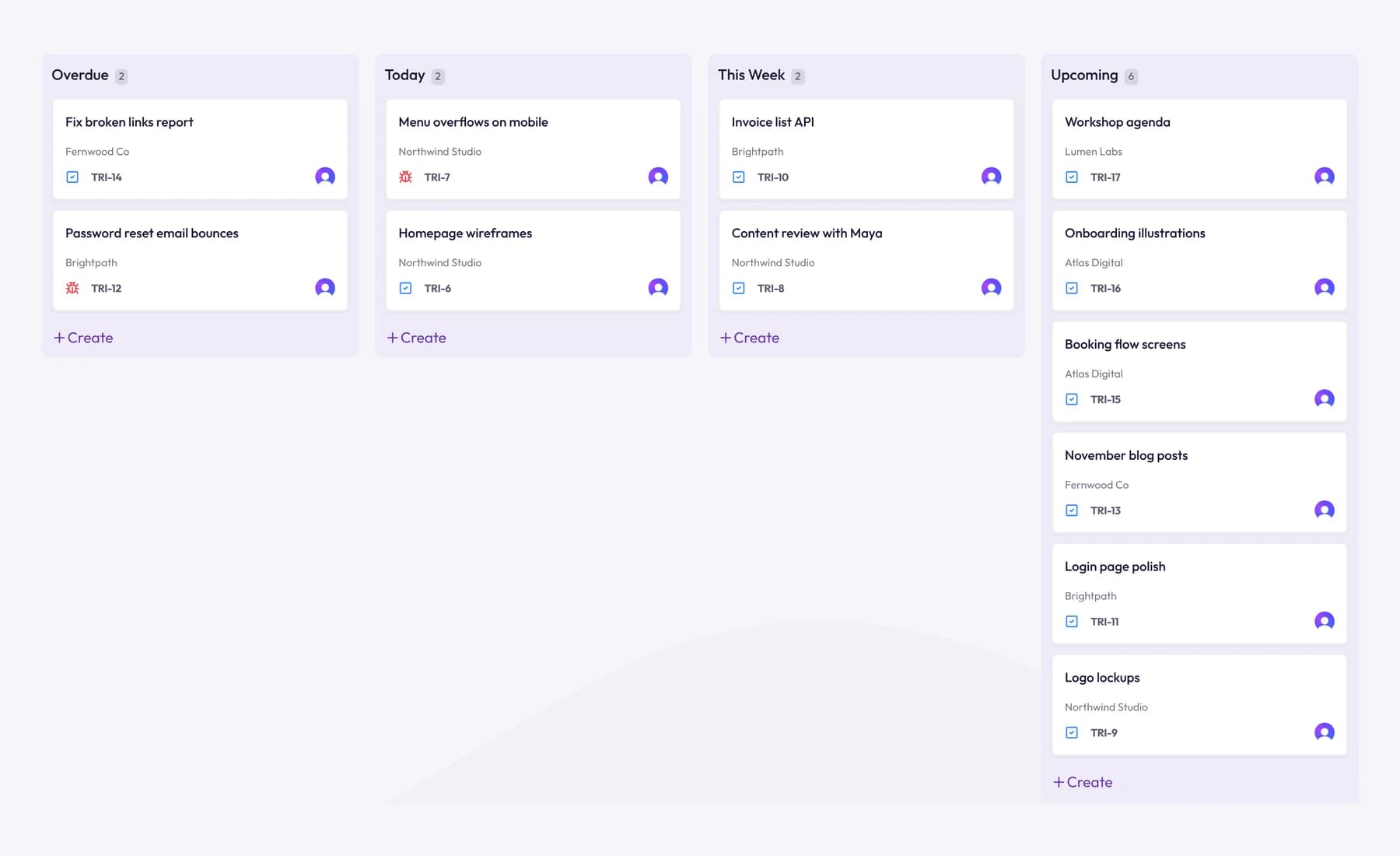
The board doesn't enforce WIP limits, so treat them as a team rule: agree the number, and check it in your weekly review.
Tracking time on cards
Whichever method you choose, tracking time against each card is what turns a board into something you can plan and bill from.
Why it matters for client work
- Better estimates. After a few months, you know that "landing page design" takes your team 9 hours on average, not the 6 you used to quote.
- Accurate invoices. If you bill hourly, the hours are already on the right client and project.
- Early warnings. If a card estimated at 4 hours has 7 tracked, you see the overrun while you can still talk to the client.
- Better retrospectives. Cycle time tells you how long work took in calendar days. Tracked time tells you how much effort it took. You need both.
How it works in Tristiks Grow
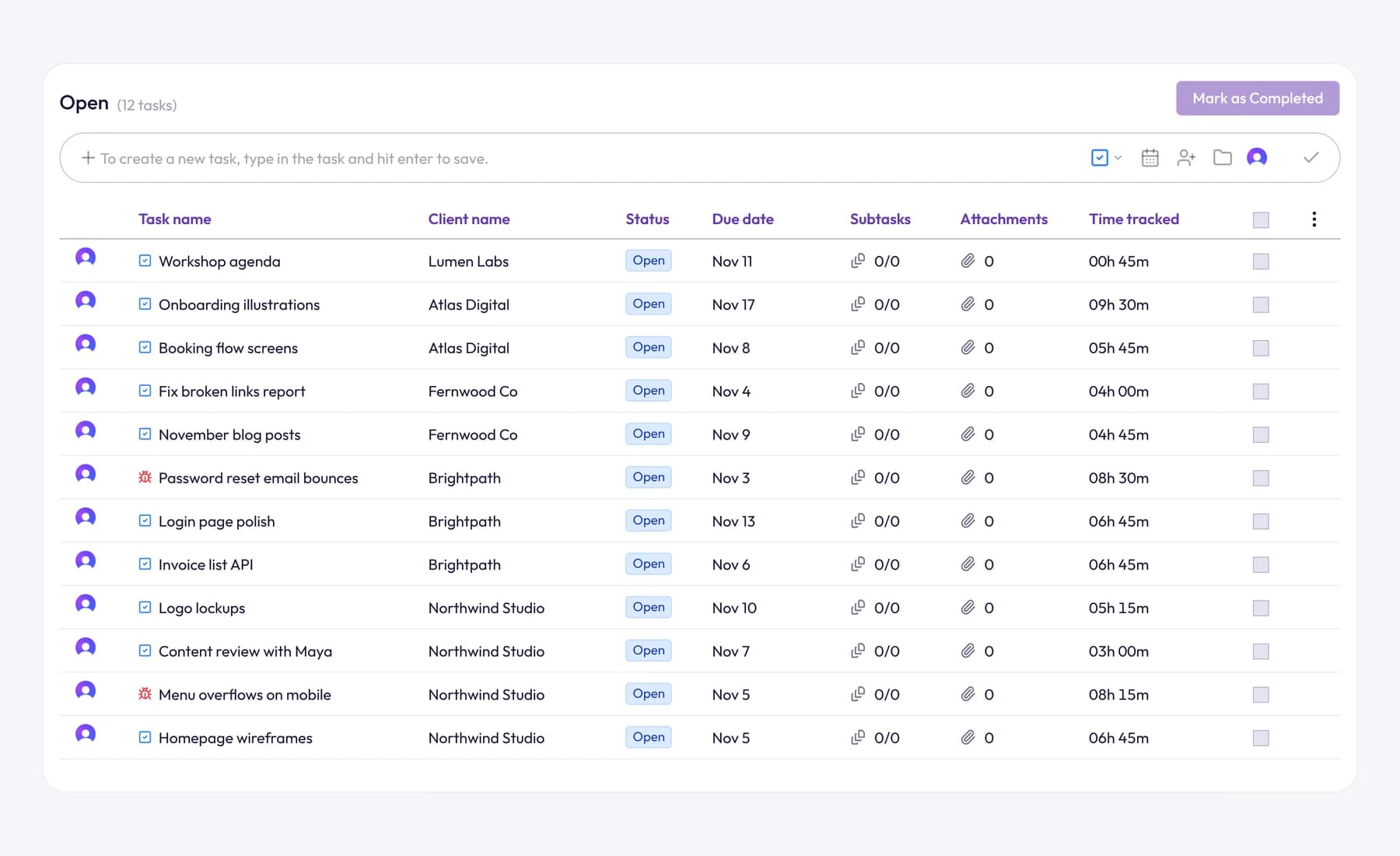
In Tristiks Grow, you choose the task in the timer and start tracking, from the web or the OneTrack desktop app. Every minute is recorded against the task, its project and its client, so the hours are ready to invoice. See task management in Tristiks Grow for subtasks, comments and files on each card.
If you're coming from Jira, our Jira time tracking guide explains how time is logged there, and our Tristiks Grow vs Jira comparison covers which suits client work.
Common mistakes when switching methods
- Copying Scrum's events without the reason for them. A daily stand-up with nothing to coordinate is just a meeting.
- A Kanban board without WIP limits. Without limits, it's a to-do list with columns, and everything ends up "in progress".
- Too many columns. Five to seven is plenty. Every extra column is a place for work to hide.
- Ignoring the "waiting on client" time. Track it, and raise it with the client. It's often the real reason a project is late.
- Changing everything at once. Change one thing, run it for a month, then decide.
Frequently asked questions
Is Kanban or Scrum better for agencies?
For most agencies serving several clients, Kanban is the better starting point, because client requests arrive unevenly and can't always wait for the next Sprint. Scrum fits a dedicated team working on one long project for a single client. Many agencies settle on Scrumban, a Kanban board with a weekly planning session.
Can you use Kanban and Scrum together?
Yes. That combination is usually called Scrumban: a continuous Kanban board with WIP limits, plus a few Scrum habits such as regular planning and retrospectives. Some teams also use a Kanban board to visualize the work inside each Scrum Sprint.
Does Kanban have sprints?
No. Kanban has no fixed cycles. Work is pulled onto the board whenever there's capacity, and the board is never reset. Teams often still hold regular reviews, but they don't plan in Sprints.
How long is a Scrum sprint?
The Scrum Guide says Sprints are fixed-length events of one month or less. Many teams choose two weeks, but that's a convention rather than a rule.
Can a freelancer use Kanban?
Yes, and it works well for one person. A simple board with "To do", "Doing", "Waiting on client" and "Done", plus a limit of one or two cards in "Doing", keeps several clients' work visible without any meetings.
Wrap up
Scrum gives you a steady rhythm for one product and one team. Kanban gives you a flexible flow for many clients and unpredictable requests, which is why most agencies and freelancers lean toward it, or toward Scrumban.
Whichever you choose, put the work on a board and track time on every card. To try that with your own clients, see the Tristiks Grow kanban board.
Category: Productivity
Suraj Rao
Suraj Rao is the founder of Tristiks, the team behind Tristiks Grow and its desktop time tracker OneTrack. He writes about time tracking, client work and getting paid, and about DevOps, cloud and AI from years of building software.