What Is Scope Creep? How to Prevent It (with Examples)
 By Suraj Rao8 min read
What You'll Learn
- Scope creep is work added to a project after the price and timeline were agreed, without a matching change to either.
- A written scope with exclusions, a simple change-request process and time tracked against the estimate stop most scope creep before it costs you.
- Most extra requests are paid work waiting to happen: answer them with a short, friendly change order instead of a yes or a no.

Scope creep is when a project grows beyond what was agreed, one small request at a time, without the budget or deadline growing with it. The extra work is rarely planned. It arrives as "quick" changes, new ideas and "while you're in there" requests that add up to days of unpaid time.
For freelancers and agencies, it's how a profitable fixed-price project turns into a loss. It's also easy to prevent once you see how it happens.
This guide covers what scope creep looks like in real client work, why it happens, how to prevent it, a script for saying "that's out of scope" politely, and how to turn extra requests into paid change orders.
What scope creep means in client work
The Association for Project Management's glossary describes scope creep as "the continual extension of the scope of some projects" (APM). In plain terms: the work keeps growing, and nobody agreed to it.
Scope creep isn't the same as a scope change. A scope change is a new request that you discuss, price and agree on. Scope creep is the same request done quietly, without changing the price or the date.
Clients are allowed to want more. The problem starts when "more" is absorbed into the original fee.
Scope creep examples
Here are four realistic ways it shows up.
1. The "one more page" website
You quoted a five-page website. Halfway through, the client asks for a blog, then a careers page, then a page for each of their three services. Each one feels small. Together, they add eight pages to a five-page job.
2. The endless revision round
Your design contract includes two rounds of revisions. Round three arrives as "just a few tweaks". Round four brings in feedback from a colleague who hadn't seen the work before. Nobody mentions that the agreed rounds are used up.
3. The integration nobody mentioned
A developer builds an online shop. At launch, the client asks why orders don't appear in their accounting software. It was never in the brief, but the client assumed it was part of "an online shop".
4. The retainer that turns into a full-time job
A monthly marketing retainer covers 20 hours of content work. Over a few months, it quietly grows to include social media replies, ad management and weekly reporting calls, with the same fee.
What causes scope creep
Scope creep rarely comes from bad clients. It comes from gaps that both sides fill with their own assumptions.
- A vague scope. "Build a website" or "refresh the brand" can mean almost anything. If the scope doesn't say what's included, the client fills in the blanks.
- No list of exclusions. Saying what's out of scope is as important as saying what's in it.
- No change-request process. If there's no agreed way to ask for more, requests arrive as casual messages, and you answer them casually.
- Wanting to please. Early in a relationship, it's tempting to say yes to everything. Each yes resets what the client expects next time.
- New people on the client's side. A new manager or stakeholder brings new opinions, often after the brief was agreed.
- Not tracking time against the estimate. If you don't know you're at 80% of the budget, you can't raise it with the client until it's too late.
How to prevent scope creep
Prevention happens mostly before the project starts. You need three things: a clear scope, a way to handle changes, and an early warning when the work runs over.
Write a scope with deliverables and exclusions
Your proposal and contract should list exactly what you'll deliver, how many revision rounds are included and what's not included. Be specific enough that a stranger could tell whether a request is in or out.
Here's a short example for a website project:
Scope of work
- Design and build of 5 pages: Home, About, Services, Case studies, Contact
- Up to 2 rounds of revisions on the designs
- Contact form sending to one email address
- Launch on the client's existing hosting

Not included
- Copywriting (the client supplies all text)
- Blog, e-commerce or integrations with other software
- Ongoing maintenance after launch
- Additional pages, at $X per page (see change requests)
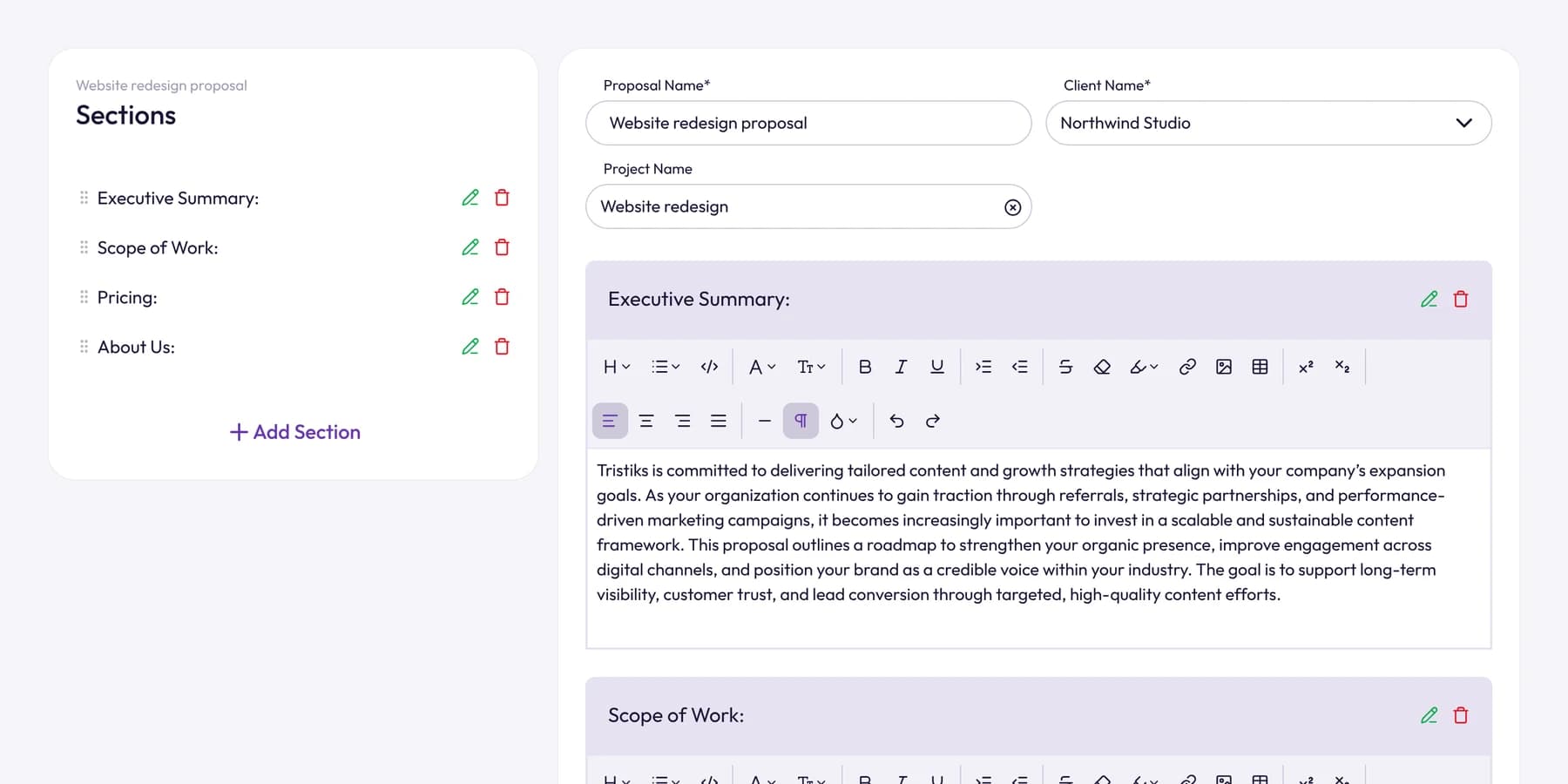
In Tristiks Grow, the proposal and contract software starts from a template with a scope of work section, and clients sign online, so there's a clear record of what they agreed to.
For the contract side, our guide to what to include in a freelance contract covers revision limits and change-request clauses in detail.
Agree on a change-request process up front
Put one sentence in the contract that says how changes work. For example:
Requests outside the scope above will be quoted separately as a change order. Work on a change starts once the client approves the change order in writing.
Then mention it at the kickoff call. It's easier to point to an agreed process than to invent one mid-project.
Track time against the estimate
The earliest sign of scope creep is time. If a task estimated at 10 hours has taken 14, something changed, even if nobody asked for anything "new".
Track every hour against the project, and compare it with your estimate every week. With project time tracking in Tristiks Grow, each project shows the time tracked against it next to the estimate you set, so you notice the drift while there's still time to talk about it.
Our guide to project budget tracking shows how to read those numbers and what to do when they start slipping.
Name one decision-maker
Ask the client who approves the work. Feedback from anyone else goes through that person. This one rule stops a lot of late, conflicting requests.
Hold a short scope check at each milestone
At every milestone, confirm what's done, what's next and what has changed. Small changes caught early are easy to price.
How to say "that's out of scope" politely
When a request falls outside the scope, you don't have to say no. You have to make the trade-off visible. A good reply welcomes the idea, names the scope and offers a next step.
Here's a script you can adapt:
Hi Sam,

Thanks for this, a careers page is a good idea, especially with the hiring
you mentioned.

It isn't part of the five pages in our current scope, so I'd treat it as a
change. I can add it for $X, and it would move the launch by about three
days. Or we can launch as planned and add it in a second phase.

Which would you prefer? If you'd like to go ahead, I'll send a short change
order to approve.

Best,
Alex
A few tips on tone:
- Reply quickly. A request that sits for a week starts to feel approved.
- Don't apologize. You're not refusing; you're giving the client a choice.
- Always give the cost and the time impact. Clients make better decisions when they see both.
- Offer a cheaper option where there is one, such as swapping a requested change for something already in scope.
Turning extra requests into paid change orders
A change order is a short document that describes the extra work, its price and its effect on the timeline. The client approves it before you start.
This template covers it:
Change order #2: Careers page
Project: Website redesign for Northwind Studio
Date: 6 November 2026

Description: Design and build one additional page (Careers) with a
job listing section, matching the approved site design.

Price: $X (fixed)
Timeline impact: launch moves from 20 November to 25 November
Payment: added to the next invoice

Approved by: ____________   Date: ________
Once it's approved, add the work as its own task so its time is tracked separately from the original scope. When you invoice, bill the change order as its own line item. That keeps the original fixed price intact and shows the client exactly what the extra work cost.
If you send change orders as proposals in Tristiks Grow, you can turn on one option before sending, and a signed proposal becomes a draft invoice with the same line items.
Small favors: when to let it go
Not every five-minute tweak needs a change order. Some freelancers keep a goodwill allowance, say an hour per project. Just do it knowingly.
If you do a favor, say so: "Happy to do this one at no charge." That way the client knows it was extra, and the next request starts from the right place.
Frequently asked questions
What is an example of scope creep?
A client agrees to a five-page website, then asks for a blog, a careers page and extra service pages during the build, without the price or deadline changing. Each request seems small, but together they can add more work than the original project.
Is scope creep always bad?
The extra work isn't bad in itself; it often means the client is engaged and sees more value. It becomes a problem when it's unplanned and unpaid. Handled as a priced change, the same request is new revenue.
How do you stop scope creep once it has started?
Raise it as soon as you notice. Show the client the original scope, list the extras so far, and agree on how to handle them: a change order for what's done, a second phase, or removing something else. Then use the change-request process for everything that follows.
Who is responsible for scope creep?
Usually both sides. Clients ask for more because the scope didn't stop them, and freelancers say yes because there was no easy way to say "that's extra". A written scope and a change-request process make it everyone's job to manage.
What's the difference between scope creep and gold plating?
Scope creep comes from requests the client makes. Gold plating is extra work you add yourself, without being asked, such as polishing a feature beyond what the client needs. Both eat into the budget, so track your own extras as carefully as the client's.
Wrap up
Close the gap between what was agreed and what's being done with a written scope, a simple change-request process and time tracked against your estimate, and most extra requests turn into paid work instead of free work.
To see estimates and tracked time side by side, take a look at project time tracking in Tristiks Grow.
Category: Client Management
Suraj Rao
Suraj Rao is the founder of Tristiks, the team behind Tristiks Grow and its desktop time tracker OneTrack. He writes about time tracking, client work and getting paid, and about DevOps, cloud and AI from years of building software.