AI Receipt Scanning for Freelancers: How It Works, Where It Fails
 By Suraj Rao11 min read
What You'll Learn
- AI receipt scanning turns a photo into a draft expense in seconds, but faded paper, handwritten tips, several taxes and foreign currencies still trip it up, so check every scan before you confirm it.
- Scan on the day you spend, tag each receipt with a client and a billable flag, and add billable costs to the next invoice so nothing you paid for a client goes unbilled.
- The IRS, HMRC and Indian tax law all accept records kept electronically if they're complete and readable, and each sets its own retention period.
AI receipt scanning reads a photo or PDF of a receipt and fills in the expense for you: merchant, date, amounts, tax and currency. For a freelancer, that removes the part of expense tracking people put off, which is typing. It doesn't remove the need to check. Scanners are good at clean, printed receipts and still make predictable mistakes on faded, crumpled, handwritten or multi-currency ones.
This post covers how scanning works, a review routine, where it fails, billing expenses back to clients and what the US, UK and Indian tax authorities say about digital receipts.
The real cost of a lost receipt
A lost receipt usually costs you twice: once when you don't bill the client for it, and again when you can't support it as a business expense at tax time.
Here's a made-up but typical month for a freelance designer working for three clients:
Stock photos for Client A          $45
Font license for Client B          $60
Train to Client C's workshop       $38 (return)
Printing proofs for Client A       $27
Coffee meeting, Client B           $18
Total spent for clients            $188
Say two receipts go missing, the font license and the train ticket. That's $98 not billed this month, and over $1,000 a year if it happens most months. Without a record, you may not be able to claim those costs as business expenses either. Our guide to freelance tax deductions covers what counts.
The cause is usually delay. A receipt left in a coat pocket for three weeks fades, tears or gets thrown away. Scanning helps because capture becomes fast enough to do on the spot.
What AI receipt scanning reads, and how
Most receipt scanners work in roughly four steps.
- Clean up the image. The photo is cropped to the receipt, straightened and adjusted for contrast, so shadows and angles don't confuse what comes next.
- Read the text. Optical character recognition (OCR) turns the pixels into letters and numbers, along with where each word sits on the page.
- Understand the layout. This is the "AI" part. Plain OCR gives you a block of text; it doesn't know that "14.50" next to "VAT" is a tax amount. Models trained on documents use the words and their position to label each field. Research models such as LayoutLM combine OCR text with its layout, and others, like Donut, read the image directly without a separate OCR step.
- Check the result. Good scanners run sanity checks: do the line items add up, does subtotal plus tax equal the total, is the date plausible? Fields that fail a check, or that the model wasn't confident about, are flagged for review.
The fields a scanner typically tries to read:
| Field | What to look for on the receipt |
|---|---|
| Merchant | The trading name, which may differ from the legal name |
| Date | The transaction date, not a return-by date |
| Line items | Each product or service, with its price |
| Taxes | VAT, GST or sales tax, sometimes several lines |
| Total | The amount charged, after discounts and tips |
| Currency | The symbol or code |
| Payment method | Card and last four digits, cash or transfer |
A suggested category usually comes from the merchant and line items. It's a reasonable guess, but only you know whether that hardware store purchase was for a client or your own desk.
A review routine that catches mistakes
AI scanning replaces typing with checking, which takes seconds per receipt if you do it straight away.
Scan the same day. Photograph it before you leave the café, or forward the emailed PDF when it arrives. Fresh receipts are legible, and you still remember what the cost was for.
Look at the flagged fields first. Check them against the paper, then glance at the total and date, the two fields that matter most.
Check the total against what you paid. The amount on your card or bank statement is the ground truth. If the receipt shows $42.00 and your card shows $48.50, there was probably a tip or a currency conversion the scan didn't capture.
Confirm the category. Consistent categories make tax time much easier.
Tag the client and project. A receipt with no client attached is an expense you'll never bill.
Set the billable flag. If your contract says the client pays for it, mark it billable so it's waiting when you build their next invoice.
Add a short note where it helps. "Train to kickoff workshop" or "Fonts for rebrand, license in client's name" answers the question your client or accountant will ask in six months.
Our guide to automating freelance admin covers how this fits with your other billing routines.
Where AI receipt scanning fails, and how to check
These are the cases where scans most often go wrong, and what to check.
| Problem | What goes wrong | How to check |
|---|---|---|
| Faded thermal paper | Light, heat and time fade the print, so digits are misread or missing | Scan on the day; compare the total with your card statement |
| Crumpled or folded receipts | Creases split numbers and confuse the layout | Flatten it, photograph on a dark surface, in good light |
| Long receipts | The bottom of the receipt, with the total, is cut off | Take two photos, or check the total is present before saving |
| Handwritten tips and totals | The printed subtotal is read as the total, missing the tip | Check the total against the card charge |
| Several tax lines | CGST and SGST, two VAT rates, or tax plus a service charge get merged or one is dropped | Check each tax line and that they add up |
| Foreign currency | The wrong currency is assumed, or a converted figure is read as the original | Check the currency code and which amount you were actually charged |
| Date formats | 03/04 is 3 April in the UK and India, 4 March in the US | Check the date against when you were there |
| Duplicates | The same purchase is scanned from the paper and from the emailed PDF | Search by merchant and amount before confirming |
| Card slips instead of receipts | The slip shows the amount but not what was bought | Keep the itemised receipt or invoice too |
Thermal paper fades. Most till receipts are printed on heat-sensitive paper. The National Archives of Australia, in its guidance on thermal paper records, notes that the print fades with exposure to heat and light and recommends making a copy in case the original becomes illegible. A scan taken on the day is that copy.
Card slips aren't proof of what you bought. A slip or bank statement proves you paid, not what for. The IRS's page on what kind of records to keep says supporting documents should show the payee, the amount, proof of payment, the date and a description that shows the cost was for business. If you only have a slip, add the description yourself or attach the itemised receipt.
Emailed PDF invoices are usually easiest: many contain real text, not a picture of text, so there's less to misread.
Billing scanned expenses back to clients
Scanning gets the expense into your records. Billing it needs a decision made before the work starts: at cost or with a markup?
- At cost: the client pays exactly what you paid. Simple, and the receipt justifies it.
- With a markup: usually a percentage, for the time spent buying, managing and fronting the money. Common for agencies that buy a lot for clients, and it must be agreed in advance.
Whichever you choose, put it in your contract. Something like:
Expenses
The Client will reimburse reasonable expenses incurred for the project,
including stock assets, licenses, printing and travel, at cost [or: at
cost plus 10%]. Any single expense over $150 needs the Client's written
approval first. Expenses are itemised on the next invoice, and receipts
are available on request.
List expenses on the invoice separately from your fees, and record which invoice each went on so nothing is billed twice. Our guide on how to bill expenses to clients covers reimbursable costs, markups and a worked invoice. If you paid in one currency and bill in another, our guide to invoicing international clients covers which exchange rate to use.
Keeping receipts for tax: are digital copies enough?
In short: the US, UK and India accept electronic records, as long as they're complete, accurate and readable and you can produce them when asked. This is general information, not tax advice. Rules change and depend on your situation, so check with a tax professional before throwing away paper originals.
United States (IRS)
The IRS's Rev. Proc. 97-22 sets out when records kept in an electronic storage system, including scanned paper records, count as records for tax purposes. The system has to make accurate and complete copies, keep them legible, and let you index, store, retrieve and reproduce them. Under those conditions, it allows the paper originals to be destroyed. Publication 583 points to the same guidance.
The IRS says the general rule is to keep records for 3 years after you file the return, with longer periods in some cases, such as 6 years if you leave out income worth more than 25% of the gross income shown on your return (IRS: how long should I keep records?).
For travel, the bar is higher. Publication 463 says you need documentary evidence, such as receipts, for lodging and for other travel, gift or car expenses of $75 or more. If you pay estimated tax each quarter, tidy receipts also make each payment easier to work out; see our guide to quarterly taxes for freelancers.
United Kingdom (HMRC)
HMRC's general guidance on keeping your pay and tax records says there are no rules on how you keep records: on paper, digitally or in software. They must be accurate, complete and readable. The guidance for the self-employed lists receipts for goods and stock among the records to keep.
You must keep them for at least 5 years after the 31 January submission deadline for the tax year concerned (GOV.UK: how long to keep your records). For the 2025 to 2026 tax year, with a deadline of 31 January 2027, that means until at least the end of January 2032.
If you're in Making Tax Digital for Income Tax, you also need digital records in compatible software, alongside your usual Self Assessment records.
India (GST and income tax)
If you're registered for GST, section 36 of the CGST Act says accounts and records must be kept for 72 months from the due date of the annual return for the year, and longer if you're part of an appeal or investigation. Rule 57 of the CGST Rules covers electronic records: keep proper backups and be able to produce the records, in hard copy or a readable electronic format, on demand. If you claim input tax credit, you generally need the supplier's tax invoice, so check the scan picked up the supplier's GSTIN and the tax split. See our guide to GST invoices for freelancers.
For income tax, the Income-tax Act, 2025 and the Income-tax Rules, 2026 took effect on 1 April 2026. Under the old rules, professionals required to keep books kept them for six years (Rule 6F). Tax commentators report that the new rules extend this to seven tax years. Check the current text on the Income Tax Department's site or with your CA before you delete anything.
A simple rule that works everywhere
Keep the scan with the expense, in a format you can export, for the longest period that applies to you. Back it up, and keep paper originals where a rule or your accountant says to.
A 15-minute weekly expense routine
- Forward the week's emailed receipts and invoices for software, subscriptions and online purchases, and scan any paper ones still in your bag.
- Clear your drafts. Review and confirm every scanned expense that's still waiting, starting with flagged fields.
- Match against your bank and card statements. Any business charge with no expense behind it is a missing receipt. Ask the merchant for a copy now.
- Check every client cost has a client and a billable flag.
- Look at unbilled expenses per client. If an invoice is going out this week, add them to it.
- Back up or export if you keep a separate copy for your accountant.
If you'd rather work in a spreadsheet, our free expense report template has the columns ready.
How Tristiks Grow helps
Tristiks Grow expense tracking includes AI receipt scanning built around the review routine above:
- Scan a photo or PDF. The AI reads the merchant, date, line items, taxes, total, currency and payment method, and suggests a category.
- It flags what it's unsure of. Fields it isn't confident about are marked, and it asks you to check them.
- Nothing is final until you confirm. A scanned expense stays a draft until you've reviewed it. You can also add an expense by hand.
- The receipt stays attached to the expense, so it's there when a client or your accountant asks.
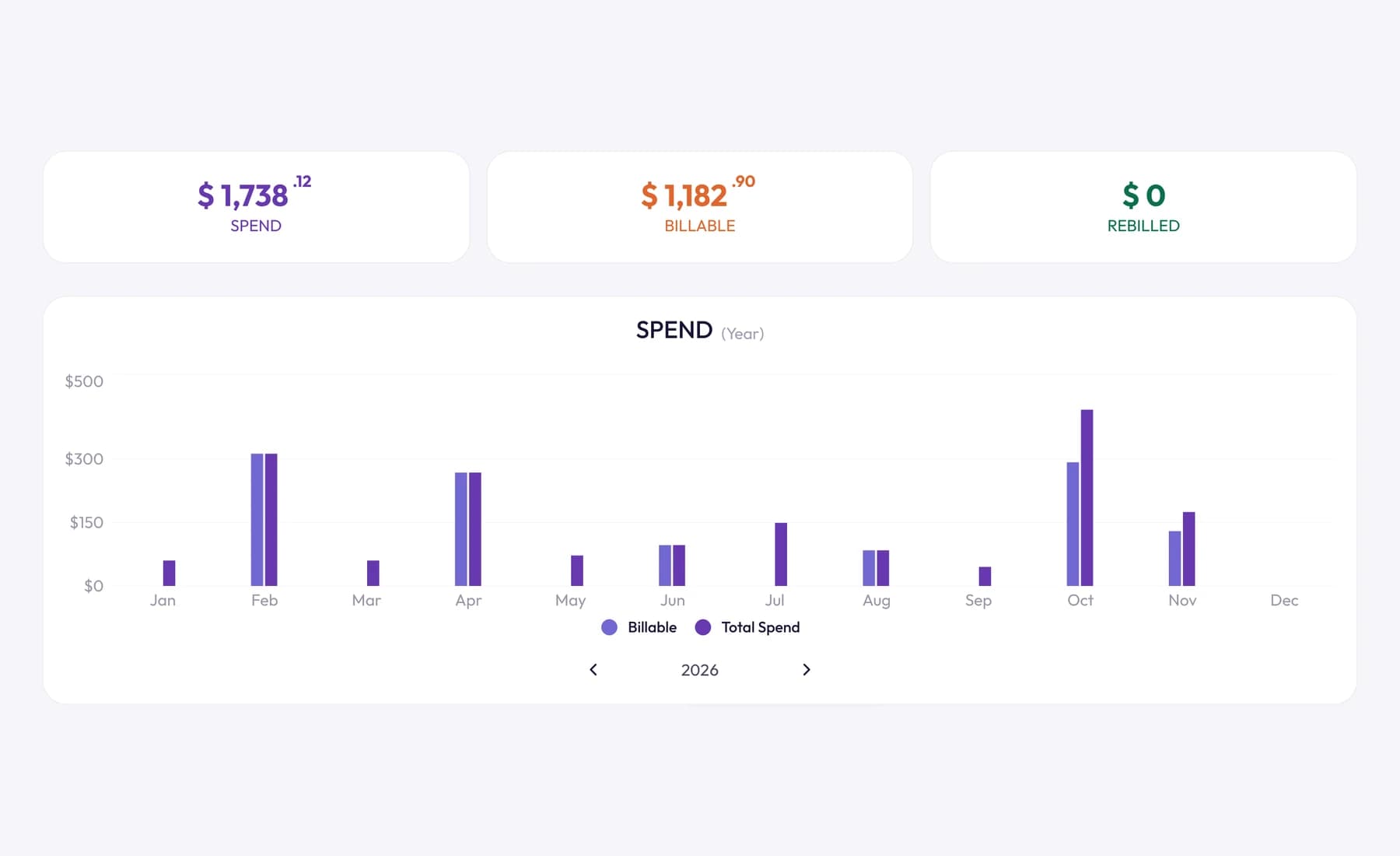
- Billable expenses go on the next invoice. Mark an expense billable for a client and add it to their next invoice in Tristiks Grow invoicing, alongside their tracked hours.
- Export for your accountant. Download your expenses as a CSV file.
Frequently asked questions
How accurate are AI receipt scanners?
Generally good on clean, printed receipts and less reliable on faded, crumpled, handwritten or multi-currency ones. The photo matters as much as the software. Treat every scan as a draft and check the total, date and any flagged fields.
Can I throw away paper receipts after scanning them?
Often, yes, if your scans are complete and legible and you keep them for the required period. The IRS allows it for records in a storage system that meets Rev. Proc. 97-22, and HMRC accepts digital records that are accurate, complete and readable. Keep originals where your accountant advises.
Wrap up
AI receipt scanning turns paper into draft expenses in seconds, but it reads what's on the receipt, not what you meant. Scan on the day, check flagged fields and totals against what you paid, tag each client cost as billable, and keep scans as long as your tax authority requires.
To scan receipts and bill client costs on your next invoice, try Tristiks Grow expense tracking free for 14 days.
Category: Payments
Suraj Rao
Suraj Rao is the founder of Tristiks, the team behind Tristiks Grow and its desktop time tracker OneTrack. He writes about time tracking, client work and getting paid, and about DevOps, cloud and AI from years of building software.