Capacity Planning for Small Agencies
 By Suraj Rao10 min read
What You'll Learn
- Capacity is the billable hours your team can deliver after leave and a realistic non-billable allowance, not 40 hours a week per person.
- Compare it with committed work and a probability-weighted pipeline, by role and by month, and adjust demand using how far your past estimates ran over.
- A role that's over capacity for one month needs a freelancer or a later start date; a role that's over for three months running is a case for hiring.

Capacity planning means working out how many hours your team can deliver, comparing that with the work you've sold and are about to sell, and deciding what to do about the gap. For a small agency it's the difference between saying yes to a project with confidence and finding out three weeks in that nobody has time to do it.
Large firms use dedicated resource-scheduling software for this. A five- or ten-person agency rarely needs to plan who does what on which afternoon. It needs to know, a month or two ahead, whether design or development is about to be overloaded.
This post covers a spreadsheet method: available hours, a non-billable allowance, committed and pipeline demand, an adjustment from your tracked history, a worked example, and how to decide between hiring, bringing in a freelancer and saying no.
Capacity planning vs resource scheduling
The two are often confused.
| Capacity planning | Resource scheduling | |
|---|---|---|
| Question | Do we have enough hours for the work coming in? | Who works on what, and when? |
| Time horizon | Weeks to months | Days to weeks |
| Unit | Hours per role per month | Hours per person per day |
| Used for | Selling, hiring, start dates | Day-to-day assignments |
| Tools | A spreadsheet is enough | Often dedicated software |
Get capacity right and scheduling is mostly easy. Get it wrong and no schedule will fix it, because there simply aren't enough hours.
Step 1: Work out available hours
Start with each person's contracted hours for the month, then take out leave and public holidays. Keep internal meetings and admin in for now: that comes in step 2.
Say next month has 21 working days with one public holiday, so 20 days, or 160 hours for a full-timer:
| Person | Contracted | Leave | Available hours |
|---|---|---|---|
| Designer 1 | 160 | 3 days (24 hours) | 136 |
| Designer 2 | 160 | None | 160 |
| Developer | 160 | None | 160 |
| Project manager | 160 | None | 160 |
| Owner | 160 | None | 160 |
| Total | 776 |
Our guide to agency utilization rate explains in detail what belongs in available hours and what doesn't.
Step 2: Set a non-billable allowance per role
Nobody spends every available hour on client work. Internal meetings, reviews, training, sales and admin take a share, and that share depends on the role. Multiply available hours by a billable target for each role to get delivery capacity.
| Person | Available | Billable target | Delivery capacity |
|---|---|---|---|
| Designer 1 | 136 | 75% | 102 |
| Designer 2 | 160 | 75% | 120 |
| Developer | 160 | 80% | 128 |
| Project manager | 160 | 45% | 72 |
| Owner | 160 | 20% | 32 |
| Total | 776 | 454 |
So this team has 776 available hours but only 454 hours to sell. Planning with 776 is how agencies end up overbooked.
For reference, Kantata, which makes professional services software, says a good billable utilization rate for consulting firms generally falls between 70% and 80%, with about 75% a useful calibration point, in its guide to utilization benchmarks. Account managers and owners should sit well below that. Better still, set each role's target from three months of your own tracked time.
Step 3: Add up demand
Demand comes in two kinds. Keep them in separate columns.
Committed work
Work that's signed: retainers, and the remaining hours on projects already under way. Estimate hours by role, not as one total, because a project that needs 90 development hours doesn't help if your designers are the ones who are free.
| Work | Design | Development | Project management |
|---|---|---|---|
| Retainer, client A | 40 | 10 | 12 |
| Retainer, client B | 20 | 0 | 6 |
| Website, remaining hours | 60 | 90 | 20 |
| App maintenance | 0 | 24 | 4 |
| Committed | 120 | 124 | 42 |
Pipeline
Work you expect to win. Multiply each opportunity's hours by how likely it is to close, so a long list of maybes doesn't look like a full calendar.
| Opportunity | Likelihood | Design | Development | Project management |
|---|---|---|---|---|
| Rebrand | 70% | 100 × 0.7 = 70 | 0 | 15 × 0.7 = 10.5 |
| Online store build | 40% | 30 × 0.4 = 12 | 120 × 0.4 = 48 | 20 × 0.4 = 8 |
| Weighted pipeline | 82 | 48 | 18.5 |
Be honest with the percentages. A proposal that hasn't had a reply in three weeks isn't 70% likely.
Step 4: Adjust demand with your tracked history
Estimates are usually optimistic. If your closed projects ran 15% over their estimates on average, your committed hours will too. Multiply committed demand by your own overrun factor:
Overrun factor = total actual hours ÷ total estimated hours (last 6 to 12 months)With a factor of 1.15:
- Design: 120 × 1.15 = 138
- Development: 124 × 1.15 = 142.6, rounded to 143
- Project management: 42 × 1.15 = 48.3, rounded to 48
This is where tracked time earns its keep. Without it, the factor is a guess. Our guide on how to estimate project hours covers estimating against actuals, and project budget tracking shows how to spot overruns while they happen.
Step 5: Compare capacity and demand
Now put it side by side, role by role:
| Role | Capacity | Committed (adjusted) | Load | Plus pipeline | Load with pipeline |
|---|---|---|---|---|---|
| Design | 222 | 138 | 62% | 220 | 99% |
| Development | 128 | 143 | 112% | 191 | 149% |
| Project management | 72 | 48 | 67% | 66.5 | 92% |
Load = demand ÷ delivery capacity × 100A simple traffic-light rule helps you read it. These bands are a rule of thumb, not a published standard, so adjust them to your team:
| Load | Status | What it means |
|---|---|---|
| Under 80% | Green | Room to sell; push the pipeline |
| 80% to 100% | Amber | Full; take new work only with a later start |
| Over 100% | Red | Act now: move dates, add help or say no |
What the example tells you
- Development is red on committed work alone. At 112%, the developer is already 15 hours short next month, before any new work.
- Design is green now, but full if the rebrand closes. Don't promise any other design work for that month until you know.
- Project management is fine on committed work and amber with the pipeline.
If the online store closes, development needs 63 more hours than it has (191 − 128). That's the decision to make now, not the week it starts.
When to hire, outsource or say no
The right response depends on how big the gap is and how long it lasts.
| Situation | Best response |
|---|---|
| One role over capacity for a month or less | Move a start date, or bring in a freelancer |
| One role over for two months | Freelancer, and watch the pipeline |
| One role over for three months running, with a full pipeline behind it | Start hiring |
| Everyone over capacity | Raise prices or say no before you hire across the board |
| Everyone under 70% for months | Sell harder before you cut |
The math of a hire
Say a developer costs $85,000 a year, plus 20% in payroll taxes and benefits, plus $24,000 as their share of overheads: $126,000 a year. They'll have about 1,816 available hours.
- At 65% utilization in their first year, while they ramp up: 1,816 × 0.65 = 1,180 hours. At an average billable rate of $110, that's $129,800, roughly break-even.
- At 75% once settled: 1,362 hours × $110 = $149,820.
So a hire needs around 100 or more billable hours a month of steady demand just to pay for itself. The example's 15-hour shortfall isn't that. Even the 63 hours with the store build is one project, not a trend. Our guide to project profitability shows how to work out cost rates like these for your own team.
Bringing in a freelancer
For short gaps, a freelancer or subcontractor is cheaper than a hire and easier to undo. If a freelance developer charges you $65 an hour for 40 hours ($2,600) and you bill those hours at $110 ($4,400), you keep $1,800, a 40.9% margin. Lower than your own team, but better than turning the work away. Our guide to hiring your first subcontractor covers agreements, quality and margins.
Saying no, or not yet
A later start date is often the best answer. Most clients prefer a firm date in five weeks to a rushed start next Monday.
Hi [Name],

Thanks for sending this over. We'd love to do it. To give it the attention
it needs, the earliest we can start is [date], with delivery by [date].

If that works, I'll send the proposal and we'll hold the slot for you
until [date]. If you need to start sooner, I'm happy to suggest someone
we trust.

[Your name]
Make it a monthly routine
Capacity planning only works if it's current. Once a month, for the next two or three months:
- Update available hours with any leave that's been booked.
- Update committed hours from what's actually left on each project.
- Update the pipeline and its percentages.
- Recalculate your overrun factor every quarter.
- Look for red cells and decide what to do about each one this week.
Thirty minutes a month is enough for a team of up to ten. Keep last month's sheet: comparing what you forecast with what happened makes next month's forecast better.
Using tracked time as your input
Tristiks Grow doesn't schedule people or plan capacity for you. What it gives you is the history the method above depends on.
Your team tracks time against a client, project and task, and you can see tracked hours with week, month and year totals. Each project shows the time tracked against it beside the estimate you set, which is the raw material for your overrun factor. Tasks carry an assignee, a due date and their own time estimate, so the remaining work on a project is visible.
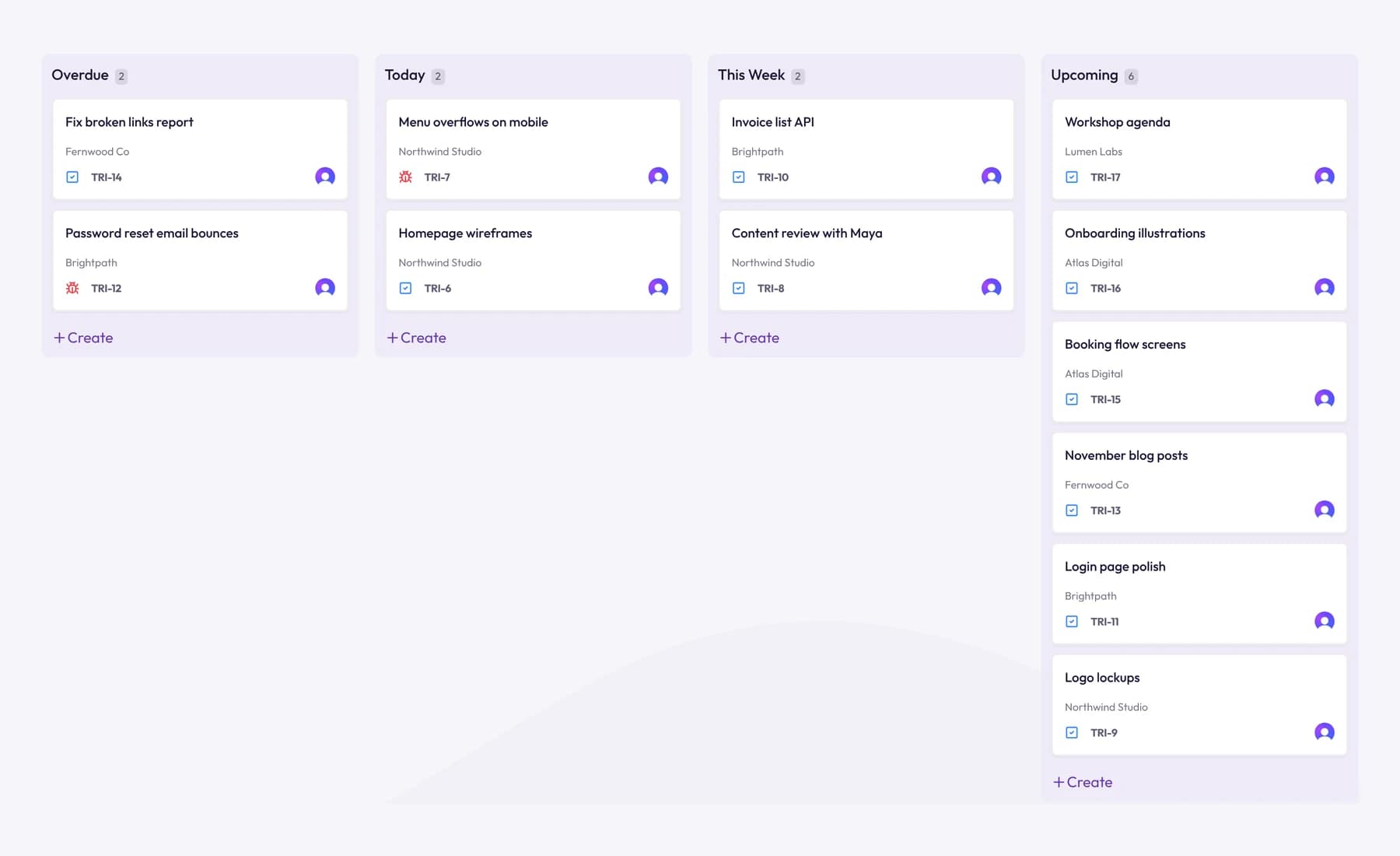
For the spreadsheet, download the time log as a CSV: each entry comes with the teammate, date, client, project, task, length and billable status. A pivot table by person and month gives you real billable shares per role for step 2, and by project gives you estimate versus actual for step 4. See time tracking for agencies for how a team account works.
Frequently asked questions
How far ahead should a small agency plan capacity?
Two to three months is enough for most small agencies. Beyond that, the pipeline is too uncertain to be useful. Look further ahead only for hiring decisions, which take months to pay off.
Should I plan in hours or in people?
Hours, by role. "We need half a developer" is hard to act on. "We're 63 development hours short in March" tells you whether a freelancer, a later start or a hire is the answer.
What if my team doesn't track time?
Then your capacity plan rests on guesses about how long work takes and how much non-billable time each role has. Start tracking now, and after two or three months you'll have real numbers for both.
What other agency numbers should I watch alongside capacity?
Utilization tells you how the plan turned out, and delivery margin tells you whether the work you said yes to was worth it. Our post on agency KPIs covers both.
Wrap up
Capacity planning for a small agency is a spreadsheet, not a system: available hours, a realistic billable share per role, committed and weighted pipeline demand, adjusted by how far your estimates usually run over. Read it by role, month by month, and decide early whether to move dates, bring in help or hire.
To build that plan on real tracked hours instead of guesses, try Tristiks Grow time tracking for agencies free for 14 days.
Category: Productivity
Suraj Rao
Suraj Rao is the founder of Tristiks, the team behind Tristiks Grow and its desktop time tracker OneTrack. He writes about time tracking, client work and getting paid, and about DevOps, cloud and AI from years of building software.