How to Write an Invoice: Step-by-Step Guide + Free Template
 By Suraj Rao10 min read
What You'll Learn
- Every invoice needs the same core parts: both parties' details, a unique number, issue and due dates, clear line items, tax, the total and how to pay.
- A real due date written on the invoice, not just "Net 30", removes the most common excuse for paying late.
- Send the invoice the day the work is done, then let a short, scheduled set of reminders do the chasing.
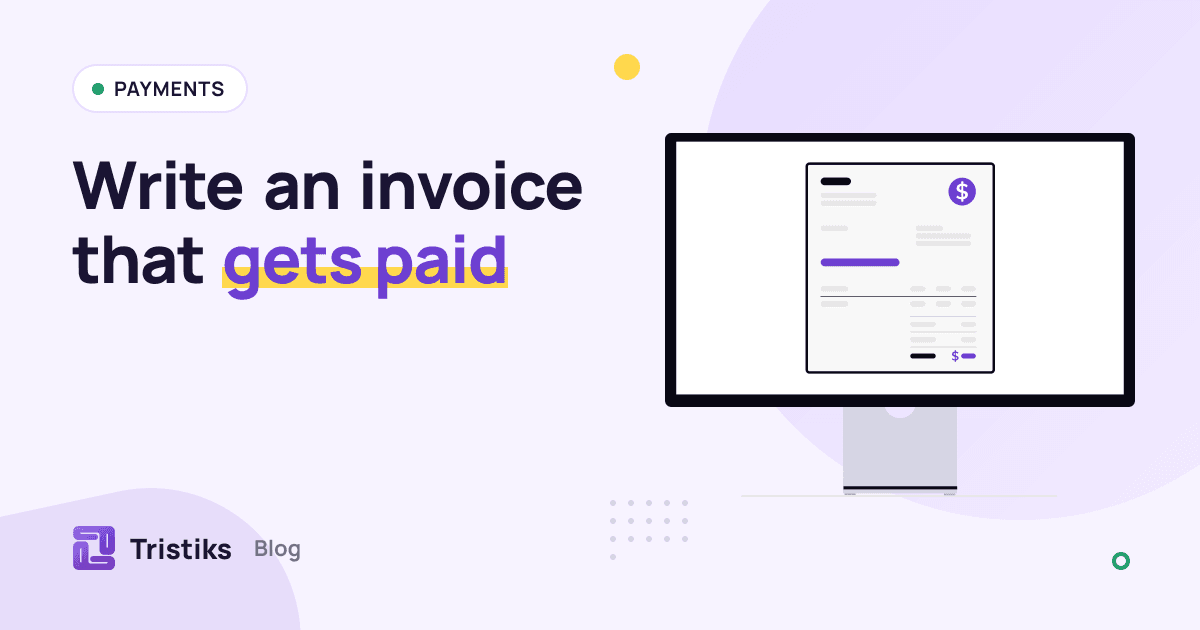
To write an invoice, list your business details and your client's, give the invoice a unique number, add the issue date and due date, describe each piece of work with its quantity, rate and amount, add any tax, show the total, and say exactly how and when to pay. That's the whole job.
Getting those parts right is what gets you paid on time. A missing due date, a vague line item or no bank details each give a client a reason to put your invoice to the bottom of the pile.
This guide walks through how to write an invoice step by step, with a sample you can copy, numbering schemes that work, and what to do after you hit send. If you'd rather start from a file, grab our free invoice template for Word or Excel.
What to include on an invoice
Here's the checklist. Every invoice you send should have each of these:
- The word "Invoice" at the top, so nobody mistakes it for a quote.
- Your details: business name, address, email and, if you're registered, your tax or VAT number.
- Your client's details: company name, the contact who approves invoices, and their billing address.
- An invoice number that's unique and never reused.
- The issue date (when you sent it) and the due date (when payment is due).
- Line items: what you did, how many hours or units, the rate and the amount for each line.
- Subtotal, tax and total due, with the currency.
- Payment terms, such as "Net 15" or "Due on receipt".
- How to pay: bank details, account name and any reference you want on the payment.
- A short note, such as a thank you or a project reference.
Some of these are legal requirements, not just good practice. In the UK, for example, an invoice must carry a unique identification number, both parties' names and addresses, a description of what you're charging for, the supply date, the invoice date, the amounts, any VAT and the total owed, according to the UK government's guidance on what invoices must include. Rules vary by country, so check yours. This guide is general information, not legal or tax advice.
How to write an invoice, step by step
1. Add your business details and branding
Put your business name, logo and contact details at the top. If you trade under your own name, use that. If you run a limited company, use its full registered name.
2. Add your client's details
Use the client's legal or trading name and their billing address, not the address of the office you visited. Add the name of the person who approves invoices.
If you don't know who that is, ask before you send the first invoice. "Who should invoices go to, and do you need a purchase order number on them?" saves a week of back-and-forth later.
3. Give it an invoice number
Every invoice needs a number that's unique and in sequence. It's how you and your client refer to it, and how your accountant matches payments.
There's more on numbering schemes below. The one rule: never reuse or skip numbers casually. If you cancel an invoice, keep it on file as cancelled rather than giving its number to a new one.
4. Set the issue date and the due date
The issue date is the day you send the invoice. The due date is the day you expect to be paid.
Always write the actual due date, not just the terms. "Net 30" makes the client work out the date; "Due 6 December 2026" doesn't. If you need a refresher on what the common terms mean, see our guide to net 30 payment terms.
5. List the work as line items
Each line should say what was done, the quantity, the rate and the amount. Write descriptions the client can approve without asking you a question:
- Weak: "Design work"
- Better: "Homepage design: wireframes and two rounds of revisions, 12 to 23 October"
If you bill by the hour, include the date range the hours cover. If you've got a time report, offer to attach it.
6. Add tax and the total
Add up the line items for the subtotal, add any sales tax or VAT as its own line, and show the total due with its currency.
Tax rules depend on where you and your client are, whether you're registered, and what you sell. Check local rules or ask an accountant before you add or leave out tax. Billing someone in another country brings extra rules, which we cover in how to invoice international clients.
7. Write your payment terms and how to pay
State the terms and repeat the due date. Then give everything the client needs to pay you without emailing you: bank name, account name, account number or IBAN, and a reference to use.
If your contract includes a late fee, say so here in one plain line. Don't add a late fee that isn't in your agreement.
8. Send it, then follow up
Send the invoice the day the work is done, or on the agreed billing date. Email it to the person who approves invoices, with the PDF attached or a link to view it, and a one-line message.
Then put the due date in your calendar, or turn on automatic reminders.
A sample invoice
Here's what a finished invoice looks like for a freelance designer billing a mix of hourly and fixed-price work.
- From: Maya Chen Design, 12 River Street, Leeds, hello@example.com
- Bill to: Northwind Coffee Ltd, Attn: Accounts, 40 Market Road, Manchester
- Invoice number: INV-0042
- Issue date: 6 November 2026
- Due date: 6 December 2026 (Net 30)
- Currency: GBP
| Description | Qty | Rate | Amount |
|---|---|---|---|
| Homepage redesign (fixed price, as agreed in proposal P-018) | 1 | £1,800.00 | £1,800.00 |
| Product page design, 12 to 23 October | 6.5 h | £65.00 | £422.50 |
| Revisions after client review, 3 November | 2.25 h | £65.00 | £146.25 |
| Stock photos (billed at cost) | 1 | £48.00 | £48.00 |
| Subtotal | £2,416.75 | ||
| VAT (20%) | £483.35 | ||
| Total due | £2,900.10 |
- How to pay: bank transfer to Maya Chen Design, sort code 00-00-00, account 00000000. Please use INV-0042 as the reference.
- Note: Thanks for a great project. Questions about this invoice? Reply to this email.
The names and bank details are placeholders. The VAT line only applies if you're VAT registered; leave it out if you're not.
Invoice numbering schemes that work
Pick one scheme and stick to it. These are the common ones:
| Scheme | Example | Good for |
|---|---|---|
| Simple sequence | INV-0001, INV-0002 | Most freelancers; easy and hard to get wrong |
| Year plus sequence | 2026-001, 2026-002 | Seeing at a glance which year an invoice belongs to |
| Client code plus sequence | NWC-001, NWC-002 | Agencies with a few large clients |
| Year, client and sequence | 2026-NWC-004 | Teams who search invoices by client and year |
A few rules apply whichever you pick:
- Pad the numbers (0001, not 1) so they sort correctly in a folder or spreadsheet.
- Keep one sequence for the business. If you also use client codes, the overall sequence should still never produce a duplicate.
Hourly vs fixed-price line items
How you write a line item depends on how you charge.
Hourly work shows the hours, the hourly rate and the amount. Round consistently (for example, to the nearest quarter hour) and say what the hours cover. Clients pay hourly invoices faster when they can see the dates and tasks behind the total. Our complete guide to billable hours covers rounding and what counts as billable.
Fixed-price work shows one line per milestone or deliverable, with a quantity of 1. Reference the proposal or contract the price comes from, so nobody has to look it up.
Expenses get their own lines, labeled as expenses. Say whether they're billed at cost or with a markup, if your contract allows one.
Worked example: an hourly line
Say you tracked 6 hours 30 minutes on product page design at £65 an hour.
- Convert minutes to decimal hours: 30 ÷ 60 = 0.5, so 6.5 hours.
- Multiply by the rate: 6.5 × £65 = £422.50.
- Write the line as "Product page design, 12 to 23 October | 6.5 h | £65.00 | £422.50".
Sending your invoice and following up
Most late payments aren't malicious: the invoice went to the wrong person or arrived after the client's payment run. This routine avoids most of that:
- Send it promptly, on the day the work is done or the agreed billing date.
- Send it to the right person, and copy your main contact if they asked you to.
- Use a clear subject line, such as "Invoice INV-0042 from Maya Chen Design, due 6 December".
- Keep the email short: what it's for, the total, the due date, and the attachment or link.
- Follow up on a schedule: a reminder a few days before it's due, one on the due date, then at 7, 14 and 30 days late.
For the wording of each of those follow-ups, use our payment reminder email templates.
Keep a copy of every invoice you send. Tax authorities expect you to hold records that back up your income; in the US, the IRS explains how long to keep records.
Writing invoices from tracked time in Tristiks Grow
If you track your hours in Tristiks Grow, most of the invoice writes itself. You pick a client and the tracked hours and unbilled expenses to include, and they're added as line items at your rates. You then add taxes, payment terms and a note, in the client's currency.
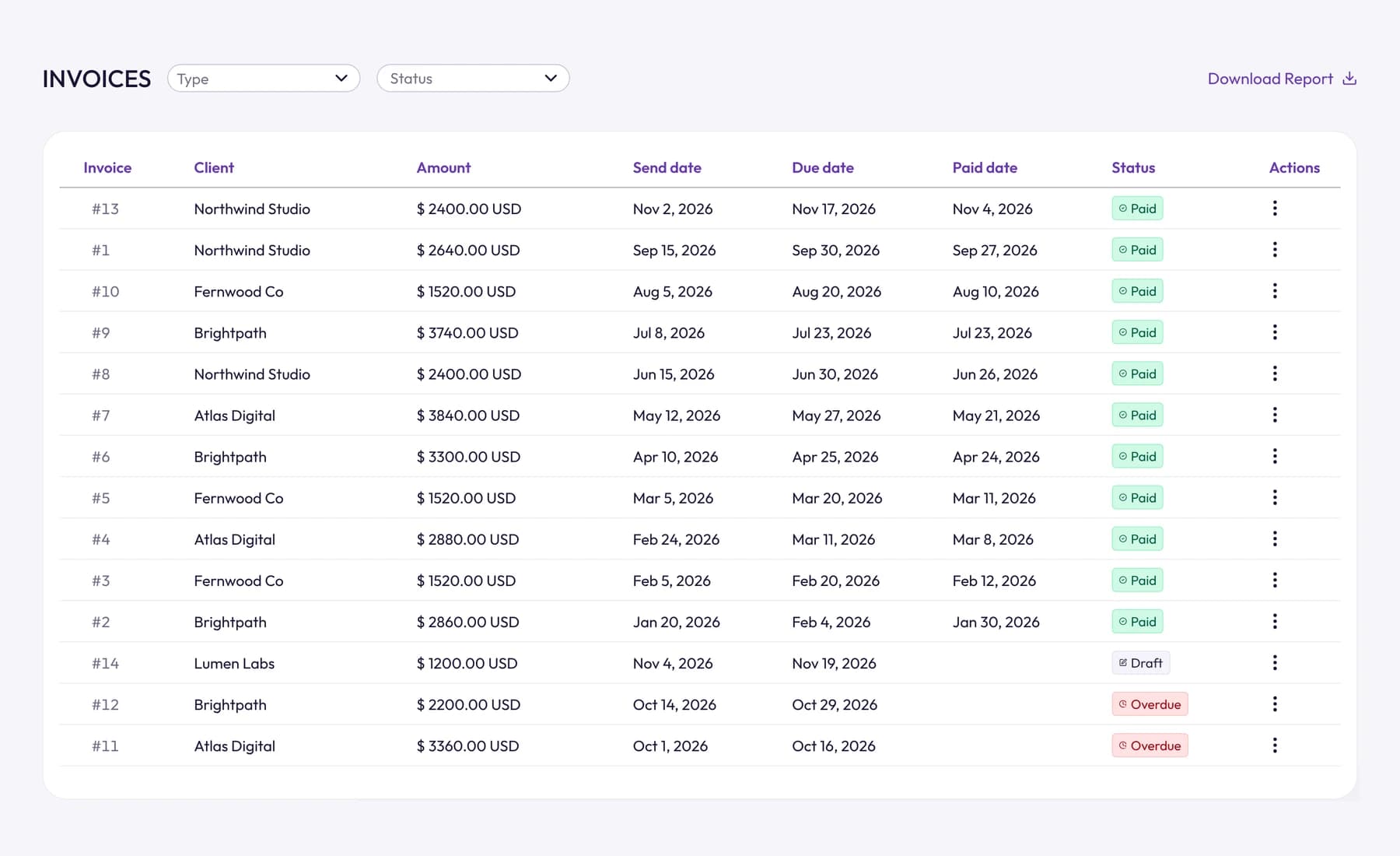
A few details help with the steps above:
- Numbering, branding and terms are set once. Your logo, business details and brand colors appear on every invoice and PDF.
- No hour is billed twice. Hours already on an invoice are locked and aren't offered again.
- Each invoice is emailed with a secure link where the client can view it and download the PDF. When the money arrives by bank transfer or another way, you mark it paid in one click. Card payments through Stripe and PayPal are coming soon.
- Reminders are automatic if you turn them on: 3 days before the due date, on the day, and 7, 14 and 30 days after.
See how it fits together on our invoicing software page.
Frequently asked questions
How do I write an invoice for the first time?
Start from a template so you don't miss anything. Fill in your details and your client's, give it the number INV-0001 (or whatever starting number you choose), add the issue and due dates, list the work with quantities, rates and amounts, add any tax and the total, and write how to pay. Then save it as a PDF and email it.
What is the difference between an invoice and a receipt?
An invoice asks for payment; a receipt confirms that payment was made. You send the invoice first, and once the client pays, you can send a receipt or simply mark the invoice paid in your records.
Can I write an invoice without a registered business?
In many countries you can invoice as a sole trader or self-employed person under your own name. Whether you need to register, and when you must charge tax, depends on where you live and how much you earn, so check your local tax authority's rules.
What payment terms should I put on an invoice?
Net 15 or Net 30 are the most common for business clients, and "due on receipt" is common for small jobs. Whatever you choose, agree it in the contract first and write the actual due date on the invoice as well as the terms.
Should I put a late fee on my invoice?
Only if it's in your contract or the client agreed to it in writing. Some countries also give businesses a statutory right to charge interest on late commercial payments. If you include one, state it in a single plain sentence near the payment terms.
Wrap up
A good invoice is complete, specific and easy to pay. Fill in every part on the checklist, write a real due date, and follow up on a schedule rather than when you remember.
To skip the blank page, download our free invoice template, or start a free 14-day trial of Tristiks Grow invoicing and build your next invoice straight from your tracked hours.
Category: Payments
Suraj Rao
Suraj Rao is the founder of Tristiks, the team behind Tristiks Grow and its desktop time tracker OneTrack. He writes about time tracking, client work and getting paid, and about DevOps, cloud and AI from years of building software.