Making Tax Digital for Income Tax: A Freelancer's Guide
 By Suraj Rao9 min read
What You'll Learn
- Since 6 April 2026, UK sole traders and landlords with qualifying income over £50,000 must keep digital records and send HMRC quarterly updates. The threshold drops to £30,000 in April 2027 and £20,000 in April 2028.
- Qualifying income is your gross self-employment and property income before expenses, so a freelancer with a modest profit can still be in.
- Updates are due 7 August, 7 November, 7 February and 7 May. Keeping invoices, expenses and receipts tidy as you go turns each one into a short job.

Making Tax Digital (MTD) for Income Tax is HMRC's new way of reporting self-employment and property income. Since 6 April 2026, sole traders and landlords whose qualifying income was over £50,000 must keep their records in digital form, send HMRC a summary every quarter through compatible software and file a final declaration after the tax year ends. It isn't a new tax: you report the same income and expenses and pay on the same dates. What changes is how often you report and where your records live.
The threshold drops to £30,000 from April 2027 and £20,000 from April 2028, so most full-time UK freelancers will be in by then. HMRC said 864,000 sole traders and landlords were due to join in the first wave alone.
This guide covers who has to join and when, how qualifying income is worked out, the quarterly calendar, penalties and how to set up your records so each update takes minutes. It's general information based on HMRC's guidance as of November 2026, not tax advice; check HMRC's guide to MTD for Income Tax or an accountant for your situation.
Who has to use Making Tax Digital, and when
You have to join if you're a sole trader, a landlord or both, you're registered for Self Assessment, and your qualifying income in a past tax return is over the threshold. HMRC looks back at the return from two tax years earlier.
| You must use MTD from | If your qualifying income was over | On your tax return for |
|---|---|---|
| 6 April 2026 | £50,000 | 2024 to 2025 |
| 6 April 2027 | £30,000 | 2025 to 2026 |
| 6 April 2028 | £20,000 | 2026 to 2027 |
Source: HMRC's MTD for Income Tax timeline.
A few things that catch people out:
- Limited companies aren't in scope. If you freelance through your own company, MTD for Income Tax doesn't apply to the company's income. It's for sole traders and landlords.
- Partnerships come later. General partnerships aren't included in these first three waves.
- It applies to you, not to each business. If you freelance and also let a flat, both count towards one qualifying income figure.
- You can be exempt. HMRC can exempt people who are digitally excluded, for example because of age, disability or where they live. You have to apply; it isn't automatic.
How qualifying income is worked out
Qualifying income is your gross income from self-employment and property, added together, before expenses. Employment income, dividends, savings interest and pensions don't count.
That's the part freelancers most often get wrong. The test is turnover, not profit. As ICAEW's guidance puts it, expenses, reliefs and allowances aren't deducted.
Example: a designer who also rents out a room

Self-employment turnover (invoices raised)    £38,000
Rental income                                 £14,000
Qualifying income                             £52,000  -> over £50,000

Expenses (software, equipment, subcontractor) £16,000
Profit                                        £36,000  -> not the test
This designer is in from April 2026 even though they made £36,000. A freelancer who also has a full-time salary of £60,000 and invoices £12,000 on the side has qualifying income of £12,000, so they're not in yet.
If you invoice in other currencies, your turnover in pounds is what counts. Our guide to invoicing international clients covers converting and recording foreign-currency income.
What you have to do under MTD
Four things, in this order through the year:
- Sign up through HMRC's service, or have your accountant do it. From September 2026, HMRC said it would start signing up people who should have joined for 2026 to 2027 and hadn't.
- Keep digital records of every business income and expense transaction in compatible software: the date, the amount and the category.
- Send a quarterly update of your income and expenses totals four times a year.
- Submit a final declaration by 31 January after the tax year ends, adding any other income and claiming reliefs. This replaces the Self Assessment return for people in MTD.
"Digital records" doesn't mean every receipt has to be scanned into HMRC's systems. It means each transaction is recorded in software, not just in a paper notebook or a shoebox of receipts. Spreadsheets are allowed if you connect them to HMRC with bridging software, which reads the totals and submits them for you.
The quarterly calendar
Most people use HMRC's standard update periods, which follow the tax year. Each update is due on the 7th of the month after the quarter ends.
| Quarter covers | Update due |
|---|---|
| 6 April to 5 July | 7 August |
| 6 July to 5 October | 7 November |
| 6 October to 5 January | 7 February |
| 6 January to 5 April | 7 May |
| Final declaration for the tax year | 31 January after it ends |
The dates come from HMRC's page on sending quarterly updates. You can choose calendar update periods instead (quarters ending on the last day of June, September, December and March) if that matches how you keep your books. The deadlines don't move.
Two details make the quarters less scary:
- Updates are cumulative. Each one covers the year so far, so if you spot a mistake in July's figures, you fix it in the next update rather than resubmitting the old one.
- Payment dates don't change. Tax is still due on 31 January and 31 July as payments on account. Quarterly updates are reports, not bills. Our post on freelance cash flow covers setting money aside for those dates.
For the first year, the first deadline was 7 August 2026 and the first final declaration for 2026 to 2027 is due on 31 January 2028.
Penalties for late updates
MTD uses a points system for late submissions, according to HMRC's penalties guidance:
- Each missed deadline for a quarterly update or tax return earns one point.
- At four points, you get a £200 penalty, and another £200 for each further missed deadline while you're at the threshold.
- Points expire after a period of compliance, which HMRC shows in your online account.
- For the 2026 to 2027 tax year, HMRC doesn't give points for late quarterly updates. You still have to send them; you just won't be penalised for lateness in the first year.
Late payment of tax is penalised separately, as it is now. The grace year is a good time to build the habit, not to skip updates: from April 2027, every late quarter counts.
How to choose MTD software
HMRC doesn't make its own software. You need a product on HMRC's list of software compatible with MTD for Income Tax. Before you pick one, check:
- It covers your income types. Some products handle self-employment but not property, or only one business.
- It handles the final declaration, not just quarterly updates. Not every product does both.
- It fits how you keep records now. If you already use a spreadsheet you like, bridging software may be all you need. If you're starting from scratch, accounting software that links to your bank feed does more of the work.
- Your accountant can work with it. If someone else files for you, use what they use, or at least something they can import.
Keep records that make each update quick
The quarterly update is only painful if your records are a mess when the quarter ends. A routine that works for most freelancers:
Invoice from one system, in order
Every invoice should come from the same tool, numbered in sequence, with the date, client, amount and VAT if you're registered. That makes your income total for the quarter one filtered list instead of a hunt through email. Our invoice writing guide and our post on invoicing as a sole proprietor cover what each invoice needs.
Record expenses when they happen
Log each expense with its receipt the week you pay it, not in a scramble before the deadline. Phone scanning and AI receipt scanning help, but check what the scan read before you save it. Tag anything you'll bill back to a client so it isn't counted as your cost.
Close each month
On the first working day of each month, spend 20 minutes:
- mark paid invoices as paid and chase overdue ones
- match expenses to receipts and fill gaps
- export income and expenses for the month into the place your MTD software reads from
Do that three times and the quarterly update is a check, not a project.
Keep the evidence
HMRC still expects you to keep records for at least five years after the 31 January submission deadline of the relevant tax year. Keep invoices as PDFs and receipts attached to their expenses, so a question two years from now doesn't depend on a tool you've since cancelled.
How Tristiks Grow fits in
To be clear about what we are: Tristiks Grow isn't MTD-compatible software and doesn't submit anything to HMRC. It's where many freelancers do the work that feeds MTD software: tracking time, sending invoices and logging expenses.
- Invoices with sequential numbering, your business details, VAT or other taxes and the client's currency, sent by email with a PDF.
- Expenses with receipts attached, from a photo or PDF, with AI that reads the receipt and flags anything it's unsure of before you confirm.
- CSV exports of invoices and expenses, to load into bridging software or hand to your accountant each quarter.
- Unpaid and overdue at a glance, so month-end close takes minutes.
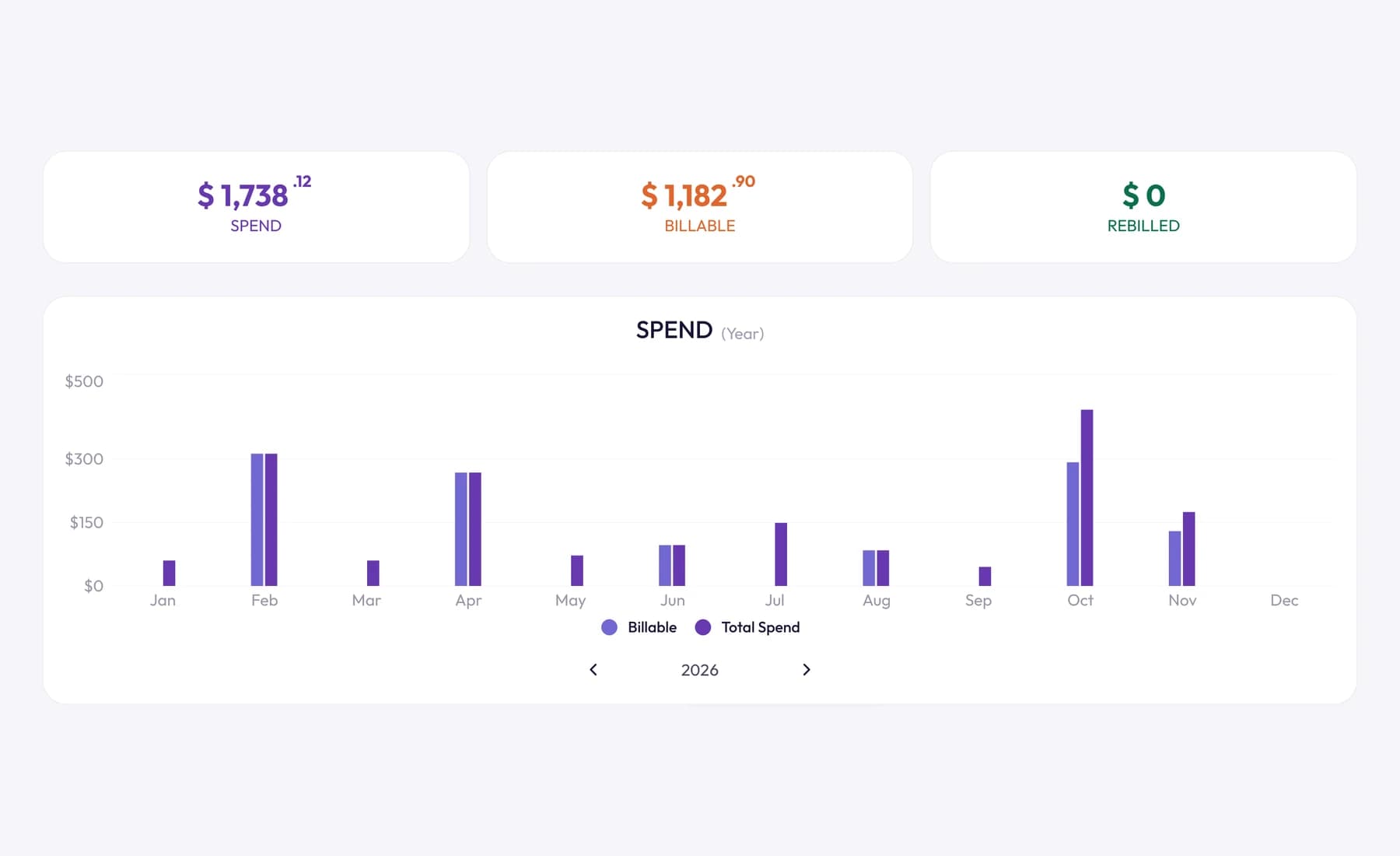
See expense tracking and invoicing for how they work.
Frequently asked questions
Do I need MTD if I earn under £50,000?
Not yet, unless your qualifying income was over £30,000 on your 2025 to 2026 return, in which case you're in from April 2027. You can also volunteer to join early. If you're under £20,000, MTD for Income Tax doesn't currently apply to you, though you can still use it.
Does Making Tax Digital replace Self Assessment?
For people in MTD, yes: the final declaration replaces the Self Assessment tax return. People below the threshold carry on with Self Assessment as before.
Is MTD for Income Tax the same as MTD for VAT?
No. MTD for VAT has applied to VAT-registered businesses since 2019 and 2022, and covers VAT returns. MTD for Income Tax is separate and covers income tax on self-employment and property income. If you're VAT registered and over the income threshold, you'll do both.
What about e-invoicing in the UK?
That's a different change. The government has announced that VAT invoices between businesses will have to be electronic from April 2029. Our guide to e-invoicing mandates covers what that means and how it's already working in Europe.
Wrap up
MTD for Income Tax asks freelancers to do four times a year what they used to do once: total up income and expenses and send them to HMRC. Check your qualifying income against the £50,000, £30,000 and £20,000 thresholds, pick compatible software before your start date, and keep invoices and expenses tidy every month so each quarterly update is a five-minute job.
To keep your invoices and receipts in one place and export them each quarter, try Tristiks Grow free for 14 days.
Category: Payments
Suraj Rao
Suraj Rao is the founder of Tristiks, the team behind Tristiks Grow and its desktop time tracker OneTrack. He writes about time tracking, client work and getting paid, and about DevOps, cloud and AI from years of building software.