Per-Seat vs Flat Pricing: What Small Teams Really Pay
 By Suraj Rao11 min read
What You'll Learn
- Per-seat pricing is often cheapest for one to five people; a flat price for a band of seats tends to win somewhere between five and ten, and the exact crossover is the flat price divided by the per-seat price.
- Compare like for like: the cheapest plan that includes invoicing (and expenses, if you need them), at the same billing period, for the team you'll have in a year.
- Check the costs that aren't on the headline price: seat minimums, contractors who count as seats, add-ons, usage charges, payment fees and the time it takes to switch.

Per-seat pricing is often cheaper for teams of one to five people, especially on low-cost time trackers. A flat price for a band of seats usually wins somewhere between five and ten. Where the line falls for you depends on two numbers: the per-seat price of the plan you'd actually need, and the flat price of the band you'd fall into.
The headline price is rarely the bill, though. Seat minimums, contractors who count as users, add-ons, usage charges and the plan you need for invoicing all move the number. This guide explains the pricing models, works out what six tools would cost a team of 1, 3, 5 and 10, and ends with a checklist.
One disclosure: we make Tristiks Grow, which uses a flat price per plan, so it's in the tables. Unless we say otherwise, every competitor price here was read on that tool's own pricing page (Hubstaff, Clockify, Harvest, Toggl and FreshBooks), checked 29 September 2026. Prices change, so check before you buy.
The pricing models, explained
Most software for client work uses one of these models, or a mix of them.
Per seat (per user)
You pay a set price for each person on the account, every month. Clockify, Toggl, Harvest and Hubstaff all price this way.
- For the buyer: you only pay for the people you have, and adding one person is a small, predictable step.
- Against: the bill grows in a straight line with the team, and every contractor you add for a month adds to it. Some teams respond by leaving people off the tool, which defeats the point of tracking time.
Seat minimums
Some per-seat plans have a floor. Hubstaff lists a 2-seat minimum, so a solo user pays for two seats. Bonsai now prices per user, and third-party pricing sites report a 3-user minimum on its top Elite plan (checked November 2026; confirm on Bonsai's own page).
- For the buyer: usually fine once your team is past the minimum.
- Against: for a freelancer or a two-person studio, the real per-person price is higher than the one on the page.
Seat bundles
You buy seats in fixed blocks rather than one at a time; monday.com sells its plans this way, for example. The trade-off: a team that falls between bundle sizes pays for empty seats.
Tiered flat price (seat bands)
One price covers everyone up to a limit. Tristiks Grow works this way: $12 a month for 1 seat, $19 for up to 3 and $39 for up to 10. Harlow is similar, with a set number of collaborators on each plan.
- For the buyer: the bill doesn't move when you add someone inside the band, so it's easy to budget, and the cost per person falls as the team grows.
- Against: you pay for headroom you may not use. A team of 4 pays the same as a team of 10, and the step from one band to the next is a jump, not a small increase.
Usage-based charges
You pay for activity, such as invoices sent or active projects, often on top of a per-seat price. Harvest's pricing page says extra invoices, projects, clients and tasks are billed by usage.
In 2026 this became a sore point. Some Harvest customers reported large increases at renewal after the move to usage billing. Reviews say the per-unit rates aren't published on the pricing page, and that archiving inactive projects and clients before renewal can lower the usage part of the bill. Treat this as reported, not confirmed; our Harvest price increase guide covers what's known.
- For the buyer: a quiet month can cost less.
- Against: the bill is hard to predict, and it grows as your client list grows, which is exactly when you're busiest.
Freemium caps
A free plan up to a limit, then per-seat pricing. As listed in September 2026, Clockify is free for up to 5 users, Toggl for teams of up to 3, and Harvest for 1 seat and 2 projects.
The catch is what's in the free tier. Clockify and Toggl don't list invoicing on their free plans. Clockify also updated its free plan in 2026, and according to reports, features such as billable hours tracking and CSV exports moved to paid plans. Check what's free today before you plan around it.
Add-ons
Extra features sold on top of a plan. Hubstaff lists add-ons for tasks, location tracking, a silent app and insights. FreshBooks charges $11 a month for each team member, and its payroll add-on is $40 a month plus $6 per user.
- For the buyer: you don't pay for features you don't use.
- Against: the plan you compared on price may not be the plan you end up paying for.
What a small team would pay: worked examples
Here's what each tool would cost a hypothetical agency that needs to track time and send invoices from it. We used the cheapest plan whose pricing page lists invoicing, and counted everyone who tracks time, including the owner, as a seat.
Paying yearly (cost per year)
| Tool and plan | 1 person | 3 people | 5 people | 10 people |
|---|---|---|---|---|
| Hubstaff Starter ($4.99 per seat a month, 2-seat minimum) | $119.76 | $179.64 | $299.40 | $598.80 |
| Clockify Standard ($5.49 per seat a month) | $65.88 | $197.64 | $329.40 | $658.80 |
| Harvest Teams ($108 per seat a year) | $108, or free for 1 seat and 2 projects | $324 | $540 | $1,080 |
| Tristiks Grow, paid yearly (12% off) | $127 (Solo) | $201 (Professional) | $412 (Advanced) | $412 (Advanced) |
Harvest's figures are before any usage-billed extras.
Paying month to month (cost per month)
| Tool and plan | 1 person | 3 people | 5 people | 10 people |
|---|---|---|---|---|
| Clockify Standard ($6.99 per seat) | $6.99 | $20.97 | $34.95 | $69.90 |
| FreshBooks Lite ($23, plus $11 per team member, list price) | $23 | $45 | $67 | $122 |
| Tristiks Grow, paid monthly | $12 | $19 | $39 | $39 |
We only recorded annual rates for Hubstaff, Toggl and Harvest, so we've left their monthly rates out rather than guess. For FreshBooks we assumed the base price covers the account owner, and used list prices, not the first-year promotion that was running.
Where invoicing isn't included
Toggl doesn't list invoicing on its pricing page, so it isn't a like-for-like row. Toggl Starter is $9 per user a month billed annually ($1,080 a year for 10 people), and its free plan covers teams of up to 3. Either way, you'd add a separate invoicing tool, and that cost belongs in the comparison.
FreshBooks Lite also limits invoicing to 5 clients. An agency with more clients would need Plus, at $43 a month list price before team members.
If you need expenses too
The cheapest invoicing plans don't always include expense tracking. Clockify lists expenses from Pro and Hubstaff from Grow ($7.99 and $7.50 per seat a month, billed annually). Harvest, FreshBooks and Tristiks Grow include expenses on the plans above.
| Tool and plan (yearly) | 1 person | 3 people | 5 people | 10 people |
|---|---|---|---|---|
| Hubstaff Grow (2-seat minimum) | $180 | $270 | $450 | $900 |
| Clockify Pro | $95.88 | $287.64 | $479.40 | $958.80 |
| Tristiks Grow, paid yearly | $127 | $201 | $412 | $412 |
What the tables show
- One person: per-seat wins. Clockify Standard is $65.88 a year, and Harvest's free plan costs nothing with two projects or fewer. Our Solo plan is $127.
- Three people: close. Hubstaff Starter ($179.64) and Clockify Standard ($197.64) come in just under Tristiks Grow Professional ($201), but they don't include expenses at that price.
- Five people: per-seat is cheaper on the invoicing-only plans. Hubstaff Starter is $299.40 and Clockify Standard $329.40, against $412 for our Advanced plan. Once you need expenses, it reverses.
- Ten people: flat wins clearly. $412 a year against $598.80 to $1,080 on the other yearly plans, and $1,464 for FreshBooks Lite at monthly list price.
You can find your own crossover point with one division: flat price ÷ per-seat price = the team size where they cost the same. For example, $412 ÷ $59.88 (Hubstaff Starter for one seat for a year) is about 6.9, so from 7 people the flat plan is cheaper (the same is true against Clockify Standard). Against Harvest Teams, $412 ÷ $108 is about 3.8, so the flat plan wins from 4.
Watch the band edges, too. Going from 3 to 4 people moves Tristiks Grow from $201 to $412 a year, a bigger step than any per-seat tool takes for one hire. If you're sitting at 4 for the long term, run the numbers.
For a fuller feature-by-feature view of these tools, see our compare page and our roundup of the best time tracking apps.
The hidden costs to check
The price table is only the start. These costs turn up later, starting with the one small agencies miss most.
Contractors and guests who count as seats
If you bring in freelancers for busy months, each one who tracks time usually needs a seat, and on an annual plan a three-month contractor may cost a full year if you can't remove the seat mid-term. Ask each vendor:
- Who counts as a seat: anyone invited, or only people who track time?
- Can clients or guests view things without a seat? (Asana, for example, lists unlimited free guests from its Starter plan.)
- Can you remove a seat mid-term, and do you get credit for it?
If you're planning to bring in help, our guide to hiring your first subcontractor covers how to price their work so it still makes a margin after costs like these.
Add-ons and the "real" plan
The plan you compare on price is often not the plan you need. If the cheapest tier lacks invoicing, expenses, multiple currencies or the reports you send clients, compare the tier that has them, plus any add-ons.
Usage charges
If a tool bills by invoices, projects or clients, estimate your busiest year, not your average one. Ask for the per-unit rates in writing before you commit.
Payment processing fees
When clients pay invoices by card or another online method, the payment provider usually takes a fee on each payment. That's separate from the software price, and on large invoices it can cost more than the software. Check the provider's rates and whether you're allowed to pass the fee on where you work. Also check whether sales tax, VAT or GST is added to the subscription at checkout. This isn't legal or tax advice; the rules differ by country.
Annual lock-in and price changes
Paying yearly is usually cheaper, but you commit to the seat count and price for the term. Several tools changed prices or plans in 2026; our post on freelance software price increases covers how to prepare for one.
Switching costs
Moving tools takes time: exporting old entries and invoices, setting up clients, rates and projects again, and getting the team used to a new timer. A cheaper tool that costs two days of setup might not be cheaper this year. Switch at the start of a billing period, and keep your exports. Our checklist for switching time tracking software covers each step.
A checklist for choosing
Run through this before you compare prices.
- Count your real team, including you and regular contractors, now and a year from now. Our guide to capacity planning for agencies helps you work out whether you'll need to hire.
- List your must-haves (invoicing, expenses, currencies, proposals, screenshots, approvals) and only compare plans that include all of them.
- Find the cheapest qualifying plan for each tool, not the cheapest plan.
- Use the same billing period for every tool. Don't compare one tool's annual price with another's monthly price.
- Add the minimums, add-ons and any second tool you'd need.
- Work out the yearly total at today's team size and next year's.
- Find your crossover point: flat price ÷ per-seat price.
- Ask who counts as a seat and whether you can remove one mid-term.
- Check for usage charges and renewal terms.
- Use the free trial with your real clients and your real team before you pay.
How Tristiks Grow helps
Tristiks Grow uses a flat price per plan, not a price per seat:
- Solo: $12 a month for 1 seat.
- Professional: $19 a month for up to 3 seats, with priority email support.
- Advanced: $39 a month for up to 10 seats, with account migration support to help move your data in.
Paying yearly saves 12%, which makes them $127, $201 and $412 a year. In India, the plans are ₹999, ₹1,499 and ₹3,299 a month. There's a 14-day free trial with no credit card, and you can cancel anytime. There's no free plan.
Every plan includes time tracking, invoicing, proposals and contracts, task management and the desktop apps, with unlimited clients and projects. On Advanced, the bill is the same for 4 people as for 10, so adding a contractor for a busy month doesn't change it.
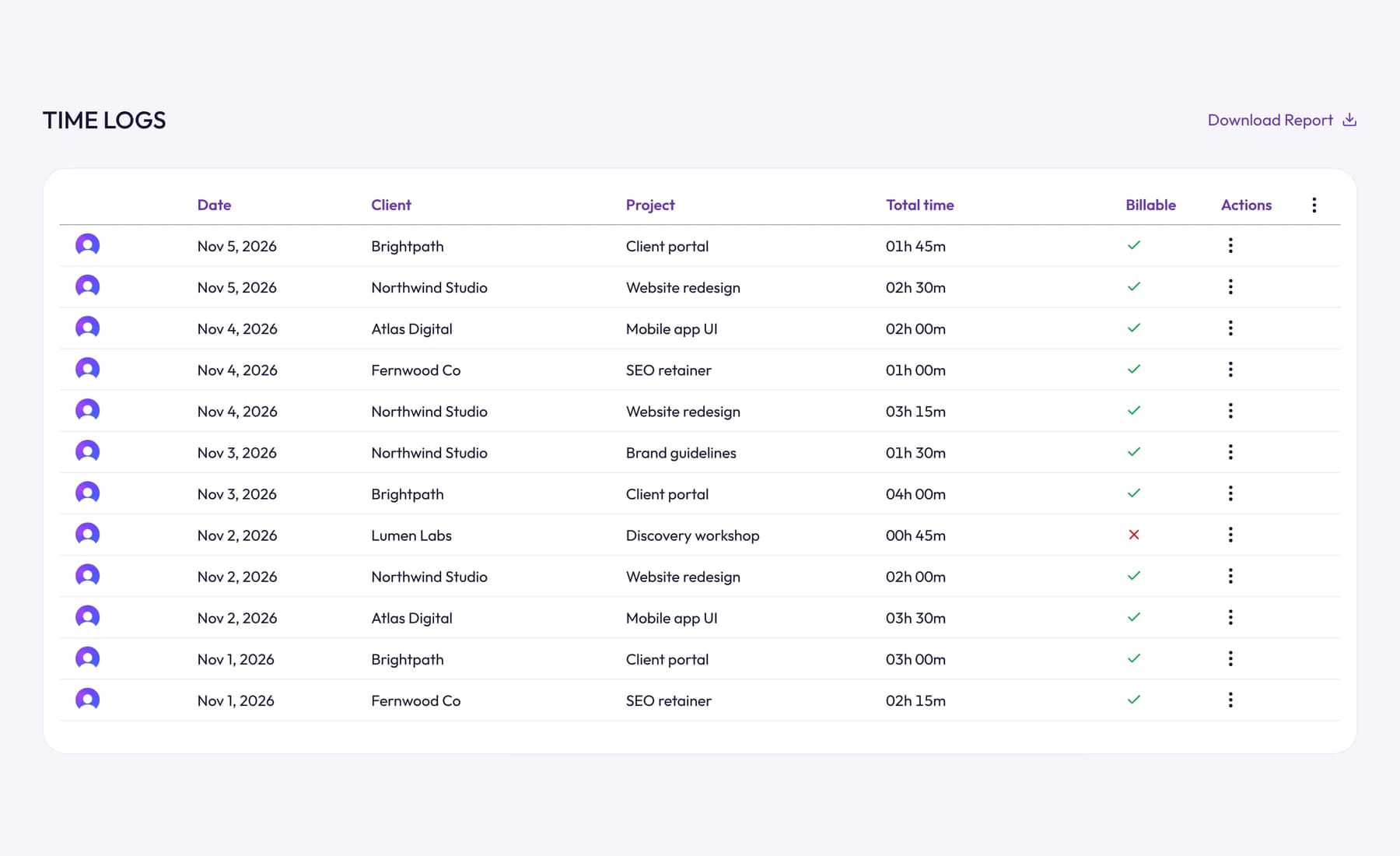
Each client's hourly rate is saved, entries are marked billable or non-billable, and invoices are built from tracked hours and unbilled expenses at the client's rate. You invite teammates by email.
See the full plan details on our pricing page.
Frequently asked questions
Is per-seat pricing always more expensive?
No. For one to five people, per-seat plans are often cheaper, as the tables above show. Flat pricing tends to pay off as the team grows toward the top of its band.
What is the cheapest time tracking for a small team?
For time tracking alone, Clockify's free plan (up to 5 users) and Toggl's (up to 3) cost nothing, though neither lists invoicing on the free tier. If you need to invoice from your hours, compare the cheapest plan that includes invoicing at your team size.
Wrap up
Neither model is always cheaper. Per-seat pricing suits solo workers and very small teams; flat pricing suits teams that are growing, bring in contractors, or want a bill that doesn't change. Compare the cheapest plan that does everything you need, at the same billing period, for the team you'll have next year, and check the hidden costs before you sign.
If you run a small agency, see how time tracking for agencies works in Tristiks Grow and try it free for 14 days.
Category: Time Tracking
Suraj Rao
Suraj Rao is the founder of Tristiks, the team behind Tristiks Grow and its desktop time tracker OneTrack. He writes about time tracking, client work and getting paid, and about DevOps, cloud and AI from years of building software.