Should You Bill Clients for AI-Assisted Work?
 By Suraj Rao11 min read
What You'll Learn
- If AI makes you faster and you bill by the hour, you get paid less for the same result, so move clear-scope work to fixed or deliverable-based prices.
- Tell clients you use AI, keep their confidential data out of tools you don't control, and put disclosure, confidentiality, ownership and review clauses in your contract.
- Build general AI subscriptions into your rate, bill client-specific tool costs as expenses, and keep tracking time so you know your real effective rate.

Yes, you should bill clients for AI-assisted work. The client is paying for a result, your judgment and your responsibility for the work, and none of that changes because a tool did part of the typing. The real question is how you bill for it, because AI breaks the link between hours and value that hourly billing depends on.
Your clients already know what AI can do. A 2026 FreshBooks survey of 500 solopreneurs and microbusiness owners found that 86% try AI before hiring someone when they hit a task they can't do alone. When they do hire you, they're paying for what the tool couldn't give them.
This post covers why hourly billing gets worse as you get faster, five ways to price AI-assisted work compared side by side, our recommendation with worked examples, whether and how to tell clients you use AI, contract clauses you can copy, how to handle AI subscription costs and what to keep tracking time on.
The problem: AI cuts the hours, and hourly billing cuts your pay
Hourly billing assumes that more hours means more value. AI breaks that assumption.
Say you're a copywriter who bills $75 an hour. A set of product page descriptions used to take you 10 hours. With AI helping you research, outline and draft, it now takes 6.
Before AI: 10 hours x $75 = $750
With AI:    6 hours x $75 = $450
The client gets the same pages and is just as happy. You earn $300 less. You do get 4 hours back, but that only helps if you have other work to fill them, and you're still selling hours at a price set for slower work.
The market is already splitting on this. Upwork's Future Workforce Index 2026 reports that freelancers doing more complex work with AI saw per-contract earnings rise 45% year over year. In generative AI and creative production work, contract starts grew 90%, but per-contract earnings fell 13%. Work that looks automatable gets cheaper; work that needs your expertise holds its price.
Five ways to bill AI-assisted work
| Model | How it works | Main upside | Main downside | Best for |
|---|---|---|---|---|
| Bill actual hours | Same rate, fewer hours | Simple and transparent | You earn less as you get faster | Short, one-off or unclear tasks |
| Hourly, higher rate | Raise the rate to reflect faster, better output | Keeps hourly billing clients know | Clients compare rates, and you have to raise again as you speed up | Advisory, debugging, ongoing support |
| Fixed or value-based price | One fee for the project, based on its worth to the client | You keep the time AI saves | You carry the risk if it overruns | Projects with a clear scope and end |
| Deliverable-based price | A price per unit: per article, per page, per screen | Easy to quote and compare | Needs tight rules on length and revisions | Repeatable work in volume |
| Blended | Fixed fee for defined work, hourly for the rest | Fair to both sides | More to explain and track | Retainers and long client relationships |
A few notes on the table:
- Actual hours is fine for a 40-minute bug fix. Just don't price everything this way, or every tool you learn becomes a pay cut.
- A higher rate has limits. To keep earning $750 on the 6-hour job above, you'd need $125 an hour, a 67% increase. A smaller raise plus filling the saved hours usually works better. Our guide on how to calculate your hourly rate covers when to raise it.
- Fixed and deliverable prices are where AI helps you most, because your hours stop being the measure of the work.
- Blended pricing pairs a fixed fee with hourly extras. Our comparison of retainers vs fixed-price projects shows how to set up each half.
Our recommendation: price the result, not the hours
For most freelancers using AI, the answer is: move any work with a clear scope to fixed or deliverable-based prices, and keep hourly billing, at a higher rate, for work you can't scope.
The reasoning:
- Clients buy outcomes. They want a landing page that converts, not 12 hours of your time.
- It stops the speed penalty. On a fixed price, getting faster raises your earnings.
- It avoids awkward line items. Nobody argues over whether "AI drafting" deserves the same rate as writing.
- Hourly still has a place. Where the scope is unknown, such as debugging an unfamiliar system, hourly protects you from overruns.
The one condition: you must know how long the work takes you now, with AI. A price set from old, pre-AI hours may be too high to win work; one set from a single fast job may be too low.
Worked examples
Both examples use made-up numbers. Swap in your own.
Example 1: a copywriter moves to fixed pricing
Landing page copy used to take Priya about 12 hours at $85 an hour.
Old hourly price:   12 hours x $85 = $1,020
Hours now, with AI:  7
Hourly price now:    7 hours x $85 = $595
She switches to a fixed price of $1,000 per landing page, including two rounds of revisions.
Effective rate: $1,000 / 7 hours = $142.86 an hourThe client pays $20 less than before and gets the page sooner. Priya earns $142.86 an hour instead of $85.
Example 2: a blended content retainer
Dana writes for a software company. She charges a fixed $2,400 a month for four articles and one newsletter, and $110 an hour for strategy calls and extra requests. This month she logged 3 hours of calls.
Fixed fee:          $2,400
Hourly extras:      3 hours x $110 = $330
Invoice total:      $2,730
Hours tracked:      18 on deliverables + 3 on calls = 21
Effective rate:     $2,730 / 21 = $130 an hour
The client knows the core monthly cost, and Dana is paid for extras that used to slip in free.
Should you tell clients you use AI?
Yes. Say it plainly, before the work starts. If a client finds out later, the question becomes what else you didn't tell them. And disclosure doesn't seem to put clients off when you stay in charge of the work. Upwork reports that 66% of clients express high trust in work from freelancers who use AI tools, compared with 26% for work delivered by AI alone. Clients trust the person, not the tool.
What to disclose
You don't need to list every prompt. Tell the client which parts of the work you use AI for, that you review and take responsibility for everything you deliver, how you protect their information and that they can opt out. Ask about their own policy on the discovery call, too: some clients, especially in regulated industries, restrict AI use.
Here's wording for the terms section of a proposal:
How I work
I use AI tools to help with research, drafting and checking. I direct
the work, review and edit everything, and I'm responsible for the final
result. I don't put your confidential information into AI tools that
could use it for training. If you'd prefer I don't use AI on any part
of this project, tell me and I'll adjust the quote.
Our guide on how to write a project proposal covers where this fits among the other sections.
Confidentiality and client data
This is the biggest practical risk. Many AI tools store what you paste into them, and some may use it to improve their models, depending on the tool, your plan and your settings. A simple rule: no client names, personal data, unreleased products, financial figures or source code goes into a tool unless you know how it handles them and the client's contract and NDA allow it.
Who owns AI-generated output
This is less settled than most freelancers assume. In the US, the Copyright Office's January 2025 report on copyrightability says copyright protects human authorship. Material generated purely by AI, without enough human control over its expression, isn't protected, while your own creative selection, arrangement and edits can be. Other countries take different views.
So you may be assigning a client rights in work that isn't fully protected, and you shouldn't promise otherwise. Check your AI tools' terms on output ownership, too. This is general information, not legal advice: check with a lawyer where you and your client are, especially for logos, software or anything the client must own outright.
Contract clauses to add
Add these four clauses alongside the usual terms in our guide on what to include in a freelance contract. Adapt them to your work, and have a lawyer review them.
AI use disclosure
Use of AI tools
The Contractor may use software tools, including generative AI tools,
to help research, draft, edit or check the work. The Contractor directs
the work and is responsible for the final deliverables. The Client may
ask in writing that AI tools are not used for a specific deliverable;
the fee and timeline for that deliverable may change as a result.
Confidentiality and client data
AI tools and confidential information
The Contractor will not enter the Client's confidential information,
personal data or unreleased materials into any AI tool that may use
those inputs to train its models or share them with third parties,
unless the Client agrees in writing. This clause is in addition to the
confidentiality terms of this agreement.
Ownership of AI-assisted work
Ownership of AI-assisted work
On full payment, the Contractor assigns to the Client all rights the
Contractor holds in the final deliverables. The Client acknowledges that
material generated by AI tools may not be protected by copyright in
every country, and the Contractor does not guarantee that such material
can be registered or exclusively owned. The Contractor will not
knowingly deliver material that copies a third party's work.
Review responsibility
Review of AI-assisted work
The Contractor reviews all AI-assisted work for accuracy, originality
and fit with the brief before delivery. Errors in delivered work are
corrected under the revisions terms of this agreement. The Client is
responsible for final approval, and for checking facts, claims and
compliance specific to its business before publishing or using the work.
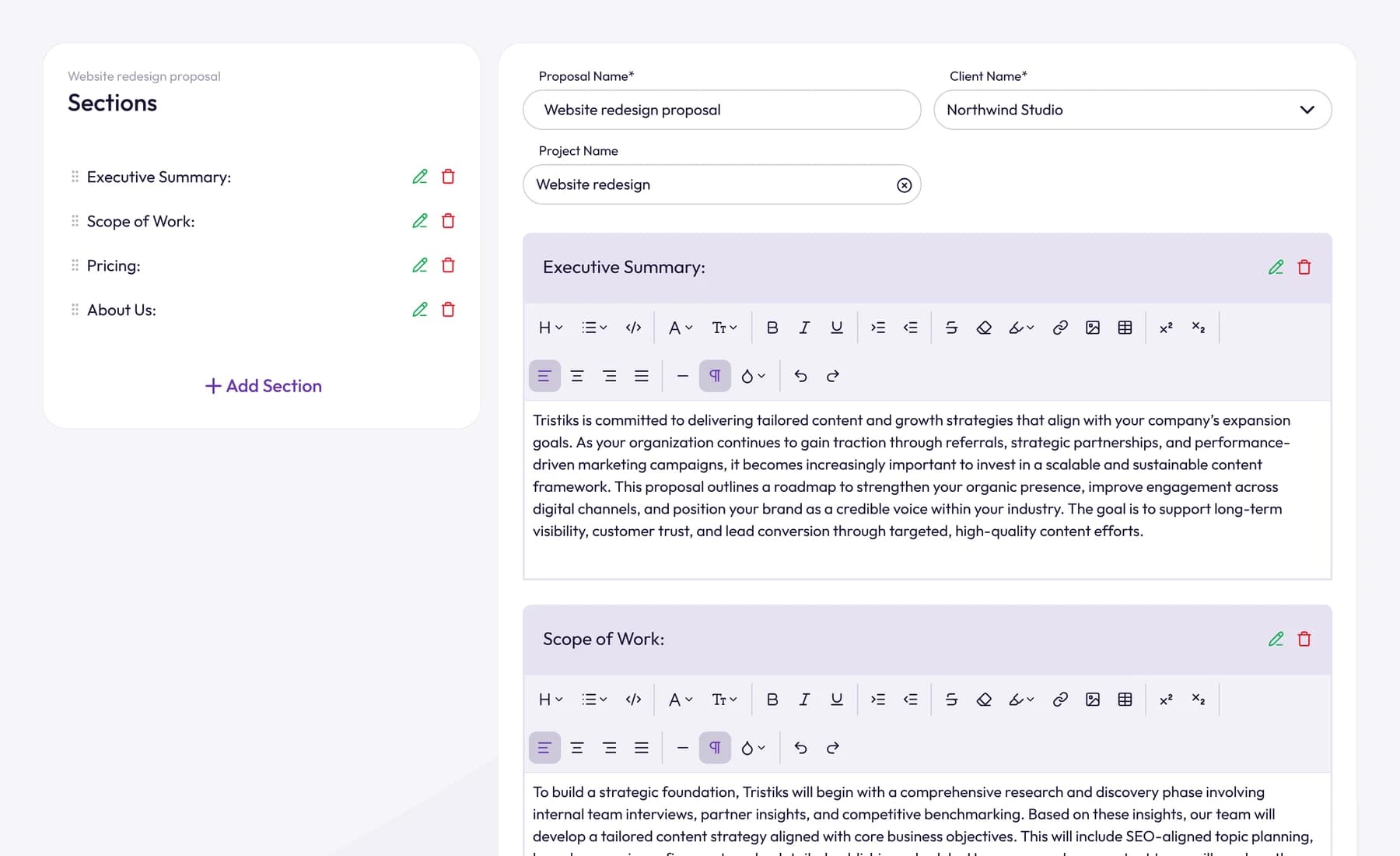
In Tristiks Grow's proposal and contract software, you can save these clauses in your own contract template and send each contract for the client to sign online by typing their name. Once signed, it's locked, so the agreed version can't change.
AI tool subscriptions: pass them on or build them in?
Most AI subscriptions are like your laptop: you'd pay for them whatever the client. Treat them as overhead and build them into your prices.
Say you pay for three tools at $20, $30 and $25 a month, and you plan on 1,100 billable hours a year.
Monthly cost: $20 + $30 + $25 = $75
Yearly cost:  $75 x 12 = $900
Per billable hour: $900 / 1,100 = $0.82
That's under a dollar an hour. Add it to your business costs in the freelance hourly rate calculator rather than adding a share of your subscriptions to every invoice, which looks petty.
Bill AI costs as an expense only when they're specific to one client: a paid tool they asked you to use, usage-based API fees from their project alone, or seats bought for their team. Say in the contract which costs are billable and whether you add a markup. In Tristiks Grow expense tracking, you log the cost against the client and project, mark it billable, add a markup if you charge one and add it to the client's next invoice. Each expense shows the invoice it was billed on, so it isn't charged twice.
Keep tracking time, even when you don't bill by the hour
On fixed prices, it's tempting to stop tracking time. Don't. Your hours tell you whether the price was any good.
Your effective rate is what a job really paid you per hour:
Effective rate = fee / all hours spent on the job"All hours" means everything: the work, prompting and checking AI output, calls, revisions and admin. Take Priya's $1,000 landing page again. The writing took 7 hours, but she also spent 1.5 hours on calls and 1 hour on a second round of revisions.
Total hours:    7 + 1.5 + 1 = 9.5
Effective rate: $1,000 / 9.5 = $105.26 an hour
That's still above her old $85, but well below the $142.86 she thought she was earning. Without tracked time, she'd never know.
Track reviewing AI output, calls, revisions and non-billable work too. Our complete guide to billable hours explains how.
In Tristiks Grow, you can give a project an estimate and see the time tracked against it, mark each entry billable or non-billable, and save each client's hourly rate so time reports show what your hours earned. See project time tracking for how it works.
Frequently asked questions
Is it unethical to charge the same price for work done faster with AI?
No, as long as you're honest about how you work and the client gets the agreed result. Fixed prices have always rewarded efficiency. Charging for hours you didn't work, on an hourly contract, is the line you can't cross.
Do I have to tell clients I use AI?
There's often no general legal duty to disclose, but your contract, the client's policies or rules in some industries may require it. It's also the safer choice for the relationship. Put it in your proposal and contract so it's agreed up front.
Can I bill time spent prompting and checking AI output?
On an hourly contract, yes: directing and reviewing the work is part of the work, so bill it like any other task. On fixed-price work it's inside the price, but track it so you know what the job cost you.
Wrap up
AI makes many freelancers faster, and hourly billing turns that speed into a pay cut. Price clear-scope work by the result, keep hourly billing at a fair rate for work you can't scope, and track your time so you know your real effective rate.
Be open about using AI, protect client data and put it all in writing before the work starts. To send proposals and contracts with these clauses built in, try Tristiks Grow's proposal and contract software free for 14 days.
Category: Freelancing, Payments
Suraj Rao
Suraj Rao is the founder of Tristiks, the team behind Tristiks Grow and its desktop time tracker OneTrack. He writes about time tracking, client work and getting paid, and about DevOps, cloud and AI from years of building software.