How to Fire a Client Politely (Scripts for Every Situation)
 By Suraj Rao11 min read
What You'll Learn
- Check the numbers before you decide: a client's effective hourly rate, days to pay and the hours you'd free up often make the answer clear.
- Try one honest fix first, such as new terms or a higher rate, and read your contract's termination clause, notice period and ownership terms before you send anything.
- End it in writing, on the date the contract allows, with a final invoice for work done, a clean handover of files and access, and a short, blame-free message.

Firing a client means ending a working relationship that costs you more than it pays, in money, hours or stress. The goal is to get out cleanly, get paid for the work you did and leave nothing that hurts your reputation.
Done politely, it rarely turns into a fight. Most clients accept a clear, calm, written message, especially one that says what happens next and when.
This guide covers the signs a client isn't working, how to run the numbers, what to try before you leave, what to check in your contract, how to finish or hand over the work, the final invoice, returning files and access, referrals and protecting your reputation. It ends with copy-and-paste scripts for the most common situations.
Signs a client relationship isn't working
One bad week isn't a reason to leave. A pattern is. Look for these:
| Sign | What it looks like | Why it matters |
|---|---|---|
| Late payment | Every invoice needs two or three reminders | You're lending them money and spending time chasing it |
| Scope creep | "Quick" extras that are never quoted | You work hours nobody pays for |
| Disrespect | Rude messages, late-night demands, blame in front of others | It drains you and affects your other work |
| Low effective rate | They pay far less per hour than your other clients | The work takes slots better clients could fill |
Late payment is common enough that it's worth tracking. In a Freelancers Union survey of 5,358 freelancers published in 2015, 71% said they'd had trouble collecting payment at some point in their career. What matters for this decision is whether one client is late every time.
If scope creep is the main issue, read our guide to what scope creep is and how to prevent it first. It's often fixable.
Do the numbers before you decide
Numbers tell you how wrong things are, and make the conversation easier.
Work out the client's effective hourly rate
Your effective hourly rate is what a client paid you divided by every hour you spent on them, including calls, email and revisions.
Say you charge a client a $2,500 monthly retainer and your target rate is $90 an hour. Last month's timesheet shows:
| Work | Hours |
|---|---|
| The agreed work | 33 |
| Calls and email | 7 |
| Unquoted extras and revisions | 5 |
| Total | 45 |
Effective hourly rate = $2,500 ÷ 45 = $55.56. That's about 38% below your $90 target.
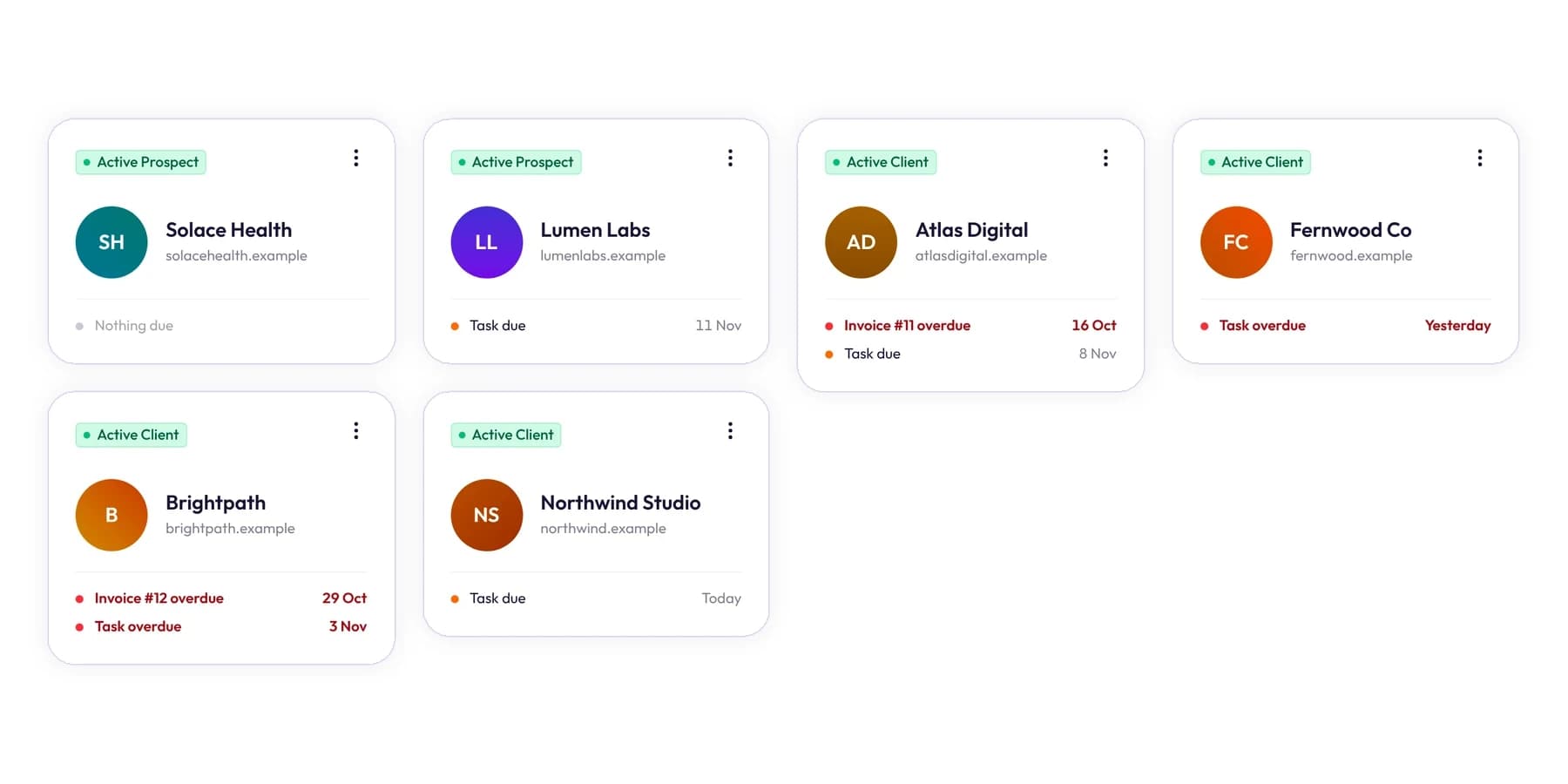
You can only see this if you track time against each client, including the non-billable parts. In Tristiks Grow, time is tracked against a client, project and task, and time reports use the hourly rate saved on each client's profile to show what your hours earned. The client management software page shows where those details live.
Check what leaving would cost you
Next, ask what you'd need to replace the income:
- Hours freed: 45 a month.
- Hours needed to replace $2,500 at $90: $2,500 ÷ $90 = 27.8 hours.
- Hours left over: about 17 a month for sales, rest or better-paid work.
If this client is more than about half your income, line up new work first. If you don't know your real target rate yet, the hourly rate calculator gives you one to compare against.
First, try to fix it
If the client is decent and the problem is the terms, one honest conversation can fix it. Try one of these:
- Reset the boundaries. Restate the scope, revision limits, response times and how new requests are quoted.
- Change the terms. Move a slow payer to shorter terms, deposits or payment before each phase.
- Raise the rate. Price the relationship at what it really costs you.
- Cap the hours. Keep the fee, but limit the hours it covers and quote anything above.
Using the example above, a fee that hits your $90 target for 45 hours is 45 × $90 = $4,050 a month. Or keep $2,500 and cap the work at 27 hours.
Give the change a date and a review point, for example "from 1 January, and we'll check in after two months". If the client says no, or agrees and then ignores it, you have your answer, and you've been fair.
What to check in your contract
Before you send anything, reread your contract. It decides how you can leave and what each side owes. Our guide to what to include in a freelance contract explains each clause.
| Clause | Question to answer |
|---|---|
| Termination | Can either side end it, and for what reasons? |
| Notice period | How many days' written notice must you give? |
| Kill fee or cancellation fee | Who pays it, and when does it apply? |
| Payment for work done | Are you paid for work completed up to the end date? |
| Deposits | Does any unearned part of a deposit need to be refunded? |
| Ownership of work | When do rights in the work pass to the client? |
A few points people often miss:
- A kill fee usually protects you when the client cancels. If you're the one ending it, the contract may not let you charge one. Read who it applies to.
- Termination "for cause" may differ. Some contracts let you end the agreement sooner, or pause work, if invoices go unpaid.
- Ownership often passes on full payment. If yours says so, the client owns the final work once the final invoice is paid.
This is general information, not legal advice. If a lot of money is at stake, or the client might dispute the exit, check with a lawyer where you are.
Finish the work or hand it over
You have two clean options:
- Finish the current phase, then stop. The kindest exit: after a launch, a milestone or the end of a retainer month.
- Stop mid-project and hand over. For when it can't last another month, usually after non-payment or disrespect.
Either way, write down exactly what you'll deliver before you leave, and by when. Don't take on new requests during the notice period. If one comes in, point back to the agreed end date.
The final invoice: get paid for work done
The final invoice should cover everything up to the end date and nothing after it.
Worked example: a fixed-price project
Say you agreed $8,000 for a website in four milestones of $2,000 each, with milestone 1 paid as a deposit. You end the project with:
- Milestone 2 delivered but not yet invoiced: $2,000.
- Milestone 3 about 60% done: $2,000 × 0.6 = $1,200.
Final invoice = $2,000 + $1,200 = $3,200. If your contract says partial milestones are billed by time instead, use your tracked hours: 14.5 hours at $85 = $1,232.50.
Make the final invoice easy to pay
- List what each line covers, and attach a time report for hourly work.
- Use your contract's payment terms and write the actual due date.
- Follow up on a schedule if it's late, using our payment reminder email templates.
In Tristiks Grow invoicing, you pick the client and the unbilled hours and expenses to include, and they're added as line items at your rates. Hours already on an invoice are locked, so nothing is billed twice. You can attach the PDF time report for those dates to the invoice email, and turn on reminders for 3 days before the due date, on the day, and 7, 14 and 30 days after.
Return files, access and passwords
A clean handover protects you too: if something breaks next month, you have a written record that you handed everything back.
- Final files: everything the contract says they get, in the formats agreed.
- Source files: only if the contract includes them, and once any condition, such as payment, is met.
- Accounts you created for them: hosting, domains, analytics, ad accounts. Transfer ownership to the client.
- Passwords: send them through a secure password-sharing method, not plain email, and ask the client to change them.
- Your access to their systems: remove yourself, or ask them to, and confirm it in writing.
- Handover notes: a short page on how things work and what's in progress.
It's the reverse of the setup in our client onboarding checklist. If you kept a list of what you were given at the start, use it now.
Refer them elsewhere
A referral softens the message. Only refer someone you trust, and only if the problem was fit rather than behavior: don't pass an abusive client to a friend. Keep the introduction short, and don't promise rates or availability for the other person.
Keep it professional and protect your reputation
The way you leave is what the client remembers and repeats. A few rules:
- Put it in writing, even if you also call.
- Keep it short and blame-free. "We're not the right fit" is enough.
- Don't vent in public, on social media or to mutual contacts.
- Stick to facts: the end date, what you'll deliver, what's owed.
- Stay calm if they push back. Repeat the end date and next steps.
Afterwards, write down what went wrong and what you'll do differently with the next client. Our client management guide covers the habits that prevent most of these situations.
Scripts for every situation
Copy these and change the details in brackets. Each one is short on purpose.
1. The general "we're not the right fit" email
Subject: Our work together

Hi [Name],

Thank you for the last [time period] working on [project].

I've decided to end our agreement, as I don't think I'm the right fit
for what you need going forward. Under our contract, my last working
day on the account will be [date], [X] days from today.

Before then I'll:
- finish [current deliverable] by [date]
- send a final invoice for work up to [date]
- hand over all files, logins and notes

If it helps, I'm happy to suggest someone who could take this on.

Thanks again, and all the best with [project].

[Your name]
2. After repeated late payment
Subject: Ending our agreement

Hi [Name],

Over the last [number] invoices, payments have arrived an average of
[X] days after the due date, and invoice [number] for [amount] is
still outstanding.

I can't keep working on these terms, so I'll stop work on [date],
as our contract allows. Before then, please pay invoice [number].
I'll send a final invoice for work done up to [date], and hand over
the files once the account is paid in full, as set out in our
agreement dated [date].

Thank you for the work we've done together.

[Your name]
3. After scope creep
Subject: Next steps on [project]

Hi [Name],

Over the last few months, the work has grown well beyond the scope we
agreed in [proposal or contract], and I haven't been able to keep the
new requests within the original fee.

I've decided it's best for both of us to finish at the end of
[phase or month]. I'll deliver [agreed work] by [date] and invoice
for it as usual. Any requests outside that scope I'd recommend
passing to [another freelancer, agency or in-house team].

I'll send a full handover with files, access and notes on [date].

[Your name]
4. A mid-project exit with handover
Subject: Handover plan for [project]

Hi [Name],

I've decided to step away from [project]. Under our contract's
termination clause, I'm giving [X] days' notice, so my last day
will be [date].

Here's the handover plan:
- Done and delivered: [list]
- In progress, handed over as is: [list, with % complete]
- Not started: [list]
- Final invoice: work up to [date], sent on [date]
- Files and access: transferred by [date], with a handover document
- Passwords: shared through [secure method]; please change them
  once received

I'm available for one handover call before [date] if that would help
whoever picks this up.

[Your name]
5. A short phone-call outline
Some clients deserve a call before the email, especially long-standing ones. Keep it to about ten minutes and follow it with script 1 or 4.
1. Thank them: "Thanks for making time. I wanted to tell you this
   directly."
2. Say the decision in one sentence: "I've decided to end our
   agreement on [date]."
3. Give one reason, or none: "I don't think I'm the right fit for
   where the project is going."
4. Cover next steps: final deliverables, final invoice, handover date.
5. Offer a referral, if it fits.
6. Close: "I'll send all of this in writing today."
Don't negotiate on the call. If they offer better terms, say you'll think about it and reply in writing.
Frequently asked questions
Is it unprofessional to fire a client?
No. Ending an agreement that isn't working is normal business. What's unprofessional is leaving without notice, holding work back without a contractual reason, or blaming the client in public.
How much notice should I give a client?
Use the notice period in your contract. If there isn't one, two to four weeks is a reasonable range for ongoing work, or the end of the current phase for a project. Give more if the client depends heavily on you.
Can I keep the work until the final invoice is paid?
It depends on your contract. If ownership passes on full payment, you can usually hold back the final files until it's paid, but check with a lawyer where you are before withholding anything the client may already own.
Wrap up
Firing a client politely comes down to a few steps: check the numbers, try one fix, read your contract, then end it in writing with a date, a final invoice and a clean handover. Short, calm and factual beats long and emotional every time.
The next client is easier to keep healthy when you can see the numbers early. To track time per client, invoice for every hour and let reminders do the chasing, try Tristiks Grow invoicing free for 14 days.
Category: Client Management, Freelancing
Suraj Rao
Suraj Rao is the founder of Tristiks, the team behind Tristiks Grow and its desktop time tracker OneTrack. He writes about time tracking, client work and getting paid, and about DevOps, cloud and AI from years of building software.