Client Portals for Freelancers: Do You Need One?
 By Suraj Rao7 min read
What You'll Learn
- A client portal is a private page or app where a client finds their files, invoices, contracts, approvals and project status in one place, instead of searching their inbox.
- It pays off when you have many deliverables, approvals or stakeholders per client. For a few clients and simple projects, invoice links, one shared folder and a weekly update often work as well.
- If you choose one, check that clients can get in without friction, that it can carry your brand, and that what's in it also lives somewhere you control.
A client portal is a private, usually branded, space where each client logs in to find everything about their work with you: files, invoices, contracts, approvals, messages and project status. You need one if your clients regularly ask "where's the latest version?", "has that invoice been paid?" or "what's happening this week?", if projects involve many files and approvals, or if several people on the client's side need access. If you have a handful of clients and simple projects, invoice links, one shared folder per client and a short weekly update often do the same job without asking clients to learn another login.
Freelance tools increasingly sell the portal as a reason to switch, so it's worth deciding what problem you're solving first. Below: what goes in a portal, the pros and cons, a quick test for whether you need one, the lighter alternative and what to check before choosing a tool. One disclosure up front: Tristiks Grow, which we make, doesn't have a client portal. We cover what it does instead near the end.
What a client portal usually includes
Portals vary, but most combine some of these:
| Part | What the client can do |
|---|---|
| Files and deliverables | Download the latest versions, upload assets you've asked for |
| Approvals | Approve a design, a draft or a milestone, with a record of when |
| Invoices and payments | See what's due and paid, download PDFs, pay online |
| Contracts and proposals | Read and sign, and find signed copies later |
| Project status | See tasks, milestones or a timeline |
| Messages | Comment in one thread instead of across email, chat and calls |
| Forms | Fill in onboarding questionnaires and briefs |
Moxie's help center is a good example of the full set: a branded portal with approvals, invoices, contracts, files and support tickets, which clients sign into with the email address on their contact record.
The case for a client portal
- One place to look. Clients stop asking where things are, and you stop resending attachments.
- A record of approvals. "Approved on 3 March by Priya" settles arguments about what was agreed, which helps with scope creep.
- It scales with stakeholders. When a client has a marketing lead, a finance contact and a CEO, each finds what they need.
- It looks organised. For premium services, a branded portal is part of the experience you're selling.
- Fewer emails. Status, files and invoices all live in one place.
The case against
- Another login for the client. Many clients live in email. If they won't use the portal, you end up running two channels.
- Setup and upkeep. A portal is only useful if it's current. An out-of-date status page is worse than none.
- Lock-in. If your files, approvals and messages only live in one tool, leaving it gets expensive. Our post on switching tools without losing data covers what to export.
- Cost. Portals often sit on higher plans or per-user pricing. See per-seat vs flat pricing for how that adds up as you grow.
- It doesn't fix communication. A portal holds updates; it doesn't write them.
Do you need one? A quick test
Score one point for each that's true for most of your clients:
- Projects produce more than ten files or versions.
- Work needs formal approvals at several stages.
- Two or more people on the client's side need access.
- Clients regularly ask for files or invoices you've already sent.
- You have more than eight active clients at once.
- You sell a premium service where the experience is part of the price.
0 to 2: you probably don't need a portal. Fix the process with the lighter setup below. 3 to 4: a portal would help. Try one with a single client first. 5 to 6: a portal is likely worth it. Choose one carefully, using the checklist further down.
The lighter alternative
Most of what a portal does, you can do with tools your clients already use:
- Invoices as links. An invoice emailed as a link the client can open, with a PDF to download, covers "what do we owe?" without a login.
- One shared folder per client, with a fixed structure (Brief, Working, Final, Contracts) and a pinned "Start here" document with the links that matter.
- A weekly status email, sent the same day every week. Our client status update templates give you seven versions to start from.
- Approvals by reply. "Reply 'approved' to sign off this draft" gives you a dated written record.
- Signed proposals and contracts you can resend on request.
This setup has no learning curve for the client and nothing to migrate if you change tools. It does depend on you being consistent: the folder and the weekly email have to stay current, just like a portal would.
What to look for in client portal software
If the test says you need one, check:
- How clients get in. A link sent by email, without creating a password, gets far more use than an account they have to set up.
- Branding. Your logo, colors and ideally your own domain, so it feels like your business.
- What it holds. Make sure it covers the problems from the test above, not just the ones in the demo.
- Who can see what. Separate access for each client contact, and nothing from one client visible to another.
- Mobile. Clients approve things from their phones.
- Exports. Files, approval history and messages should be exportable, in case you leave.
- Price as you grow. Check whether the portal costs extra, or whether clients or contractors count as paid seats.
Tools that include a client portal include Moxie, HoneyBook, Dubsado and Bonsai (on its Essentials plan and above). Our comparisons of Bonsai alternatives, HoneyBook alternatives and AND.CO alternatives list which plans include one.
How to roll one out
If you add a portal, introduce it during onboarding, not halfway through a project:
- Add it to your client onboarding checklist, with a one-paragraph explanation of what's in it.
- Walk the client through it on the kickoff call, for two minutes.
- Put the portal link in every email instead of attachments, so it becomes the habit.
- Keep it current: update status on the same day each week.
- Ask after a month whether it's helping. If they never log in, go back to the lighter setup for that client.
How Tristiks Grow fits in
Tristiks Grow doesn't include a client portal. It's built around the lighter setup above, with the records in one place on your side:
- Invoices sent as secure links the client opens without logging in, with a PDF to download, and reminders until they're paid.
- Proposals and contracts the client signs online, by typing their name, with the signed version locked.
- A profile for every client, with their contacts, billing details, notes, files and links, projects, tasks, proposals and invoices, so you can answer any question in seconds.
- Time and tasks by client, to fill in the weekly status email with what actually happened.
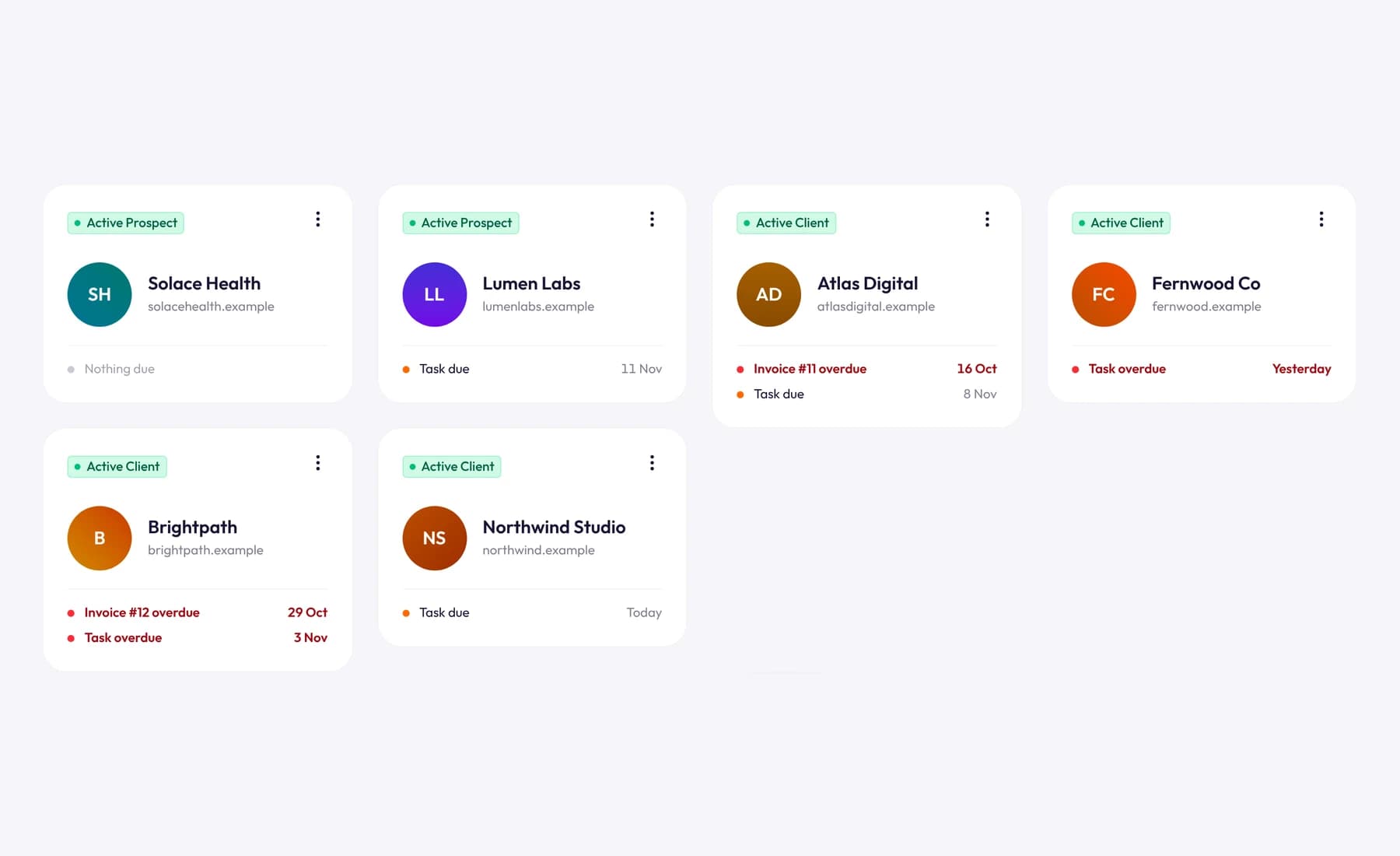
If the test above says you need a full portal, a tool with one may suit you better. If it doesn't, see client management software for how client profiles work.
Frequently asked questions
Is a client portal the same as a CRM?
No. A CRM is for you: it tracks leads, contacts and deals. A client portal is for the client: it shows them their files, invoices and status. Some freelance tools combine both.
Can I use Google Drive or Notion as a client portal?
Yes, for many freelancers that's enough. A shared folder or a shared Notion page per client handles files and status. You lose built-in invoices, payments and approval records, so you'd handle those with email and your invoicing tool.
Do clients actually use portals?
Some do, some don't. Clients who work with many suppliers often prefer email. Ask during onboarding which they'd rather use, and don't force a portal on a client who won't log in.
Wrap up
A client portal is worth it when files, approvals and stakeholders pile up. For fewer clients and simpler projects, invoice links, a well-organised shared folder and a weekly update do most of the same work without another login. Decide which problem you're solving, test with one client, and keep a copy of everything somewhere you control.
To keep every client's invoices, proposals, notes and files on one profile, try Tristiks Grow free for 14 days.
Category: Client Management
Suraj Rao
Suraj Rao is the founder of Tristiks, the team behind Tristiks Grow and its desktop time tracker OneTrack. He writes about time tracking, client work and getting paid, and about DevOps, cloud and AI from years of building software.