How to Raise Your Rates (+ Email Templates for Clients)
 By Suraj Rao11 min read
What You'll Learn
- Raise your rate when you're fully booked, your costs have gone up or the old rate no longer covers your business; inflation is one input, not the whole answer.
- Give existing clients at least 30 days' written notice, tie the change to a date, and handle retainer, project and hourly clients differently.
- Before the new rate starts, update your proposal templates, your contract's rate clause, each client's saved hourly rate and any recurring invoices.

Raising your rates means telling clients that, from a set date, your work will cost more. You pick the new rate, give notice in writing, and apply it to new clients straight away and to existing clients from the date you announced.
Late November is when many freelancers and agencies send these notices, because 1 January is a clean start: budgets reset, contracts renew and clients expect prices to change with the year.
This post covers the signs it's time to raise, how much to raise, new and existing clients, how much notice to give, retainer, project and hourly clients, grandfathering and phased increases, handling pushback, when to let a client go, and what to update in your tools. There are five email templates to copy.
Signs it's time to raise your rates
Two or three of these is usually enough:
- You're fully booked and turning work away.
- New clients say yes without negotiating. If nobody questions the price, it's probably low.
- Your costs have gone up: software, insurance, equipment, health cover.
- You haven't changed your rate in a year or more. Every year at the same rate is a small pay cut.
- You've added skills or results you can point to, like a case study or a niche you now know well.
- Your tracked hours say the rate is short. If you bill fewer hours than you planned, the old rate doesn't cover the business. Our guide to billable hours shows how to check.
How much to raise your rates
Start from what you need, then check it against the market. The hourly rate calculator works out your minimum rate from your income goal, costs and billable hours, and our guide on how to calculate your hourly rate explains the formula. If your current rate is below that number, the gap is your starting point.
Inflation is one input, not the only one
Inflation tells you how much your rate must move just to stand still. In the US, the Consumer Price Index rose 3.7% over the 12 months to September 2026, and 2.6% excluding food and energy, according to the Bureau of Labor Statistics September 2026 CPI release. Your country's figure may be very different.
A raise that only matches inflation keeps your income level. It doesn't pay you for being better at the work than a year ago. Weigh it alongside your business costs, your billable hours, how full your calendar is, and what clients pay others for similar work.
Percent or new rate?
Think in a percentage, but announce a new rate. "My rate will be $95 an hour" is clearer than "rates are going up 11.8%".
Worked example. You charge $85 an hour and want to raise about 10%:
- $85 × 1.10 = $93.50.
- Round to a number that's easy to quote: $95.
- The real increase is ($95 − $85) ÷ $85 = 11.8%.
For a client who books 60 hours a month:
| Old rate | New rate | |
|---|---|---|
| Hourly rate | $85 | $95 |
| Monthly invoice (60 hours) | $5,100 | $5,700 |
| Yearly total | $61,200 | $68,400 |
That's $7,200 a year from one client, for the same hours. Work this out for each client, so you know what you'd gain and what you'd lose if they left.
There's no fixed rule on size. A modest yearly raise is easy for most clients to accept. A big one, say 25% or more, is often better phased in for existing clients or tried on new clients first.
New clients vs existing clients
New clients get the new rate now. There's nothing to announce: quote it in your next proposal. You don't need to wait for January.
Existing clients get notice. They agreed to a price, and changing it without warning damages trust even when the new rate is fair.
How much notice to give
Check your contract first. If it says rates can change with 30 or 60 days' notice, that's your minimum. If it says nothing, 30 days is a common courtesy for hourly clients, and 60 to 90 days is kinder for retainers and long-time clients, who may need budget approval.
For a 1 January start:
| Notice sent | Days until 1 January | Suits |
|---|---|---|
| 21 November | 41 | Hourly and most project clients |
| 1 December | 31 | Clients on a 30-day notice clause |
If a client needs 60 days, don't squeeze them: announce the new rate now with a 1 February or 1 March start.
Retainer, project and hourly clients
Each pricing model needs a slightly different approach. Our guide to retainers vs fixed-price projects compares the models themselves.
Retainer clients
A retainer is a fixed monthly fee for a set amount of work, so you have two options. Say a client pays $3,000 a month for 30 hours ($100 an hour), and your new rate is $110:
- Same hours, higher fee: 30 × $110 = $3,300 a month.
- Same fee, fewer hours: $3,000 ÷ $110 = 27.3, so about 27 hours a month.
Offer both. Some clients have a fixed budget; others need the hours. Time the change for the renewal date or the first invoice after the notice period.
Project clients
Don't change the price of a project that's already agreed. Finish it at the quoted price and use the new rate for the next one. On long projects, phases that haven't been agreed yet can use the new rate, if the contract allows it.
Hourly clients
Hours worked before the start date are billed at the old rate, hours from it at the new one. Make that split clear on the first invoice of the year.
Grandfathering and phased increases
Grandfathering means letting some clients keep the old rate for a while. It suits a client who's been with you for years, pays on time and sends referrals. Always set an end date. "Your rate stays the same until 30 June" is a gift. "Your rate never changes" is a problem in three years.
A phased increase splits a big raise into steps. Say a long-time client pays $75 an hour and your new rate is $95:
| Date | Rate | Increase |
|---|---|---|
| Until 31 December | $75 | |
| 1 January | $85 | 13.3% |
| 1 July | $95 | 11.8% |
Put both steps in the first email, so the second isn't a surprise.
Rate increase email templates
Copy these and change the details. Keep it short. Don't apologize and don't list your expenses: one sentence of context is enough.
1. Standard notice (hourly client)
Subject: Updated hourly rate from 1 January 2027

Hi [Name],

From 1 January 2027, my hourly rate will be $95, up from $85. It's
my first change in [two years] and reflects rising costs and the wider
range of work I now take on.

Hours worked up to 31 December will be billed at the current rate.
Nothing else about how we work changes.

Thank you for a great year. If you have any questions, just reply here.

Best,
[Your name]
2. Retainer client
Subject: Your retainer for 2027

Hi [Name],

From 1 January 2027, my retainer rate will be $110 an hour, up from
$100. That gives us two options:

1. Keep 30 hours a month, at $3,300 a month.
2. Keep $3,000 a month, for 27 hours a month.

Both include everything in the current retainer. Let me know which
suits you by 15 December. If I don't hear back, I'll move us to
option 1.

Thanks for another good year together.

Best,
[Your name]
3. Long-time client with a phase-in
Subject: Your rate for 2027

Hi [Name],

You've been one of my longest-standing clients, and I'm grateful for
it. I'm updating my rates for 2027, and I want to make the change
easy for you.

My standard rate is now $95 an hour. Rather than move yours from $75
all at once, I'd like to phase it in:

- From 1 January 2027: $85 an hour
- From 1 July 2027: $95 an hour

Work already scheduled for December stays at $75. Happy to talk it
through on a call.

Best,
[Your name]
4. Reply to pushback
Subject: Re: Updated hourly rate from 1 January 2027

Hi [Name],

Thanks for being straight with me. I understand budgets are tight.

The new rate of $95 stays in place from 1 January, but I'd like to
find something that works for you:

1. Keep your monthly budget, and I'll focus the hours on [the
   highest-value work].
2. Keep the current rate until 31 March if we agree a six-month
   plan of work now.
3. Move to a fixed monthly fee for a defined scope.

Would one of these work?

Best,
[Your name]
5. New-client quote at the new rate
Subject: Proposal for [project name]

Hi [Name],

Thanks for the call on [day]. Here's my proposal for [project name].

My rate is $95 an hour. From what we discussed, I estimate 40 to 45
hours, so the fixed price is $4,200, including [two] rounds of
revisions. Payment is 50% to start and 50% on delivery, due within
15 days of each invoice.

The scope, timeline and terms are in the proposal, which you can
review and sign online.

Best,
[Your name]
Template 5 doesn't mention a rise: new clients don't need last year's price. For the rest of the proposal, see how to write a project proposal.
What to do when a client pushes back
When a client pushes back, it's usually one of these:
- "Our budget can't stretch." Keep the rate and change the scope: fewer hours, fewer deliverables, or a fixed fee for a defined piece of work, as in template 4.
- "Someone else is cheaper." Don't argue. "That's fair, and if they're a better fit I understand. Here's what you'd keep by staying: [what you know about their business, your results]."
- "Can you hold the old rate?" If you want the client, offer a limited hold in return for something: a longer commitment, a bigger block of work or faster payment.
- "Why now?" One honest sentence: "My costs and the scope of what I do have grown, and this is my first change in two years."
Whatever you offer, give it an end date and put it in writing, then watch for work that quietly grows. Our guide to scope creep has a script for that.
When to let a client go
Sometimes the answer is no, and that's useful information. Consider letting a client go if they won't pay your floor rate, pay late as a habit, take far more hours than they pay for, or keep you from better-paid work.
First, check what share of your income they are. Losing a client who pays 40% of your bills is a different decision from losing one who pays 5%. If you part ways, do it politely:
Hi [Name],

I understand the new rate doesn't fit your budget, and I respect that.
I'll finish [current work] by [date] at the current rate and hand over
[files, logins, notes] to whoever takes it on.

Thank you for the work we've done together. If things change, my door
is open.
Our client management guide covers offboarding.
Update your proposals, contracts and client rates
A raise isn't finished when the email goes out. Before 1 January, update everything that still shows the old price:
- Proposal templates. Change the rate in every template you quote from.
- Contracts. Add a rate review clause, so future raises are expected: "Rates are reviewed once a year, with at least 30 days' written notice of any change." Our freelance contract checklist covers the payment clauses around it. This is general information, not legal advice; check with a lawyer where you are.
- Each client's saved hourly rate. Change it on the date the new rate starts for that client, since phased and grandfathered clients start on different dates.
- Recurring invoices. A retainer billed on a schedule keeps sending the old amount until you change it.
- Payment terms. A new year is a good moment to set shorter terms for new clients. See net 30 payment terms for the options.
In Tristiks Grow, each client's hourly rate, currency, tax rate and payment terms are saved on their client profile, and time reports use that rate to show what your hours earned. You set the rate on each invoice, so check that the first invoice of the year shows the new one. For recurring invoices, delete the January invoice and every one after it from the old series, then set up a new series at the new amount. Invoices already sent stay as they are.
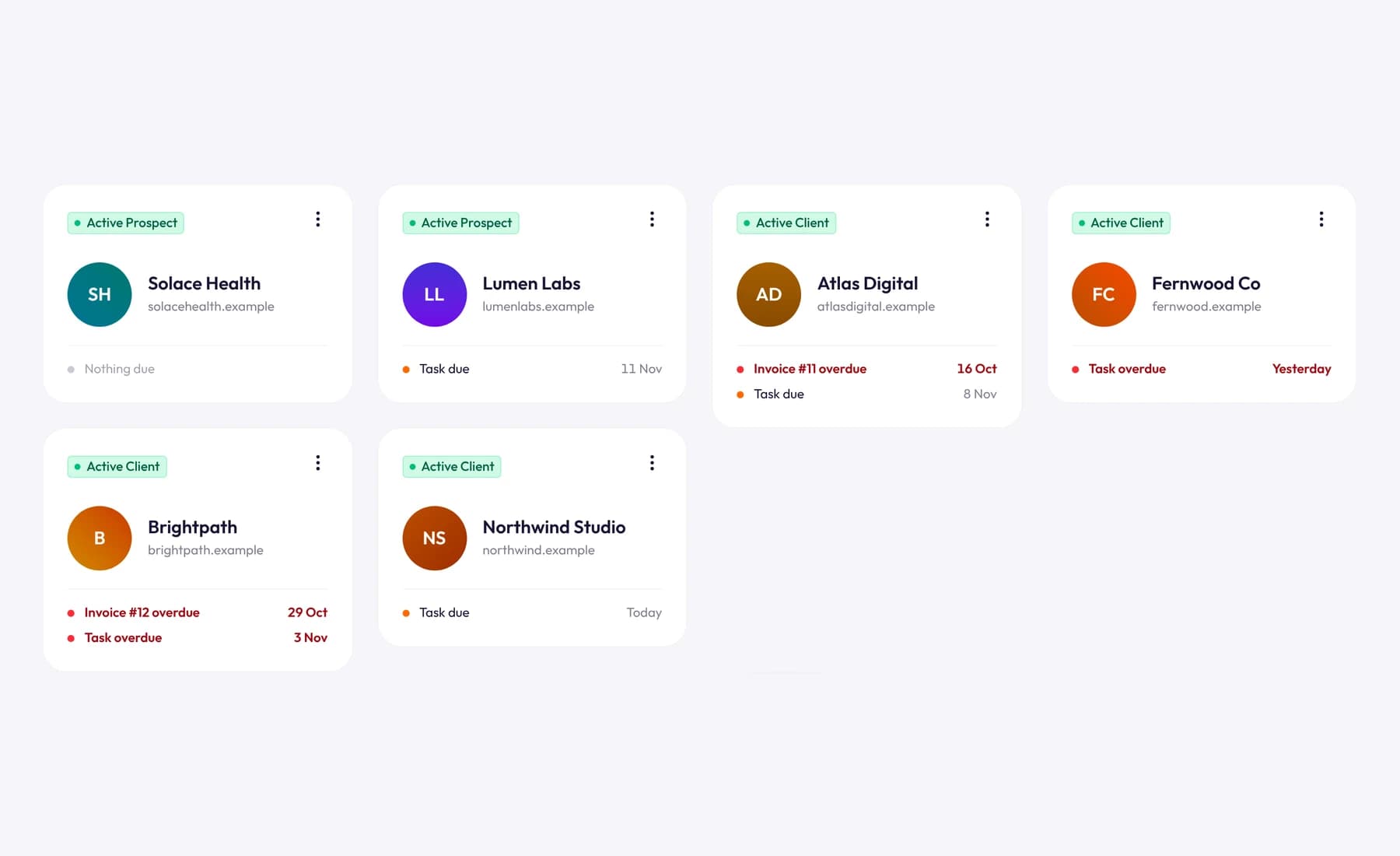
For new work, proposals and contracts start from a template, and you can save your own versions with your sections and pricing. Clients sign online through a secure link.
Frequently asked questions
How often should I raise my rates?
Review them once a year and raise them when the signs above apply. Many freelancers pick a fixed date, like 1 January, so clients learn to expect it. Raising more than once a year with the same client wears down goodwill.
Should I raise rates for existing clients or only new ones?
Both, eventually. New clients can get the new rate now. Existing clients need notice, and long-time clients may get a phased increase or a short grandfathering period with an end date.
What if my contract fixes the rate for the year?
Then honor it. Announce the new rate now, to start when the contract renews, and add a rate review clause to the renewal. If you're unsure what your contract allows, check with a lawyer.
Is inflation a good reason to raise my rates?
It's a good reason, but rarely the only one. A raise that matches inflation only keeps your income level, so look at your costs, billable hours and demand too.
Wrap up
Pick a new rate from what your business needs, check it against inflation and the market, and send short, clear notices with a date. New clients get the new rate now; existing clients get notice, and your best long-time clients can get a phase-in.
To keep every client's rate and payment terms in one place and bill at the right rate from January, try Tristiks Grow's client management free for 14 days.
Category: Payments, Client Management
Suraj Rao
Suraj Rao is the founder of Tristiks, the team behind Tristiks Grow and its desktop time tracker OneTrack. He writes about time tracking, client work and getting paid, and about DevOps, cloud and AI from years of building software.