Time Tracking Best Practices for Freelancers and Teams
 By Suraj Rao10 min read
What You'll Learn
- Good time data starts with setup: a clear purpose, a simple client, project and task structure and billing rules agreed before the work.
- Daily habits matter most: start the timer when you start, switch it when you switch tasks and fix gaps the same day.
- A short weekly review and billing straight from the timesheet turn tracked hours into accurate invoices and better estimates.
Time tracking only pays off if the data is right. A timesheet full of gaps, vague entries and timers left running overnight can't support an invoice, an estimate or a decision about your rates.
The good news is that accurate tracking is mostly a handful of habits. None of them take long. Together, they mean your hours are complete, readable and ready to bill without a Friday afternoon of guesswork.
Below are 18 practical habits, grouped by when you use them: when you set up, every day, in a weekly review and when you bill. There's a copyable checklist at the end. If you're still choosing a method, start with our comparison of seven ways to track your time at work.
Why memory isn't good enough
It's tempting to skip tracking during the day and fill in the timesheet later. The trouble is that recalled time isn't reliable. A 2011 article in the US Bureau of Labor Statistics' Monthly Labor Review found that people asked for their usual weekly work hours overstated them by roughly 5 to 12% compared with time diaries (The overestimated workweek revisited). A 2014 follow-up found a much smaller gap for some survey questions (Is the workweek really overestimated?). Researchers still debate the size, but the point holds: time recalled later is an impression, not a count.
For billing, the error usually runs the other way. The long tasks are easy to remember; the 10-minute call, the quick fix and the email that took half an hour are not. Either way, a timesheet rebuilt from memory is a guess, and clients can tell when they ask a question you can't answer.
The habits below are all about recording time while it happens, in a form you can use later.
Setup: get the structure right once
1. Decide what the data is for
Write down why you're tracking. Billing clients accurately? Better estimates? Seeing where your week goes? The answer decides how much detail you need. If it's only for invoicing, client and project may be enough. If you want better estimates, you need tasks too.
2. Use a simple client, project and task structure
Every entry should answer three questions: who is it for, which piece of work, and what did you do. A three-level structure handles nearly everything:
Client:   Northwind Studio
Project:  Website redesign
Task:     Homepage wireframes
Keep the task list short. A handful of broad tasks per project gets tracked; fifty tiny ones get ignored.
3. Name things so anyone could read them
Use the names your client uses, not internal codes. "Checkout redesign: payment form" is clear in six months' time. "CR-PF-2" isn't. Clear names also make reports readable when you send them to a client.
4. Agree billing rules before the work starts
Decide which work is billable, which billing increment you round to and how you treat calls, travel and revisions, and put it in your contract. Tracking is much easier when you already know whether a task is billable. Our guide to billable vs non-billable hours covers the gray areas, and the complete guide to billable hours covers rounding.
5. Store each client's rate in one place
If different clients pay different rates, record each rate once, on the client, rather than in your head or in a spreadsheet. In Tristiks Grow, you can save each client's hourly rate, currency, tax rate and payment terms on their profile, and time reports use that rate to show what your hours earned.
6. Put the timer where you'll see it
A timer you have to hunt for doesn't get started. Use a desktop app in the menu bar or system tray, a pinned browser tab or a widget on the screen you look at most. OneTrack, the Tristiks Grow desktop app for Mac, Windows and Linux, can launch when you log in, starting hidden, and shares one clock with the web timer, so a timer started in one shows in the other.
Daily habits: record time as it happens
7. Start the timer when you start the work
Not when you remember, not after the first email. The start of the task is the only moment the start time is certain. If you plan your day in blocks, starting the timer can be the first step of each block. Our guide to time blocking shows how the two fit together.
8. Switch the timer when you switch tasks
One timer, one task. When you move from Client A's design to Client B's bug, stop one and start the other. It takes two seconds, and it's the difference between "4 hours, various" and a record you can bill.
9. Write a description your client could read
A short note on each entry, like "revised hero section after Tuesday's feedback", answers billing questions before they're asked. Write it for the client, in plain words, because one day they may see it on a time report.
10. Log the small things
Short calls, quick fixes and "can you just" requests add up. Ten 10-minute jobs a week is over an hour and a half. If your contract treats them as billable, track them. If it doesn't, track them anyway as non-billable so you know what they cost.
11. Deal with breaks and interruptions honestly
Pause or stop the timer for lunch, personal calls and long interruptions. If you use a desktop tracker with idle detection, set a threshold that fits your work. OneTrack lets you choose 3, 5, 10 or 15 minutes without keyboard or mouse input, then asks whether to keep or discard the time you were away. Keep it for a call or a whiteboard session; discard it for a coffee break. Our guide to idle time explains the trade-offs.
12. Fix gaps the same day
Forgot the timer for an hour? Add a manual entry before you log off, while you still remember what you did. In Tristiks Grow, you can add time by hand for any day, as a length of time or with start and end times, against its client, project and task. A same-day fix takes a minute; a Friday fix takes twenty and is still a guess.
Weekly review: ten minutes that keep the data clean
13. Review the week at the same time every week
Pick a slot, like Friday afternoon or Monday morning, and keep it. Look for empty days, entries without a task, timers left running and anything marked billable that shouldn't be, or the reverse. The billable hours guide has a full 10-minute checklist.
14. Check your calendar against your timesheet
Meetings are the most commonly missed entries. Put your calendar next to your timesheet and make sure every client call has a matching entry. If you use Google Calendar, Tristiks Grow can show your events on its calendar next to task due dates and invoice dates, with read-only access. See Google Calendar integration for how it works.
15. Compare tracked time with your estimates
Every week, check whether each project's hours are in line with how much of the work is done. Catching an overrun in week two gives you time to talk to the client. In Tristiks Grow, each project shows the time tracked against it beside its estimate. Our guide on how to estimate project hours shows how to use the differences to quote better next time.
16. Look at where the non-billable time went
Once a month, add up non-billable hours by type: admin, sales, learning, internal meetings. One category is usually bigger than you thought. That's the one to shrink, batch or charge for.
Billing: turn hours into invoices without retyping
17. Invoice from the timesheet, not from memory
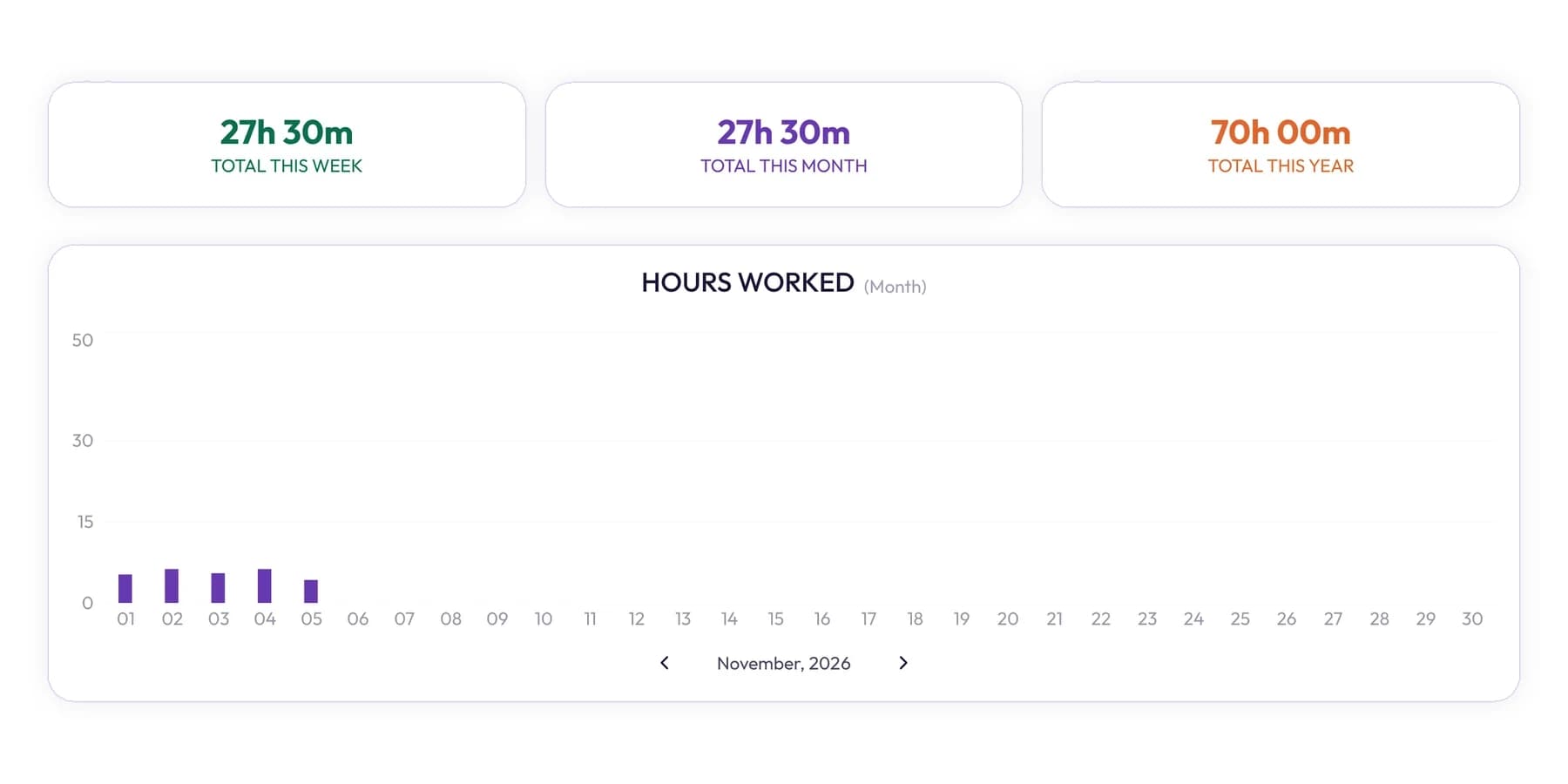
Copying hours from one tool to another by hand is where hours get dropped or billed twice. Build the invoice from the tracked entries. In Tristiks Grow invoicing, you pick a client and the tracked hours to bill, and they're added as line items at your rates. Once an entry is on an invoice it's locked, so the same hour can't be billed again.
18. Send the hours behind the bill
A time report attached to the invoice answers most questions before the client asks them. Tristiks Grow can attach a PDF time and activity report for the invoiced dates to the invoice email, covering that client's work only. The time reporting page shows what's in it.
Extra habits for teams
Teams need the same habits plus a few shared rules:
- Use one structure for everyone. Same clients, projects and task names, so hours add up across people.
- Agree the deadline for entries, such as "by the end of each day" or "by Friday noon", and keep it light.
- Managers track too. It shows the rules apply to everyone, and it puts real numbers on management time.
- Use the data for projects, not people. Look at estimates and workloads, not who logged the most minutes.
Getting a team to adopt these habits is a topic of its own. Our guide on how to get your team to track time covers the rollout, privacy choices and what managers should and shouldn't do with the data.
Mistakes that undo good tracking
| Mistake | What it costs | The fix |
|---|---|---|
| Filling in the week on Friday | Missed calls and small tasks, guessed lengths | Track in real time, fix gaps daily (habits 7 and 12) |
| One entry for a whole day | No way to bill per task or check estimates | One timer per task (habit 8) |
| Blank descriptions | Billing questions you can't answer | A plain one-line note per entry (habit 9) |
| Timer left running overnight | Inflated hours, awkward corrections | Idle detection and a daily check (habit 11) |
| Never tracking non-billable time | Utilization looks better than it is | Track everything, mark what's billable (habit 10) |
| Retyping hours into invoices | Lost or double-billed hours | Invoice from the timesheet (habit 17) |
A copyable time tracking checklist
Paste this somewhere you'll see it, and tick it off until it's automatic.
SETUP (once)
[ ] Purpose written down
[ ] Clients, projects and a short task list set up
[ ] Billing rules agreed: billable work, increment, calls, travel
[ ] Each client's rate stored on the client
[ ] Timer visible all day

DAILY
[ ] Timer started at the start of each task
[ ] Timer switched when the task changed
[ ] One-line description on every entry
[ ] Small tasks and calls logged
[ ] Breaks paused or idle time discarded
[ ] Gaps fixed before logging off

WEEKLY
[ ] Week reviewed at the usual time
[ ] Calendar checked against entries
[ ] Project hours compared with estimates
[ ] Non-billable time checked by type (monthly)

BILLING
[ ] Invoice built from tracked entries
[ ] Time report sent with the invoice
Frequently asked questions
What is the best way to track time accurately?
Track in real time against a client, project and task, switch the timer whenever you switch tasks and fix any gaps the same day. A short weekly review catches the rest. Rebuilding time from memory at the end of the week is the least accurate method.
How detailed should time entries be?
Detailed enough that you, or your client, could understand them months later. A task plus a one-line description is usually right. Tracking to the nearest few minutes is plenty for billing and estimates.
Should I track non-billable time?
Yes. Without it, you can't see how much of your week is billable, what admin really costs or whether your rate covers the hours you can't bill. Mark those entries non-billable so they don't reach an invoice.
How often should I review my timesheet?
A quick check at the end of each day and a 10-minute review once a week works for most people. Look at non-billable time by type once a month. If you invoice weekly, review before each invoice.
Wrap up
Accurate time tracking comes from a few small habits: a clear structure, a timer you can't miss, switching tasks as you switch work, fixing gaps the same day and a short weekly review. Do those, and invoicing becomes a matter of picking the hours, not finding them.
To keep every entry on the right client's timesheet and bill it in a few clicks, try Tristiks Grow timesheets free for 14 days.
Category: Time Tracking
Suraj Rao
Suraj Rao is the founder of Tristiks, the team behind Tristiks Grow and its desktop time tracker OneTrack. He writes about time tracking, client work and getting paid, and about DevOps, cloud and AI from years of building software.