AI Tools for Freelancers in 2026: What to Use for Each Job
 By Suraj Rao11 min read
What You'll Learn
- Pick AI tools by job, not by hype: one general assistant covers most writing, research and email work, and specialist tools only earn a place when they save you real hours.
- Watch the costs: four or five $10 to $20 subscriptions add up fast, and vendors keep moving AI into pricier plans. Check prices yearly and cancel what you don't use.
- Before you paste client material into any AI tool, check your contract and NDA, switch off training on your data, and tell clients how you use AI. Then rethink how you bill.
The best AI tools for freelancers in 2026 are the ones that take a specific job off your plate: a general assistant such as ChatGPT, Claude or Gemini for drafting, editing and research, a meeting notetaker for calls, and AI built into the design, coding and admin tools you already use. Most freelancers need one paid assistant and a couple of free or bundled tools, not a stack of subscriptions. Choose by the job, check the data settings before you paste in client material, and measure whether each tool actually saves you time.
This guide covers what freelancers use AI for, which tools fit each job and where they fall short, a simple way to choose, the costs to watch, privacy and client confidentiality, what to tell clients and how AI changes the way you bill. Prices are as of November 2026; check each vendor's page before you buy.
How freelancers are using AI in 2026
AI is now a normal part of freelance work, not an experiment:
- Upwork's Future Workforce Index 2026, a survey of 2,400 US skilled workers, found 62% of freelancers use AI tools at least several times a week, compared with 53% of full-time employees.
- Fiverr's 2025 International Freelancer Day survey of 3,500 freelancers found 76% use AI tools and 64% report higher productivity.
- MBO Partners' 2025 AI report found 74% of US independent workers used generative AI in 2025, up from 65% the year before.
Using AI isn't the same as saving time with it, though. Comparing three tools' answers to one brief can take longer than writing it yourself. Our freelance statistics roundup has more.
AI tools by job
Here's where AI helps, organized by the work you do. "Good at" and "bad at" reflect day-to-day use, not vendor claims.
| Job | Typical tools | Good at | Bad at |
|---|---|---|---|
| Writing and editing | ChatGPT, Claude, Gemini, Grammarly | First drafts, rewrites, tone, tightening | Original ideas, facts, your voice |
| Research | Perplexity, assistants with web search | Fast overviews with links | Getting sources right every time |
| Meetings and notes | Fathom, Otter, Zoom's built-in AI | Transcripts, summaries, action items | Nuance, who said what in crosstalk |
| Design | Canva, Adobe Firefly | Mockups, variations, background edits | Brand consistency, final artwork |
| Coding | GitHub Copilot, assistants | Boilerplate, tests, explaining code | Architecture, security, edge cases |
| Admin and finance | Receipt scanning, spreadsheet help | Reading receipts, formulas, categorizing | Judgment calls, tax advice |
| Client communication | Your assistant, email tools | Drafting replies, summarizing threads | Reading the relationship |
Writing and editing
A general assistant is the AI tool most freelancers keep paying for. Use it to turn notes into a draft, shorten a proposal or check a draft against a brief. It's weakest where clients pay you most: original thinking, accurate facts and your voice. Never send its output unread. Grammarly-style editors help if you write a lot in a second language.
Research
Tools that cite sources are good for learning a client's industry before a discovery call. They still misquote sources, so open the link before you repeat a number to a client.
Meetings and notes
A notetaker records the call, writes a transcript and lists action items, a real saving if you run several calls a week. Ask permission before recording (consent laws vary by place), and check the summary before sending it, because it sometimes assigns an action to the wrong person. A good summary is most of a client status update.
Design
AI in design tools is best for exploration: mockups, variations, background removal. It's weaker at staying on brand. Check the tool's terms on commercial use of generated images before you deliver them.
Coding
Coding assistants write boilerplate and tests quickly and explain unfamiliar code well, but also produce confident code with subtle bugs. Review everything as if a junior developer wrote it, and don't paste client code into a tool your contract doesn't allow.
Admin and finance
The least glamorous use is often the most reliable. Receipt scanning reads the date, vendor, amount and tax from a photo, though it misreads faded receipts; our guide to AI receipt scanning covers where it fails. Assistants also help with spreadsheet formulas, but don't act on their tax advice without an accountant.
Client communication
Use AI to draft the awkward email or summarize a long thread, but don't let it send anything on its own. The relationship is the part of the job AI can't do for you.
Prices to know, as of November 2026
These are list prices for individuals in US dollars, from each vendor's own pages. Taxes, regional prices and promotions vary.
| Tool | Plan | Price |
|---|---|---|
| ChatGPT | Go / Plus | $8 / $20 a month (OpenAI) |
| Claude | Pro | $20 a month, or $17 a month billed yearly (Anthropic) |
| Gemini | Google AI Pro | $19.99 a month in the US (Google) |
| Perplexity | Pro | $20 a month or $200 a year (Perplexity) |
| Grammarly | Pro | $30 a month, or $12 a month billed yearly (Grammarly) |
| GitHub Copilot | Free / Pro | $0 / $10 a month (GitHub) |
| Fathom | Free / Premium | $0 / $20 a month, or $16 billed yearly (Fathom) |
| Zoom AI features | Paid Workplace plans | Included at no extra charge (Zoom) |
Most have free tiers with limits. Pay only when you hit the limit on work that matters.
A simple way to choose
Run this four-step check:
- List the jobs that eat your week. Use a week of tracked time, not memory. Our guide on billable vs non-billable hours shows how to split it.
- Start with one general assistant. It covers writing, research and email well enough for most freelancers. Pick the one whose output you edit least.
- Add a specialist tool only for a job that takes at least an hour a week and that the assistant handles badly, such as meeting notes or code.
- Trial it for 30 days and compare hours. Track the job before and during the trial. If the hours didn't fall, cancel.
The break-even math is simple:
Tool cost:              $20 a month
Your effective rate:    $75 an hour
Break-even:             $20 / $75 = 16 minutes saved a month

Meeting notetaker trial (6 client calls a week):
Note-writing before:    6 calls x 15 min = 90 min a week
Note-writing during:    6 calls x 5 min (checking the summary) = 30 min a week
Time saved:             60 min a week, about 4.3 hours a month
Value of time saved:    4.3 x $75 = about $320 a month for a $20 tool
The trap is tools that feel productive but don't reduce hours. Use your effective hourly rate, not your billed rate, for an honest comparison.
Costs to watch
Tool sprawl
Each subscription looks small. Together they don't:
General assistant           $20
Research tool               $20
Writing editor              $12 (billed yearly)
Meeting notetaker           $16 (billed yearly)
Design tool with AI         ~$12
Total                       ~$80 a month, about $960 a year
If two of those overlap with your assistant, you're paying for the same thing twice. Review AI subscriptions every quarter and cancel the ones you haven't opened in a month. If you pass tool costs on to clients, our guide to billing expenses to clients covers how; if you don't, they're usually a deductible business expense (see freelance tax deductions).
AI moved into higher tiers
AI costs vendors money to run, so they often fold it into more expensive plans and raise the price for everyone:
- Microsoft raised Microsoft 365 Personal and Family by $3 a month in the US in January 2025 when it added Copilot, the first increase since the plans launched.
- Google folded Gemini into Workspace Business plans in January 2025, raising Business Standard to $14 per user per month on an annual plan, $2 more than before.
- Notion added its AI to the Business plan in May 2025, so getting the full AI features meant moving up a tier.
You may already be paying for AI you don't use, or be about to pay more for it. Our post on why freelance software keeps getting more expensive has a yearly audit routine.
Privacy and client confidentiality
Check your contract and NDA first. Many client contracts and NDAs restrict sharing confidential information with third parties, and an AI service is a third party. If the contract is silent, ask before pasting in anything the client wouldn't want published. Our guide to what a freelance contract should include covers confidentiality clauses.
Know your data-use settings. As of November 2026:
- ChatGPT: on personal plans (Free, Plus, Pro), using your chats to improve models is on by default. You can switch off "Improve the model for everyone" under Data controls and keep your chat history. OpenAI says it doesn't train on Business, Enterprise or API data by default (OpenAI help).
- Claude: on Free, Pro and Max, training on your chats depends on the "Help improve Claude" choice in Privacy Settings. If you allow it, Anthropic keeps data for up to five years; if you don't, the 30-day retention period applies. Team, Enterprise and API use aren't covered by this setting (Anthropic).
Settings change, so check yours after every major update.
Strip what you don't need. Replace client names, figures and personal data with placeholders before you paste. "Client A's Q3 revenue fell X%" works as well as the real numbers for a rewrite.
Some professions have stricter rules. If you work with lawyers, healthcare or finance clients, their own obligations may flow down to you. The American Bar Association's Formal Opinion 512 says lawyers should get informed client consent before putting client information into many AI tools, and a boilerplate clause isn't enough.
Telling clients you use AI
You don't need to list every spellcheck. You should say how AI fits into your process when it touches the deliverable or client data. Put it in your proposal or contract and keep it short:
How I use AI tools
I use AI tools to help with research, first drafts and editing. Everything you receive is reviewed, edited and checked by me, and I'm responsible for its accuracy. I don't put your confidential information into AI tools that use it for training, and I'll ask before using AI on anything covered by our NDA. If you'd prefer I don't use AI on your project, tell me and I'll quote accordingly.
The last sentence matters: a "no AI" project may take longer, so it should cost more.
How AI changes billing
If you bill by the hour and AI cuts a task from three hours to one, you earn a third as much for the same result. Clients notice too: in Fiverr's 2026 holiday marketing survey of top-rated freelancers, 61% said clients expect lower prices because AI is involved, even though 89% said clients still care more about outcomes.
Three practical moves:
- Price more work by the result. Fixed fees and value-based pricing let you keep the gain from working faster.
- Bill honestly when you bill hourly. Charge for the time you actually spent, including reviewing and correcting AI output. ABA Opinion 512 says the same for lawyers billing hourly: only actual time.
- Keep tracking time anyway. Your hours tell you whether a fixed price is still profitable and what AI actually saves you.
Our guide to billing for AI-assisted work compares five pricing models, with contract clauses to copy.
How Tristiks Grow helps
Tristiks Grow isn't an AI writing tool, and it doesn't have an AI assistant. Its one AI feature is receipt scanning. Here's where it fits:
- AI receipt scanning: snap a photo or upload a PDF of a receipt, including your AI subscription invoices. It reads the details, flags fields it's unsure about and stays a draft until you confirm.
- Billable expenses on invoices: mark a tool cost as billable and add it to the client's next invoice.
- Time tracking per client, project and task, with a desktop app and web timer, so you can compare hours on a job before and after adopting an AI tool.
- Reports by client and project, so you can see whether faster work is turning into a better effective rate or just lower invoices.
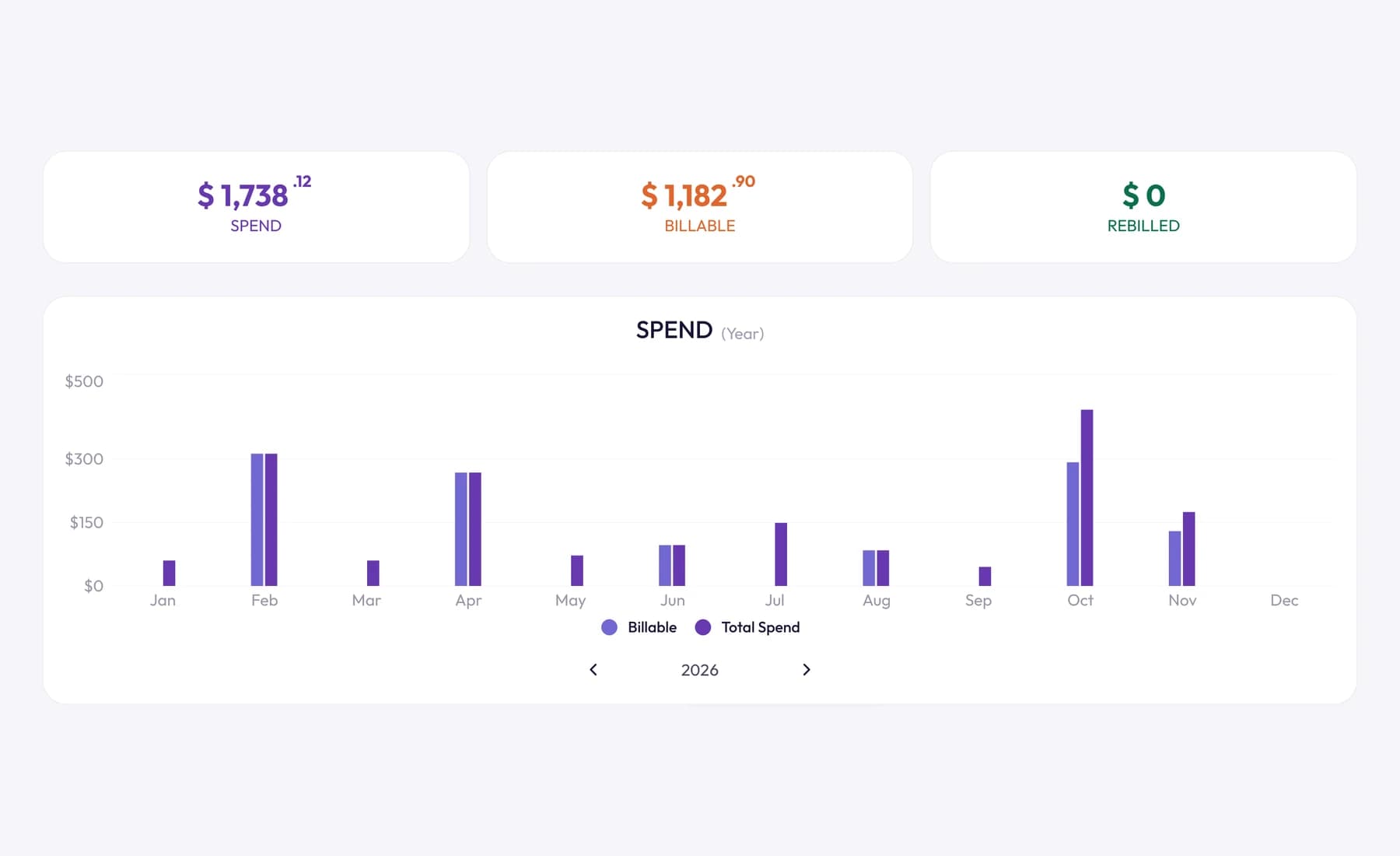
See how receipts and billable expenses work on our expense tracking software page.
Frequently asked questions
What's the one AI tool every freelancer should have?
A general assistant, such as ChatGPT, Claude or Gemini. It covers drafting, editing, research and email well enough for most freelancers. Add specialist tools only when a job takes an hour or more a week and the assistant handles it badly.
Is it safe to paste client work into ChatGPT or Claude?
Only if your contract and NDA allow it, and only with training on your data switched off. Remove names, figures and personal data first, and ask the client when in doubt.
Do I have to tell clients I use AI?
There's no general legal rule for freelancers, but some clients' contracts or industry rules require it. A short statement in your proposal or contract is the simplest way to avoid a surprise later.
Wrap up
Choose AI tools by the job they do, starting with one general assistant and adding specialists only when tracked hours show they save time. Watch for subscription creep and AI moving into higher tiers, protect client data with your contract, NDA and data settings, and tell clients how you work. Then price the result, not just the hours.
To track the hours AI saves and scan your receipts in one place, try Tristiks Grow free for 14 days.
Category: Productivity
Suraj Rao
Suraj Rao is the founder of Tristiks, the team behind Tristiks Grow and its desktop time tracker OneTrack. He writes about time tracking, client work and getting paid, and about DevOps, cloud and AI from years of building software.