How to Run a Project Post-Mortem (With Template)
 By Suraj Rao11 min read
What You'll Learn
- A post-mortem compares what you planned with what happened, finds causes without blaming anyone, and ends with two or three specific changes, each with an owner and a date.
- Bring numbers: estimated vs actual hours by phase, budget vs invoiced, planned vs actual dates and the effective hourly rate the project really paid.
- Most findings land in three places: your estimate template, your scope and contract templates, and your prices. If nothing changes there, the meeting was just a chat.

A project post-mortem is a short review after a project ends where you compare what you planned with what actually happened (hours, budget, timeline, scope and the client's experience), find the causes without blaming anyone, and turn them into specific changes to your estimates, scope templates and prices. For a freelancer it takes 30 to 45 minutes with your time data. For a small agency, plan 60 minutes with everyone who worked on the project, plus a short call or form for the client.
Below: when to run one and who to involve, what data to bring, a worked estimate-vs-actual example, the blameless format, a 60-minute agenda, the questions to ask, how to turn findings into changes and a template you can copy.
Why bother with a post-mortem
Without a review, the same overruns repeat: the revision round you didn't price, the late content, the phase you always underestimate.
There's evidence it works. A 2013 meta-analysis in Human Factors of 46 samples found that properly run debriefs improved team and individual effectiveness by about 20 to 25% on average. PMI's article on project closing makes the business case: recording lessons learned lets organizations that run similar projects cut the time and cost of future ones. Freelancers and agencies are exactly that kind of organization.
When to run one
| Trigger | Format |
|---|---|
| Any project over about 40 hours | Full post-mortem, within a week of delivery |
| A project that ran 15% or more over its estimate | Full post-mortem, even if it was small |
| A long project, at each major milestone | 20 to 30 minute mid-project review |
| A retainer client | Quarterly review |
| A project that went very well | Short review: what to repeat |
| A lost proposal or a client who left | 15 minutes on why |
Timing matters. Atlassian's project post-mortem template suggests holding the session within a few days to a week of completion, before memories fade. Teamwork's advice on productive post-mortem meetings is to run one after every project, or quarterly for clients on a retainer. Put it on your client offboarding checklist so it doesn't get skipped.
Who to involve
- Solo freelancer: you and your records. Block the time in your calendar as you would a client meeting.
- Small agency: everyone who worked on the project, including subcontractors. Our guide to hiring your first subcontractor covers bringing them into your processes. If you can, ask someone other than the project lead to facilitate, so the lead can take part without steering.
- The client: separately. A joint session tends to become a negotiation. Instead, ask the client a few questions on a 15-minute call or in a short form before your internal session.
HubSpot's guide to running a project post-mortem suggests asking whether the work met the standards both sides expected and whether the client agrees with your view of it. This email works:
Subject: Quick look back at [project name]
Hi [Name],
Now that [project] is live, I'm reviewing how it went so the next one runs better. Could you answer these four questions, by email or on a 15-minute call?
- Did the result do what you needed it to?
- What was easiest about working with us?
- What was frustrating, even slightly?
- If you started this project again tomorrow, what would you change?
Honest answers help most. Thanks, [Your name]
Prepare the numbers
Feelings are useful, but numbers keep a post-mortem honest. Before the meeting, gather:
- Estimated vs actual hours, by phase or task. This needs time tracked against tasks, not just the project. Our guide to estimating project hours explains how to break estimates down so they can be compared.
- Budget vs invoiced, including change requests.
- Planned vs actual dates for each milestone.
- Effective hourly rate: total invoiced divided by total hours. See effective hourly rate.
- Change requests and revision rounds, with dates.
- Days to pay for each invoice.
- The client's answers to your questions.
If you tracked the budget during the project, most of this already exists.
Worked example: estimate vs actual
A two-person studio delivered a website redesign at a fixed price of $9,000, estimated at 90 hours to hit a target rate of $100 an hour. One $600 change request was billed. Here's what the time log showed:
Phase            Estimated   Actual   Variance
Discovery             8         11      +3   (+38%)
Design               30         34      +4   (+13%)
Revisions             8         21     +13  (+163%)
Development          32         36      +4   (+13%)
Content entry         4         12      +8  (+200%)
Launch and QA         8          9      +1   (+13%)
Total                90        123     +33   (+37%)

Invoiced:            $9,000 + $600 change request = $9,600
Effective rate:      $9,600 / 123 h = $78 per hour (target $100)
Shortfall:           123 h x $100 = $12,300 at target, so $2,700 short
Timeline:            planned 6 weeks, actual 9 weeks
The total is 37% over, but the overrun isn't spread evenly. Two phases account for 21 of the 33 extra hours:
- Revisions: the contract said "two rounds of revisions" without defining a round. The client sent feedback in five separate emails, and each was treated as part of round one.
- Content entry: the client sent content three weeks late, as Word files with images attached separately, and someone had to format every page.
Design and development ran about 13% over, which is normal noise. Fixing those estimates won't help much; fixing revisions and content will. That's the value of breaking the numbers down by phase: "We went over" becomes "We under-scoped two specific things." Our guide to project profitability shows how to run the same math across all your projects.
Keep it blameless
A post-mortem that hunts for someone to blame teaches people to hide problems. Google's SRE book, in its chapter on postmortem culture, defines a blameless postmortem as one that looks for the contributing causes of an incident without blaming any person or team for bad or inappropriate behavior. It notes that the idea came from healthcare and aviation, where mistakes can be fatal.
Many retrospective facilitators start by reading Norm Kerth's Retrospective Prime Directive, which asks everyone to assume that people did the best job they could with what they knew at the time.
Blameless doesn't mean nothing went wrong. It means you ask what about the process allowed it to happen. That applies to the client and to yourself as much as to a team:
| Blaming | Blameless |
|---|---|
| "The client was slow with feedback." | "Our contract had no feedback deadline, so the timeline had no protection." |
| "Sam underestimated development." | "Our estimate had no buffer for the API we hadn't used before." |
| "I was disorganized." | "I had no checklist for launch, so QA steps were done from memory." |
| "They kept changing their mind." | "We had no written change request step, so changes went straight into the work." |
Every blameless version points at something you can change.
A 60-minute post-mortem agenda
| Minutes | Part | What happens |
|---|---|---|
| 0 to 5 | Set up | State the purpose and the blameless rule |
| 5 to 15 | Facts | Walk through the numbers and the timeline; no opinions yet |
| 15 to 25 | What went well | List what to repeat |
| 25 to 40 | What didn't | List problems, then group them |
| 40 to 50 | Causes | Ask "why?" on the two or three biggest problems |
| 50 to 60 | Actions | Agree up to three changes, each with an owner and a date |
Toggl's guide to leading a project post-mortem recommends going in with a set agenda; sharing it a day ahead lets people come prepared. Solo, follow the same order in 30 to 45 minutes with a notebook.
Spend the most time on causes. Asking "why?" a few times gets you from "revisions overran" to "we never defined a round" to "our scope template has no revision definition," which is something you can fix in ten minutes.
Questions to ask
Outcome
- Did the project achieve what the client needed? How do we know?
- What would the client say went best? Worst?
Estimate and budget
- Which phases ran over or under, and by how much?
- Was the overrun in work we expected, or in work we didn't plan for at all?
- What was the effective hourly rate, and how does it compare with our target?
Scope and process
- Where did scope change, and did each change go through a change request?
- Where did we wait on the client, and for how long?
- Which handoffs were slow or unclear?
- Which step would a checklist or template have made faster?
Client relationship
- Were expectations set clearly at the start? Where did they drift?
- Did the client get updates often enough? Our client status update templates can help here.
- Would we take this client, or this kind of project, again on the same terms?
What to repeat
- What went better than usual, and why?
- What should become the default for every project?
Turn findings into changes
Atlassian's guide to project post-mortems warns that a post-mortem without an action plan is merely a talk session. Most findings belong in one of four places:
| Finding | Change | Where it goes |
|---|---|---|
| Revisions ran 163% over | Define a round as one consolidated set of feedback; price extra rounds | Scope template and contract |
| Content entry ran 200% over | Content due date in the contract; content entry billed hourly | Contract and estimate template |
| Discovery ran over with extra stakeholders | Add 2 hours per extra stakeholder | Estimate template |
| Effective rate $78 vs $100 target | Raise the base price for this project type by 15% | Price list |
The scope changes go in your statement of work template, and our guide to scope creep has wording for change requests. Payment and deadline clauses go in your freelance contract. If projects of one kind keep paying below target, that's the evidence to raise your rates. For agencies, repeated overruns on one role are an input to capacity planning.
Write each action so it can't be misunderstood. The SRE Workbook's chapter on postmortem culture stresses that action items need clear ownership and priority, or they get forgotten:
Action:     Add a revision-round definition to the website scope template
Owner:      Priya (one person, not "the team")
Due:        12 December
Done when:  The template has the definition and an extra-round price,
            and the next proposal uses it
Keep it to three actions, and check them at the start of your next post-mortem.
Project post-mortem template
Copy this into a document for each project and keep them together. Reread the last few before you estimate a similar project.
Project post-mortem: [project name]
Client: [name] Dates: [start] to [end] Prepared by: [name]
1. Goal: what the project was meant to achieve, in one sentence. Did it?
2. Numbers
- Hours: estimated [ ] / actual [ ] / variance [ ]%
- Budget: quoted [ ] / invoiced [ ] / change requests [ ]
- Effective hourly rate: [ ] (target [ ])
- Timeline: planned [ ] weeks / actual [ ] weeks
- Biggest overruns by phase: [phase, hours, %]
3. Client feedback: [summary of their answers]
4. What went well (repeat): [list]
5. What didn't (fix): [list, written blamelessly]
6. Causes: [for the top two or three problems, the answer after asking "why?" a few times]
7. Actions (maximum three)
- [Action] / Owner: [one person] / Due: [date] / Done when: [result]
8. Would we take this project again on the same terms? Yes / Yes, with changes / No
How Tristiks Grow helps
The hardest part of a post-mortem is the numbers. Tristiks Grow records them while you work:
- Time tracked against client, project and task, from the desktop app, the web timer or manual entries, so you can compare actual hours with your estimate phase by phase.
- Tasks with time tracked per task, on a list or kanban board, with subtasks, comments and attachments, so revision rounds and content entry show up as their own lines.
- Reports by client and project, with client rates showing what the hours earned, which gives you the effective hourly rate in a few clicks.
- Invoices with sent, due and paid dates, for budget vs invoiced and days to pay.
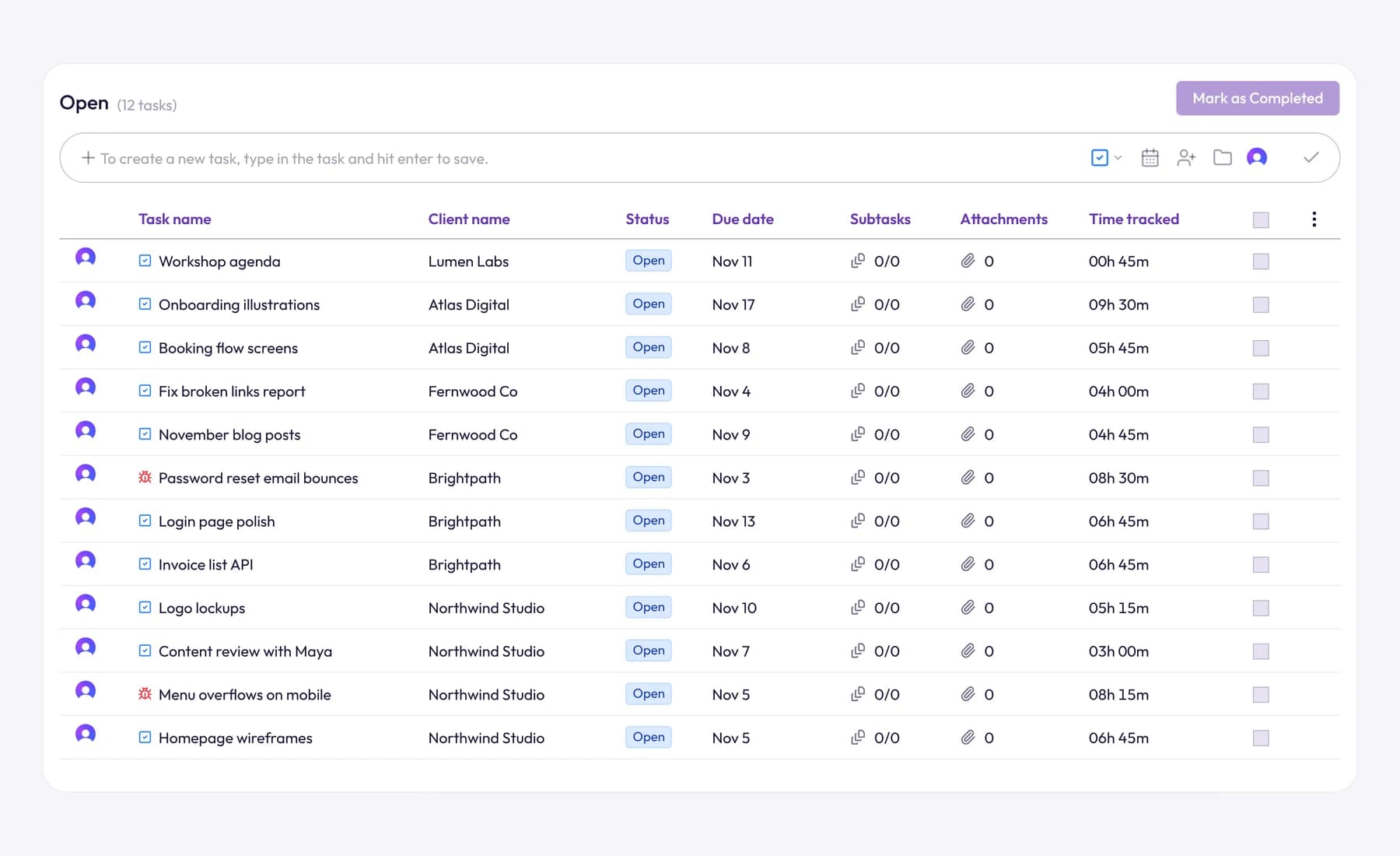
See how tracking time per task works on our project time tracking page.
Frequently asked questions
What's the difference between a post-mortem and a retrospective?
A retrospective is usually a regular review during a project, often every week or two. A post-mortem happens once, after the project ends. The format and questions are almost the same.
Should I share the post-mortem with the client?
Share a short, positive summary: what you'll keep doing and one or two changes you're making. Keep the internal numbers, such as your effective rate, to yourself.
Do I need a post-mortem if the project went well?
Yes, a short one. Knowing why a project went well tells you what to make the default, and good projects are where the best pricing evidence comes from.
Wrap up
A useful post-mortem is short, blameless and built on numbers: estimated vs actual hours by phase, budget vs invoiced and the effective rate the project really paid. Ask the client separately, find causes rather than culprits, and finish with up to three changes to your estimates, scope templates or prices, each with one owner and a date.
To have estimate-vs-actual numbers ready for every post-mortem, try Tristiks Grow free for 14 days.
Category: Productivity
Suraj Rao
Suraj Rao is the founder of Tristiks, the team behind Tristiks Grow and its desktop time tracker OneTrack. He writes about time tracking, client work and getting paid, and about DevOps, cloud and AI from years of building software.